
Zed’s Better ModList
Streamline Your Project Zomboid Modding with Zed’s Better ModList
Managing your mods in Project Zomboid can quickly become a daunting task, especially as your collection grows. Fortunately, Zed’s Better ModList arrives to revolutionize your mod selector screen with an array of powerful and intuitive quality-of-life enhancements. This mod doesn’t replace any core functionality; instead, it intelligently expands upon the existing framework to give you unprecedented control over your mod library.
Enhanced Mod Organization and Management
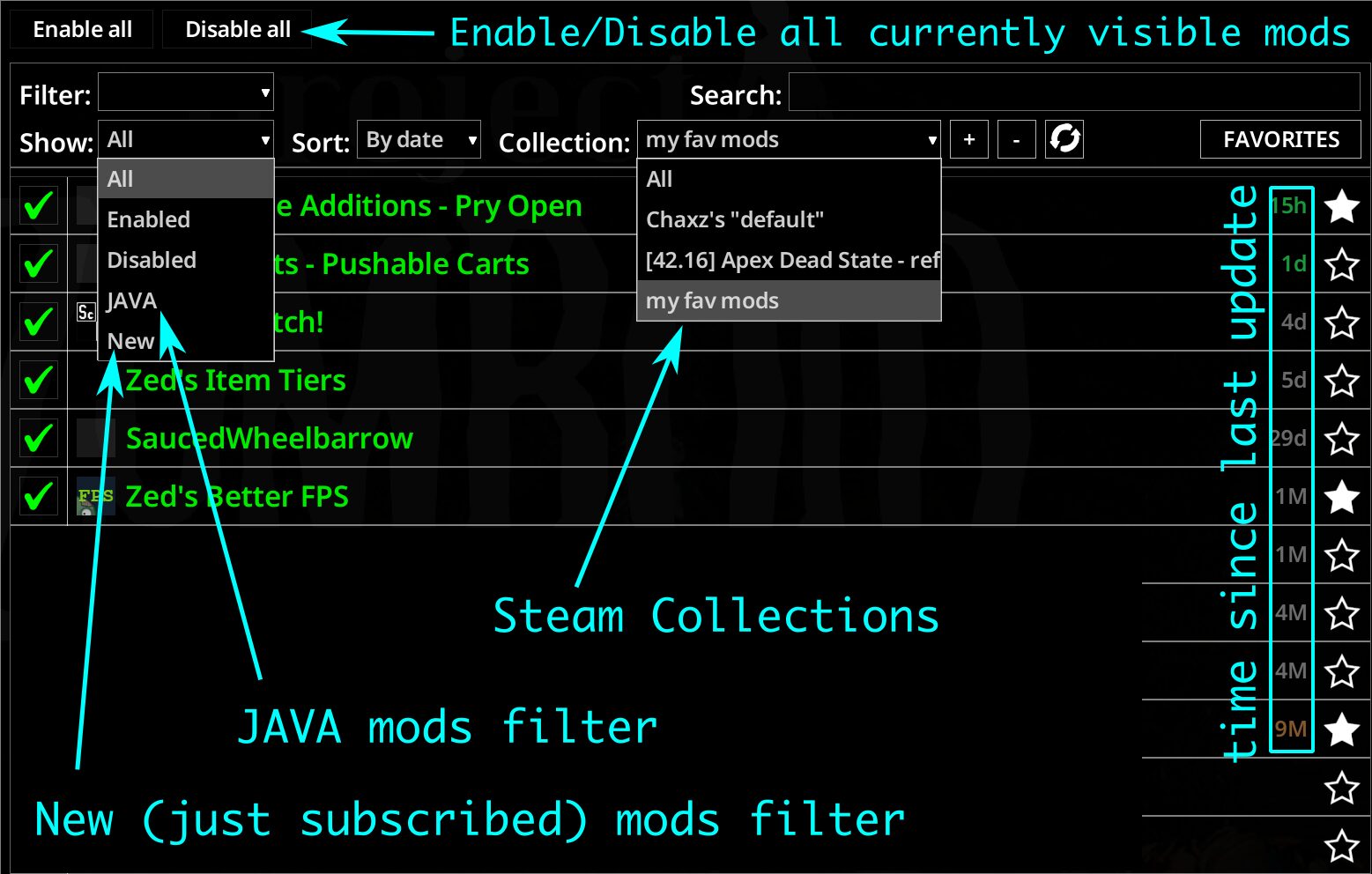
Zed’s Better ModList introduces a suite of features designed to make finding, enabling, and disabling your mods easier than ever before. Gone are the days of endless scrolling through a monolithic list. Now, you can effortlessly filter your mods by various criteria, including all, enabled, disabled, Java-specific mods, and even newly added ones. Sorting options by name or date further refine your search, ensuring you can pinpoint any mod in seconds.
Powerful New Features
The mod’s capabilities extend far beyond simple filtering and sorting. Here are some of the standout additions:
- Steam Workshop Collections: Integrate your Steam Workshop collections directly into the game. Simply add a collection via its URL or ID, and it will appear as a filterable option. This feature also automatically subscribes you to all mods within the collection and displays new additions without requiring a game restart.
- Bulk Enable/Disable: Toggles for “Enable All” and “Disable All” are now available. These functions intelligently process mods in their required dependency order, ensuring that enabling or disabling entire chains of mods is handled correctly with a single click.
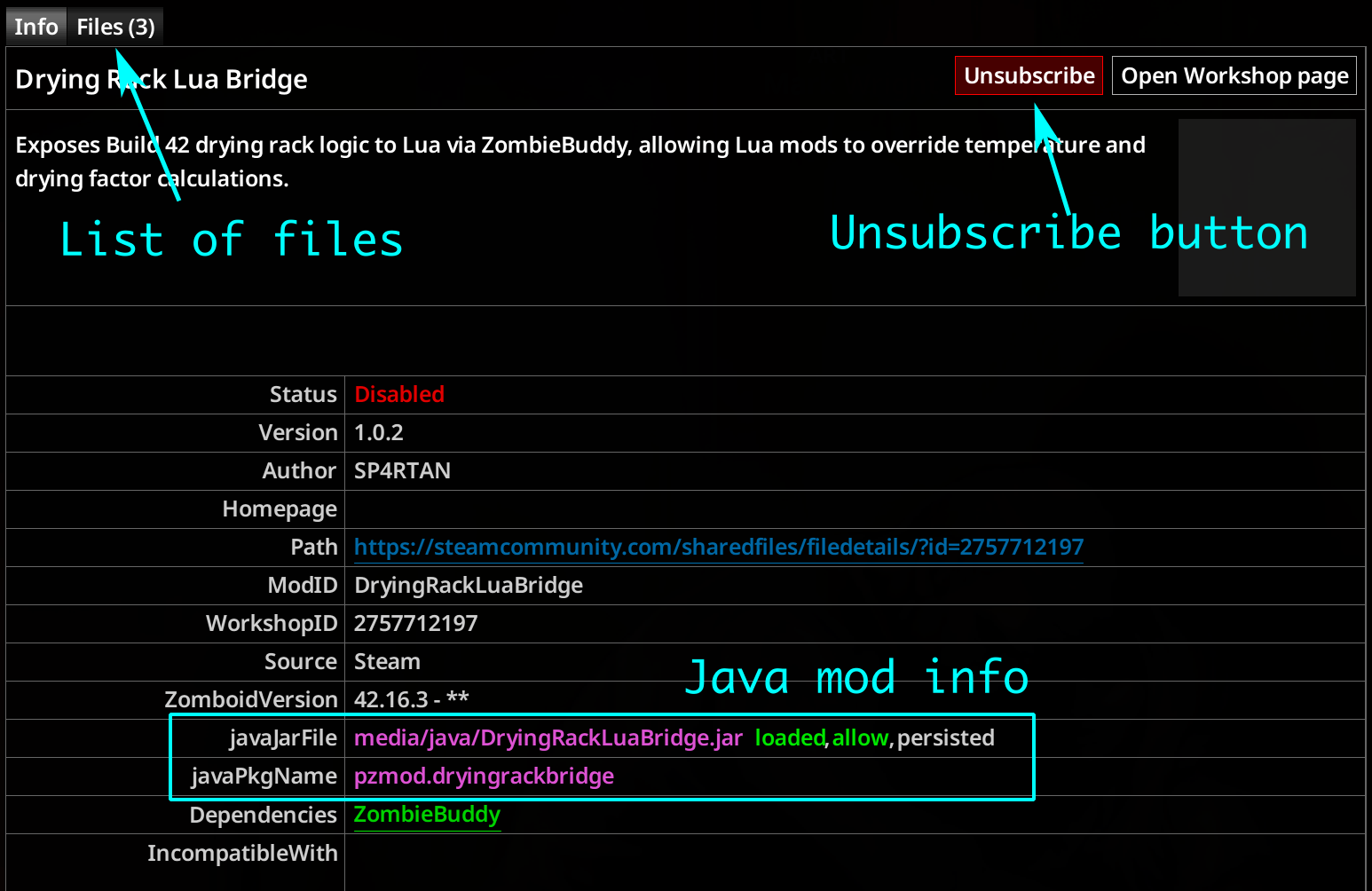
- Direct Unsubscribe: Remove unwanted Workshop mods directly from the in-game list without needing to exit Project Zomboid. Mods you’ve unsubscribed from during the current session will be hidden until you restart.
- Java Mod Status: For those utilizing Java mods, Zed’s Better ModList provides clear, color-coded load status indicators (loaded, blocked, allowed, denied, persisted, session) right next to the JAR path, allowing for quick identification of any potential issues.
- Dependents Information: The mod info panel now displays a row of mods that depend on the currently selected mod. Active dependents are highlighted, and clicking on them allows you to jump directly to that mod in the list, similar to how vanilla dependencies are handled.
Seamless Integration and Compatibility
Zed’s Better ModList is designed to be client-side only, meaning it works flawlessly in multiplayer environments without affecting server performance. It’s also safe to add or remove from existing saves, offering flexibility in managing your mod list throughout your Project Zomboid adventures. For users of Build 42.12 and later, this mod is an essential tool for a smoother, more organized modding experience.