
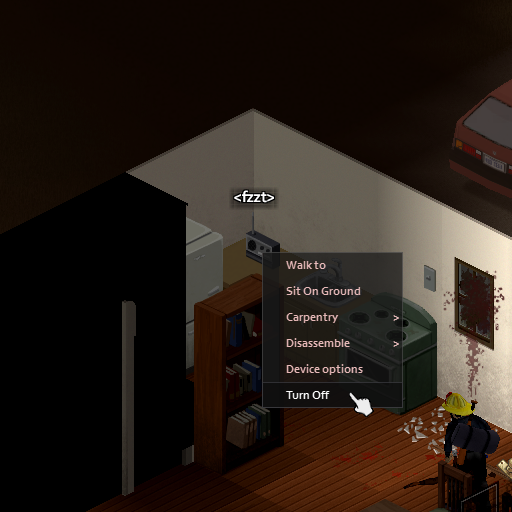
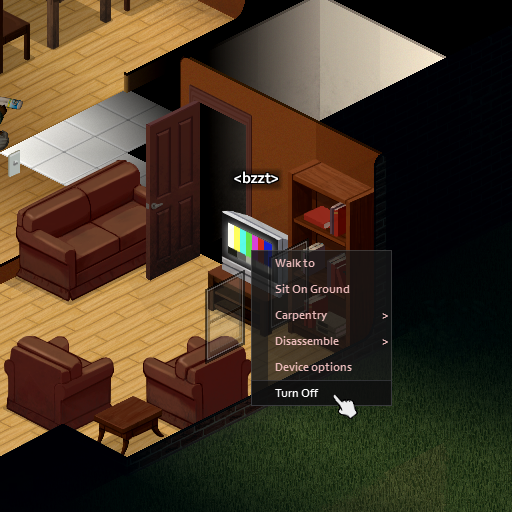
Turn off the TV/Radio from the context menu. (for Build 41)
Streamline Your Project Zomboid Experience: Turn Off TVs and Radios Effortlessly
Tired of the cumbersome process of interacting with control panels just to silence a noisy television or radio in Project Zomboid? This simple yet effective mod introduces a much-needed quality-of-life improvement, allowing you to manage your electronic devices with greater ease. Designed for Build 41, this modification streamlines a common, often frustrating, interaction within the game.
Intuitive Power Management
The core functionality of this mod revolves around a simple but powerful addition: the ability to turn your television and radio units off directly from their context menus. No longer will you need to navigate through multiple menus or find a specific interaction point to achieve silence. This means less time spent fiddling with interfaces and more time focused on survival. Whether you’re trying to conserve power, avoid attracting unwanted attention, or simply want a moment of peace from the static, this mod makes it incredibly straightforward.
More Than Just Shutting Down
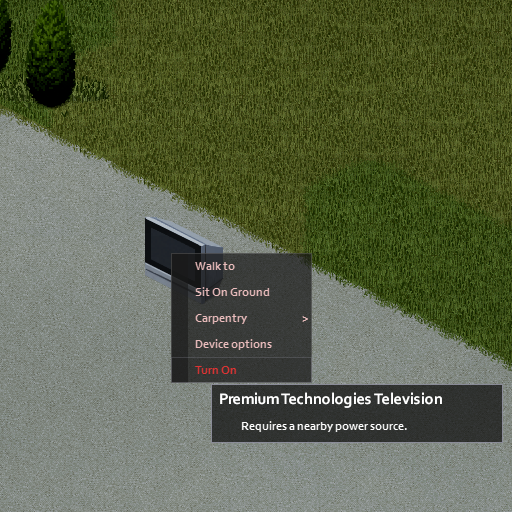
Adding to its utility, this mod also includes the convenient ability to power your devices back on via the same context menu. This dual functionality ensures that you have complete control over your electronics without unnecessary steps. Imagine needing to quickly check for emergency broadcasts or distract a horde with a blaring TV – now, you can initiate these actions just as easily as shutting them down.
Key Features at a Glance:
- Effortless power control for TVs and Radios.
- Access power options directly from the context menu.
- Ability to both turn devices on and off.
- Designed to enhance user experience in Build 41.
This mod is primarily developed with single-player gameplay in mind. While it aims to be as unobtrusive as possible, its functionality in multiplayer environments has not been guaranteed. For players seeking a smoother, more intuitive way to manage their in-game electronics, this mod offers a welcome and practical solution.