
Sims Plumbob
The Sims Plumbob Mod for Project Zomboid: A Visual Health Indicator
For survivors in Project Zomboid, keeping a close eye on your character’s well-being is paramount. Introducing the Sims Plumbob mod, a unique visual addition that brings an iconic element from another life simulation series directly into the zombie apocalypse. This mod offers an intuitive and engaging way to monitor your survivor’s health at a glance, adding a layer of visual feedback to the harsh realities of survival.
Instant Health Assessment
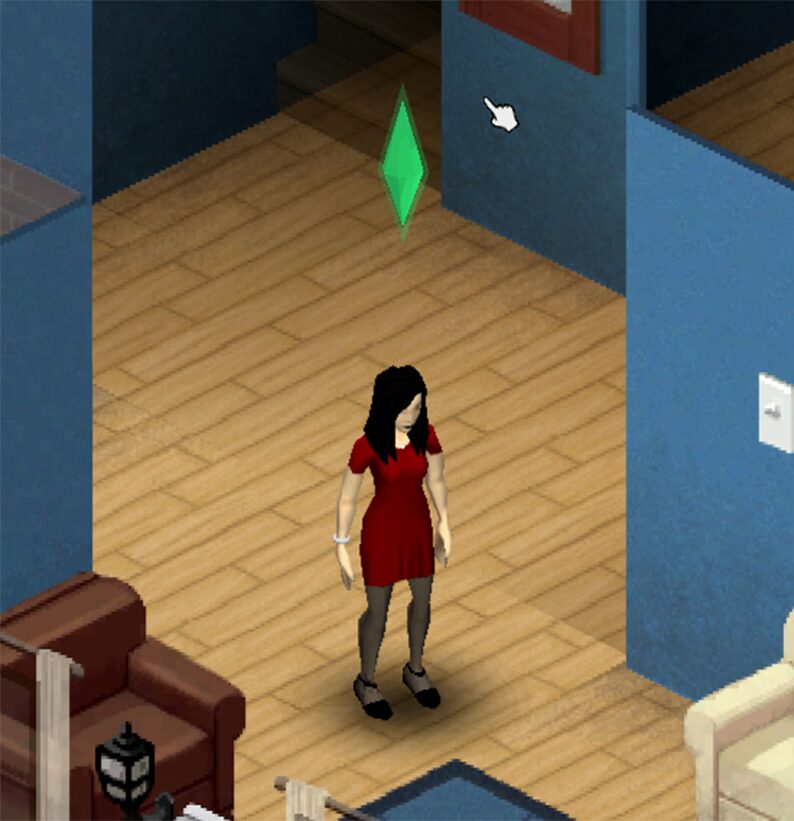
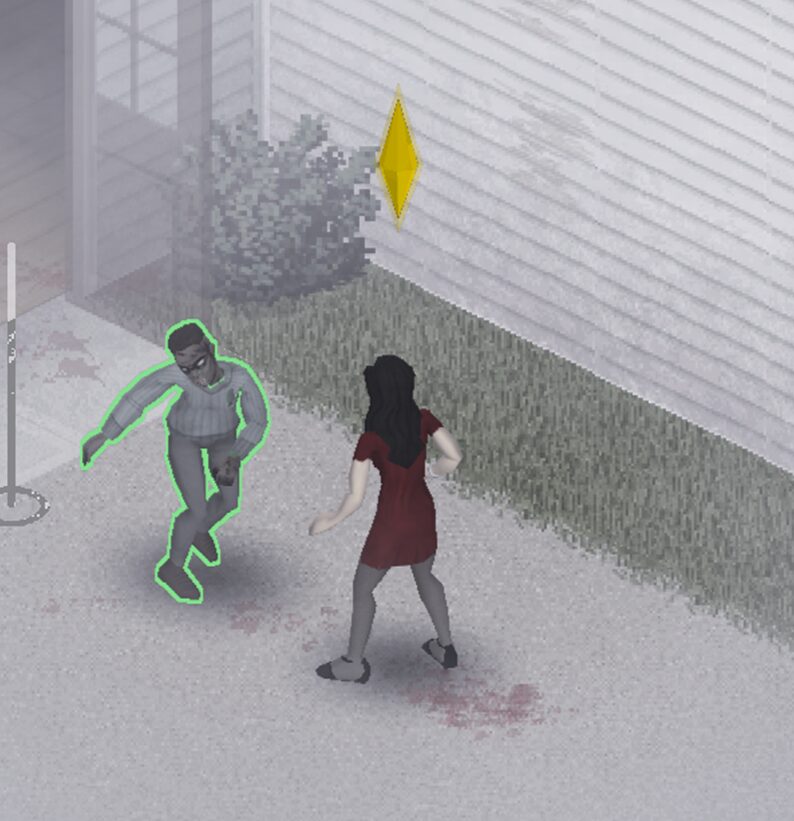
The core feature of the Sims Plumbob mod is its dynamic color-coding system, directly inspired by its namesake. This iconic floating diamond hovers discreetly above your character, providing immediate visual cues about their current health status:
- Green: Your survivor is in good condition, with health above 70%.
- Yellow: Caution is advised. Health has dropped between 30% and 70%.
- Red: Danger! Your survivor’s health is critically low, below 30%.
This color progression allows players to quickly assess their situation without needing to constantly check the health panel, enabling faster decision-making in intense combat or hazardous situations.
Reacting to Damage
Beyond just indicating general health, the Plumbob also provides immediate feedback when damage is taken. When your survivor sustains an injury, whether from a zombie bite, a fall, or even passive damage like bleeding or overencumbrance, the Plumbob will briefly shake. The intensity of this shake is dynamically linked to the amount of damage received, offering a subtle yet effective notification of any new injuries.
Seamless Multiplayer Integration
Worried about compatibility with multiplayer servers? The Sims Plumbob mod is designed to be entirely client-side. This means the Plumbob only appears over your own character and does not affect other players or server performance. You can integrate this visual aid into your multiplayer experience with confidence.
Optimizing the Experience
For the smoothest and most responsive animation of the Plumbob, it’s recommended to adjust your in-game display settings. Deactivating the UI frame lock will allow the Plumbob’s animations to sync better with your character’s movements, ensuring a fluid and immersive visual experience.