PZ Pulse
Project Zomboid: Enhance Your Survival with PZ Pulse
Are you tired of constantly alt-tabbing out of Project Zomboid to check your character’s vital statistics? Introducing PZ Pulse, a powerful live status dashboard designed to give you immediate access to all your crucial survivor information, right within your web browser.
At-a-Glance Information
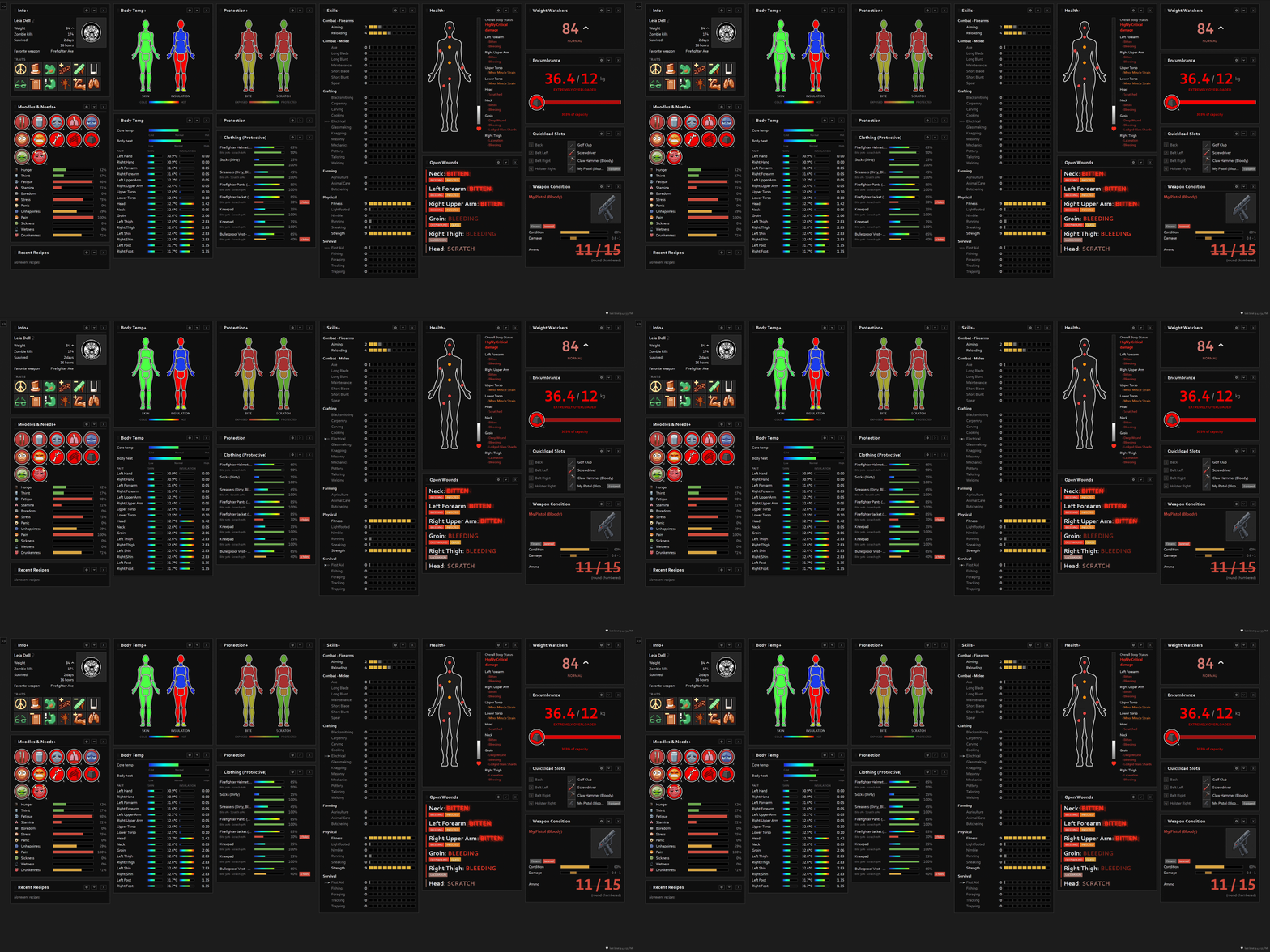
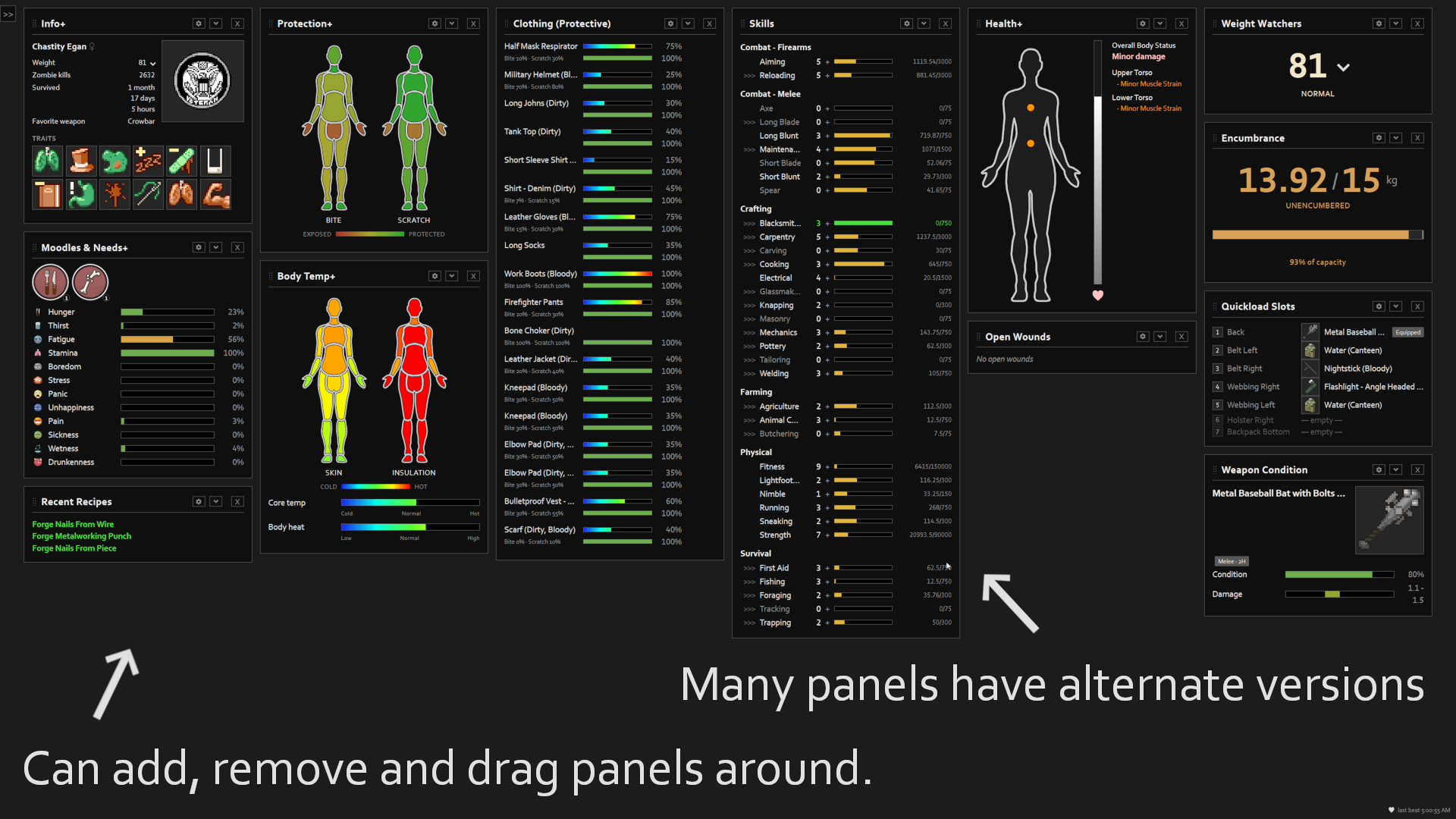
PZ Pulse transforms your gameplay by offering a comprehensive overview of your survivor’s condition. This mod recreates many of the essential elements found in the in-game character window and expands upon them.
Key Features at Your Fingertips:
- Character Info: Track your survivor’s name, profession, traits, current weight, most used weapon, kill count, and total time survived.
- Skills and Experience: Monitor the progression of every skill, including current level and the experience needed to reach the next tier, complete with visual indicators for level-ups and XP gains.
- Health Status: Get a detailed breakdown of overall health and specific damage or wound flags for each body part.
- Clothing Protection: See the bite and scratch defense values provided by your equipped clothing for every body part.
- Body Temperature: Keep an eye on core body temperature, body heat, and the insulation and temperature of individual body parts.
- Moodles and Needs: All your essential HUD moodles, alongside hunger, thirst, fatigue, stress, and panic levels, are readily available.
- Weapon and Clothing Condition: Monitor your equipped weapon’s durability and attachments, and assess the condition and protection of each piece of clothing.
- Quickload Slots: View your current hotbar equipment loadout for quick reference.
- Encumbrance Levels: Understand your carry weight relative to your capacity, including HeavyLoad tier status.
- Open Wounds Triage: Get a prioritized list of untreated injuries, sorted from most severe to least.
- Recent Recipes: A temporary notification appears when you learn a new crafting recipe.
Customization and Integration
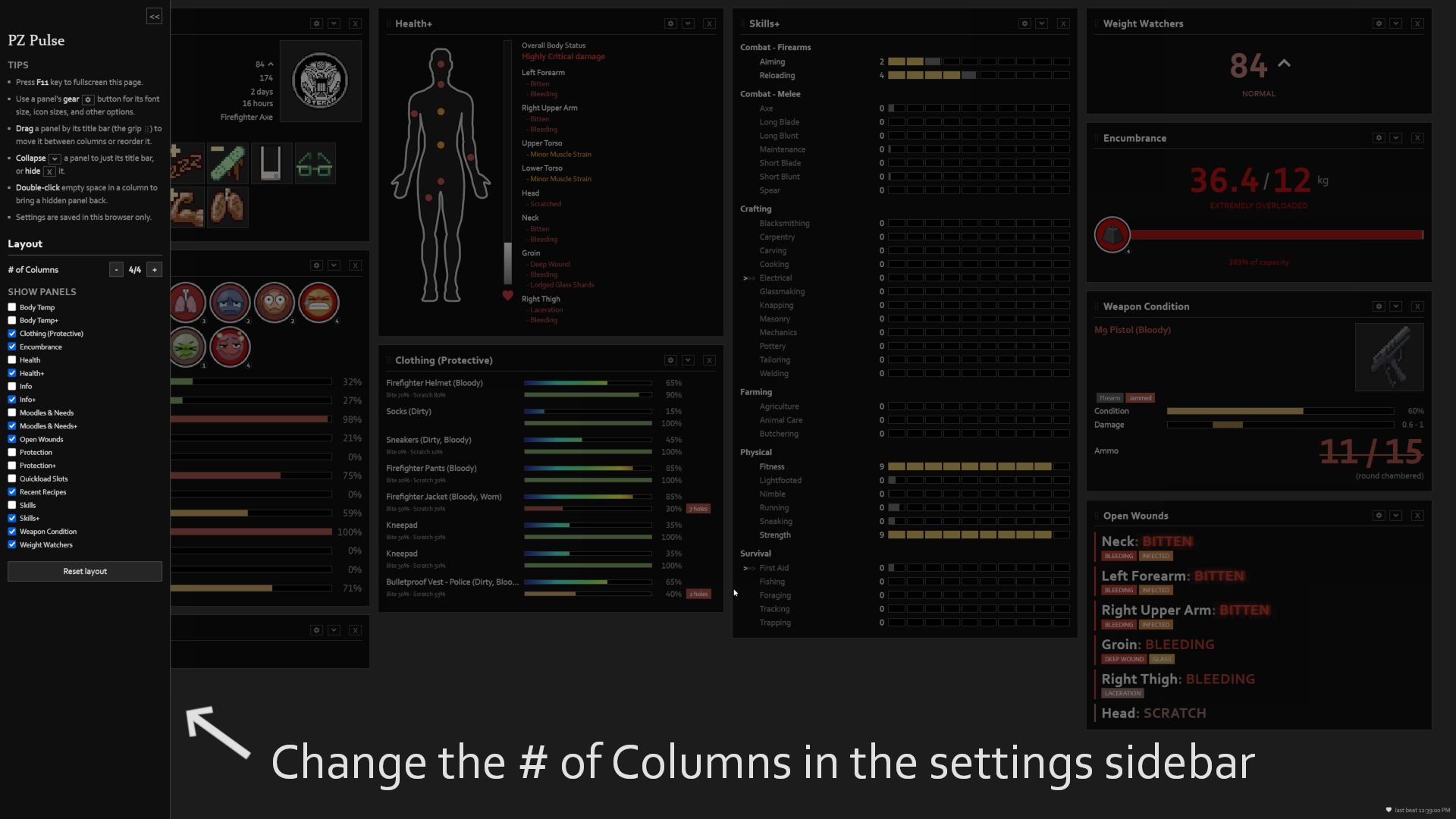
PZ Pulse is highly customizable. You can rearrange panels, adjust column counts, and show or hide individual displays to suit your preferences. Font sizes, animation toggles, and flash timings can also be fine-tuned. Your layout and preferences are saved directly in your browser, ensuring a consistent experience.
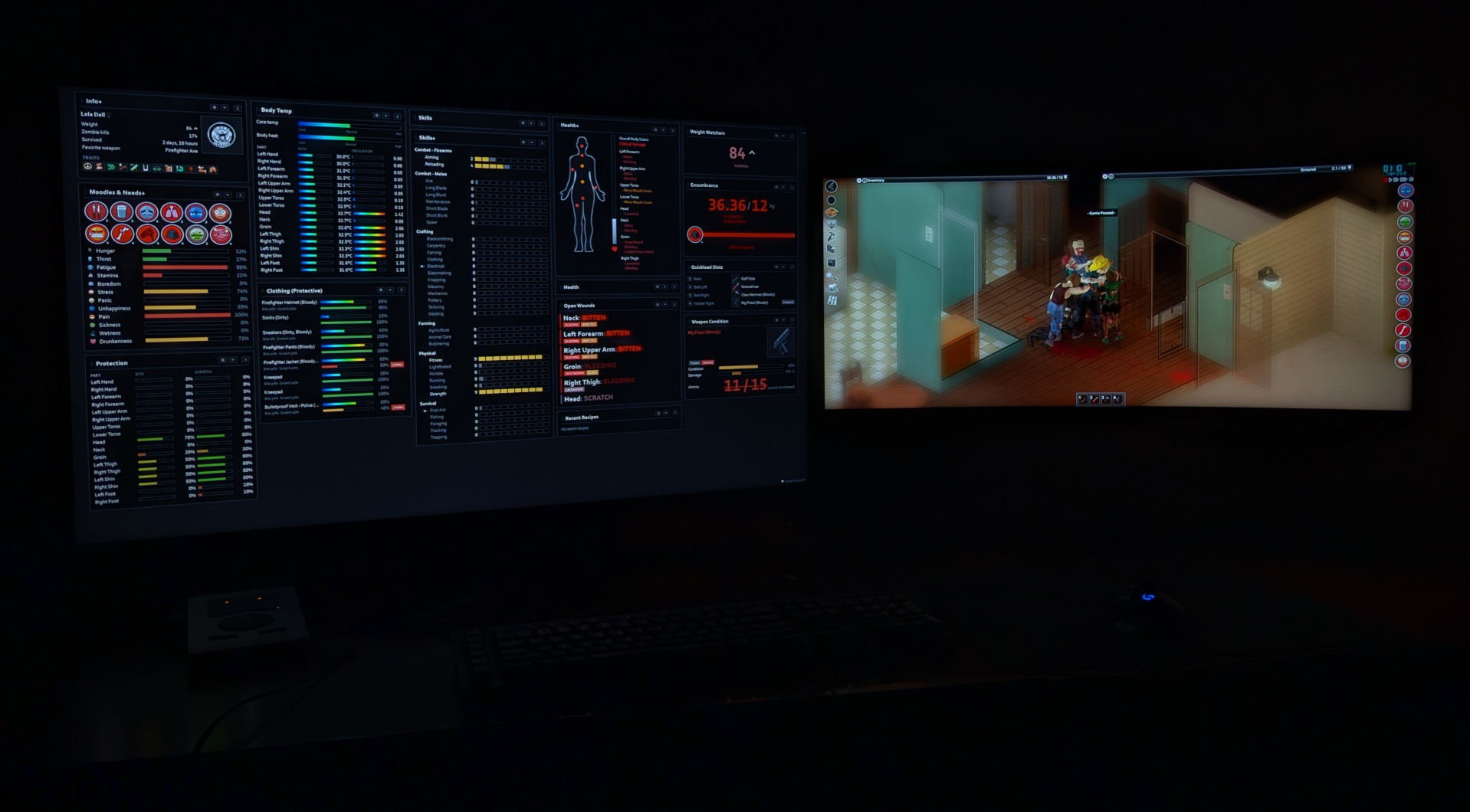
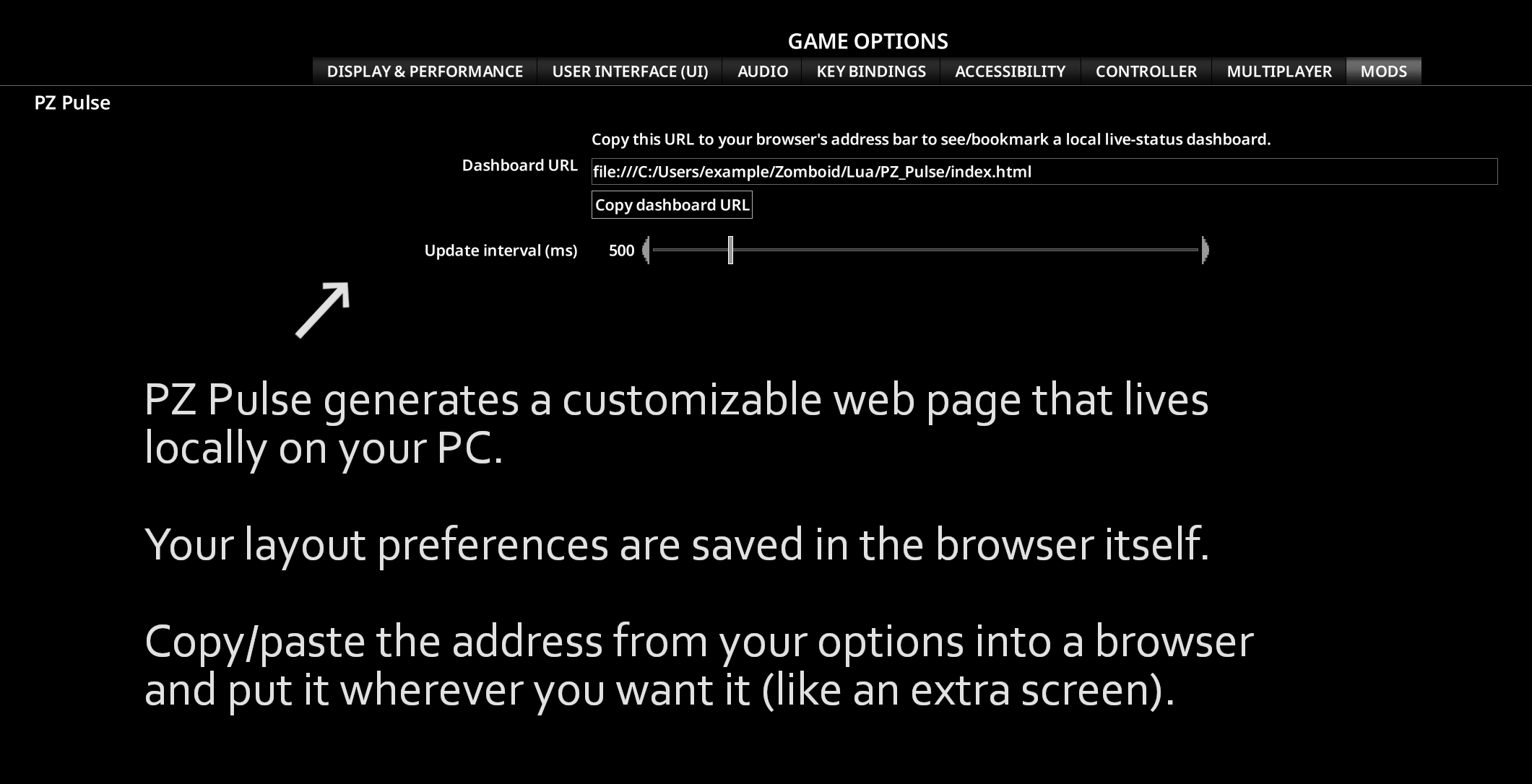
To use PZ Pulse, simply enable the mod, load your save, and access the mod’s options in-game. Copy the provided dashboard URL and paste it into your web browser. For the best experience, utilize a second monitor to keep the dashboard visible while you play. The dashboard updates in real-time, with the refresh rate adjustable in the mod’s options.
This mod operates entirely locally; it makes no external network connections. It’s an essential tool for any serious Project Zomboid survivor looking to optimize their awareness and decision-making.