
Minimap Style Options
Master Your Survival Map with Project Zomboid’s Minimap Style Options
Navigating the treacherous world of Project Zomboid has never been more intuitive. The Minimap Style Options mod empowers you to tailor the in-game minimap to your exact preferences, providing crucial information at a glance without compromising your immersion. Whether you’re a seasoned survivor or just starting out, this mod offers a suite of powerful customization tools designed for immediate impact and lasting convenience.
Instant Control Over Your View
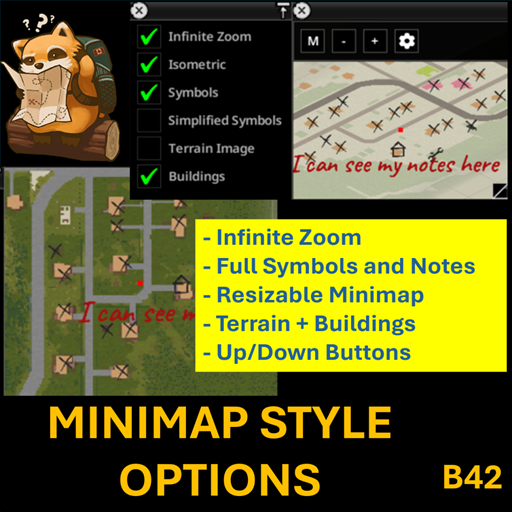
This mod allows for a dynamic and responsive minimap experience. You can adjust key visual elements, such as zoom levels, the display of map symbols, terrain imagery, and building outlines, all while the minimap is active. This means you can tweak settings on the fly and see the results instantly, making it easier than ever to find the perfect configuration for your playstyle.
Key Features for Enhanced Navigation
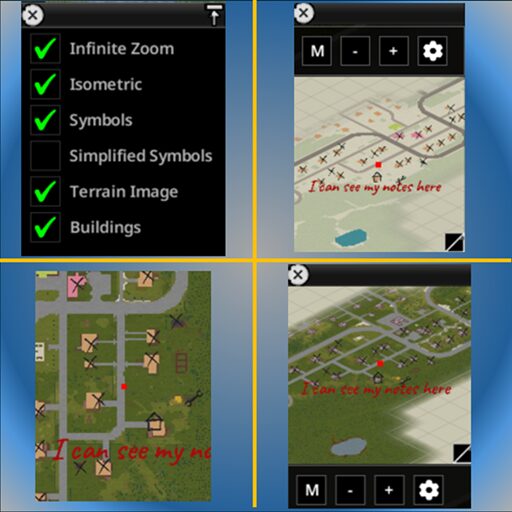
- Interactive Resizing: Effortlessly adjust the minimap’s dimensions by simply dragging its bottom-right corner.
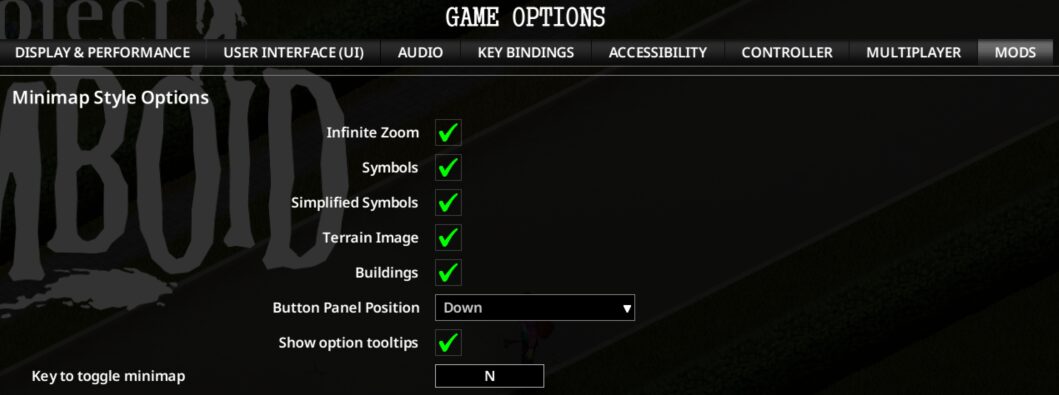
- Customizable Panel: Choose whether the minimap’s control panel appears at the top or bottom of the screen for optimal accessibility.
- Keybind Toggle: Activate or deactivate the minimap with a dedicated keybind, defaulting to ‘N’ but fully rebindable to suit your setup.
- Comprehensive Options: Access all customization settings conveniently through the game’s main menu: ESC → Options → Mods.
- Real-Time Application: All changes you make are applied immediately, so you don’t have to restart or reload to see your adjustments.
- Persistent Settings: Your chosen minimap configurations are saved automatically and will persist across all your gaming sessions.
Deep Dive into Minimap Customization
A dedicated options panel, accessible via a gear icon on the minimap itself, unlocks a wealth of features. You can enable “Infinite Zoom” to push the minimap’s magnification beyond its default limits. Toggle “Isometric” rendering for a different perspective, or choose to show or hide map “Symbols” altogether. For enhanced clarity, “Detailed Symbols” provides larger icons and notes, while the “Terrain Image” option overlays the map with visual environmental data. Furthermore, you can choose to display building outlines and labels, which function independently or in conjunction with the terrain imagery. In multiplayer, the “Remote Symbols” option allows you to control the visibility of symbols shared by other players, ensuring a cleaner or more informative map as needed.
Seamless Integration and Quality of Life
The Minimap Style Options mod is designed with user experience at its core. The options panel can be repositioned anywhere on screen and its location is saved. Each option comes with helpful tooltips, which can be toggled off if desired. New games can even launch with your preferred minimap setup pre-applied if configured within the mod’s options, and existing saves will retain their previously established settings. This mod is compatible with Project Zomboid Build 42.12 through 42.19, offering a significant upgrade to your navigational capabilities in the fight for survival.