
Large Progress Indicator
Enhance Your Project Zomboid Experience with the Large Progress Indicator Mod
Navigating the treacherous world of Project Zomboid requires constant attention to detail. From crafting vital supplies to fortifying your safehouse, every action is crucial. However, the default progress indicator in Project Zomboid can sometimes be difficult to spot, especially during intense moments. The Large Progress Indicator mod aims to solve this common issue, providing a much-needed visual upgrade that keeps you informed without distraction.
A Clearer View of Your Actions
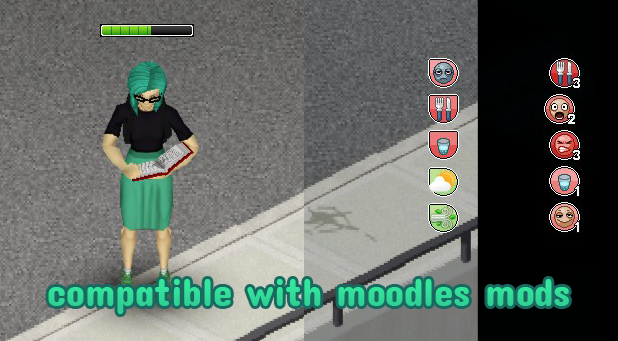
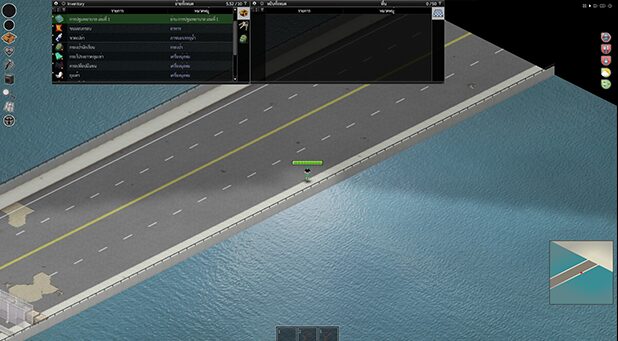
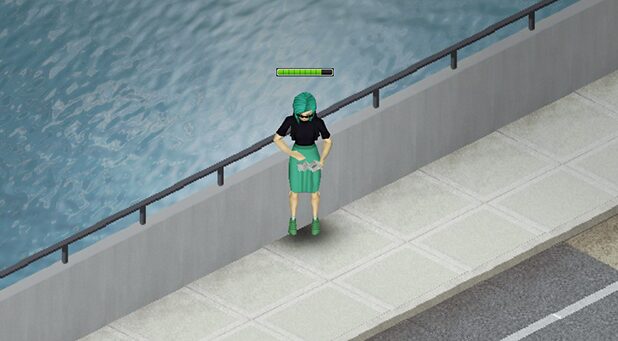
This intuitive mod significantly increases the size of the progress indicator that appears when you perform an action, such as barricading a window, sawing down a tree, or cooking a meal. With a larger, more prominent display, you can easily track the progress of your tasks at a glance. This enhanced visibility is particularly beneficial in fast-paced situations or when managing multiple objectives simultaneously, ensuring you never miss a critical update on your character’s actions.
Seamless Integration and Compatibility
One of the standout features of the Large Progress Indicator mod is its excellent compatibility. It has been designed to work harmoniously with a variety of other popular mods that alter the game’s moodles system. This means you can enhance your visual interface with this progress indicator without worrying about conflicts or losing functionality from your favorite moodles packs.
Key benefits of the Large Progress Indicator mod include:
- Increased size and visibility of the progress indicator.
- Easier tracking of crafting, building, and other in-game actions.
- Improved user experience, especially during intense gameplay.
- Full compatibility with popular moodles modification packs.
Expand Your Mod Arsenal
The creator of the Large Progress Indicator mod also offers an alternate version, providing further customization options for your Project Zomboid interface. For those looking to further refine their visual experience, exploring these related modifications can lead to an even more personalized and effective gameplay setup. By combining this mod with other UI enhancements, you can create an optimized environment tailored to your specific playstyle.