
Inventory ReInvented
Inventory ReInvented: A Visual Overhaul for Project Zomboid
Elevate your Project Zomboid experience with Inventory ReInvented, a comprehensive mod that breathes new life into the game’s user interface. This modification focuses on enhancing visual clarity and streamlining inventory management, allowing you to interact with the world and its resources more efficiently.
A Fresh Visual Approach
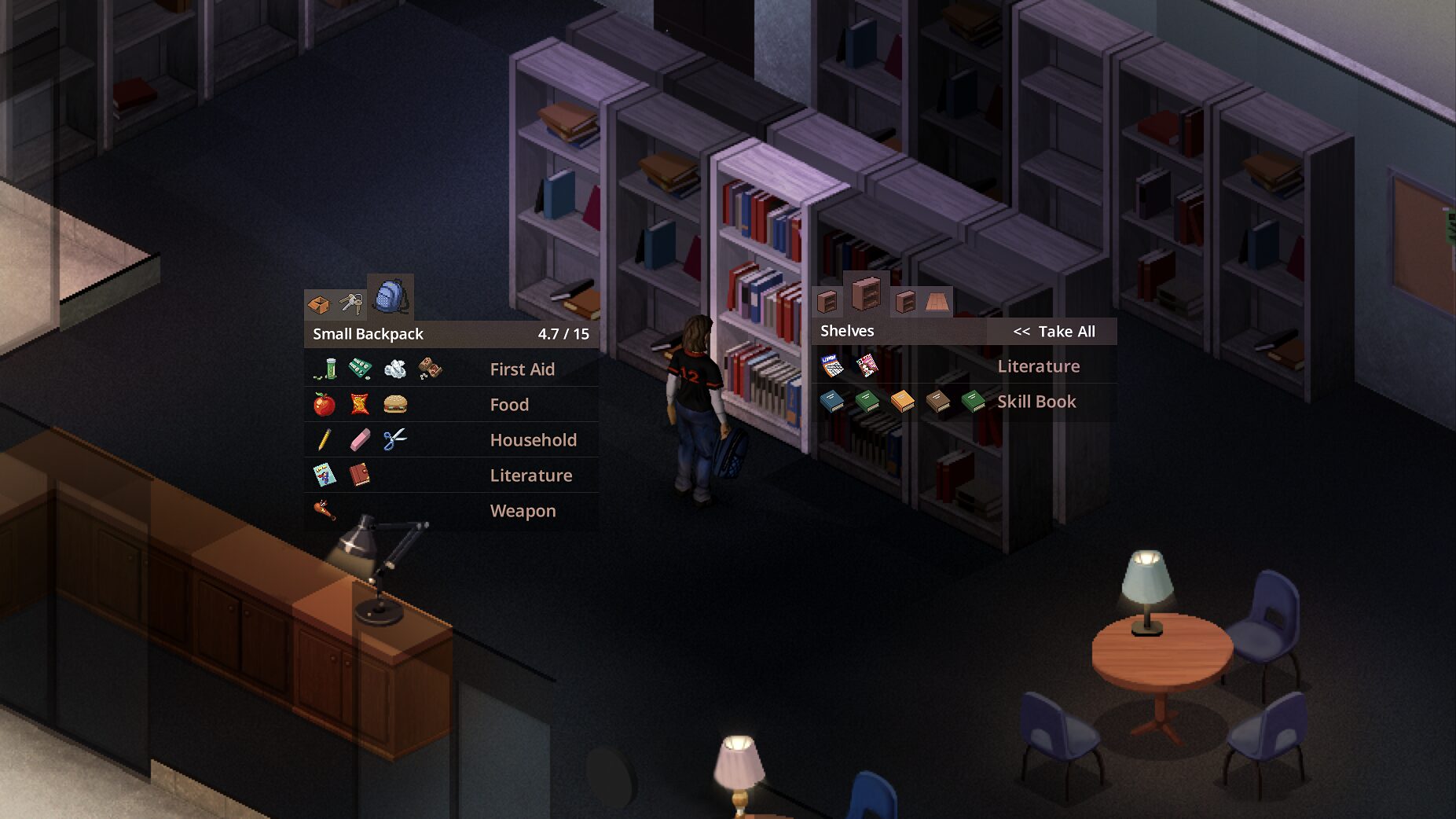
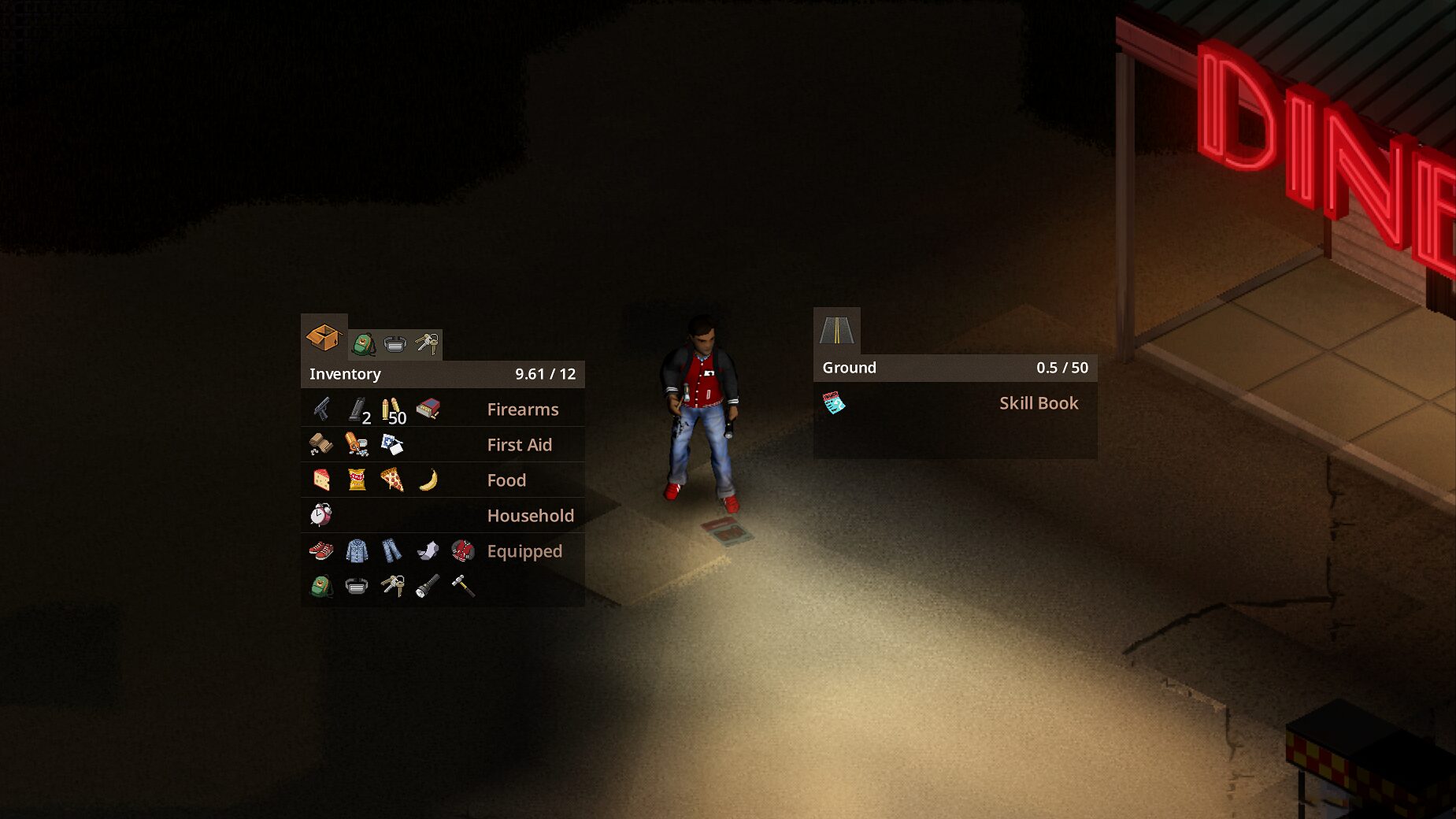
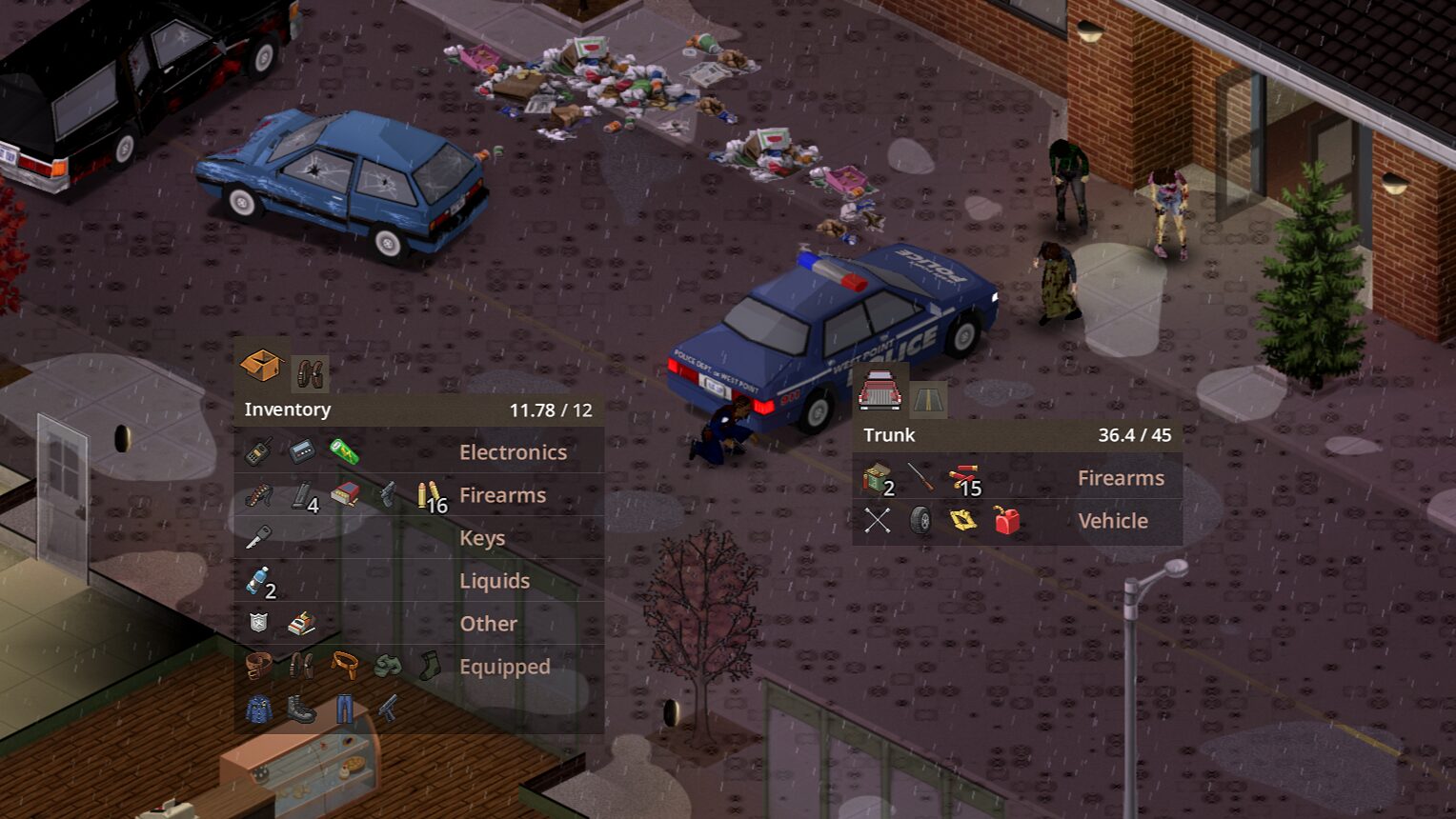
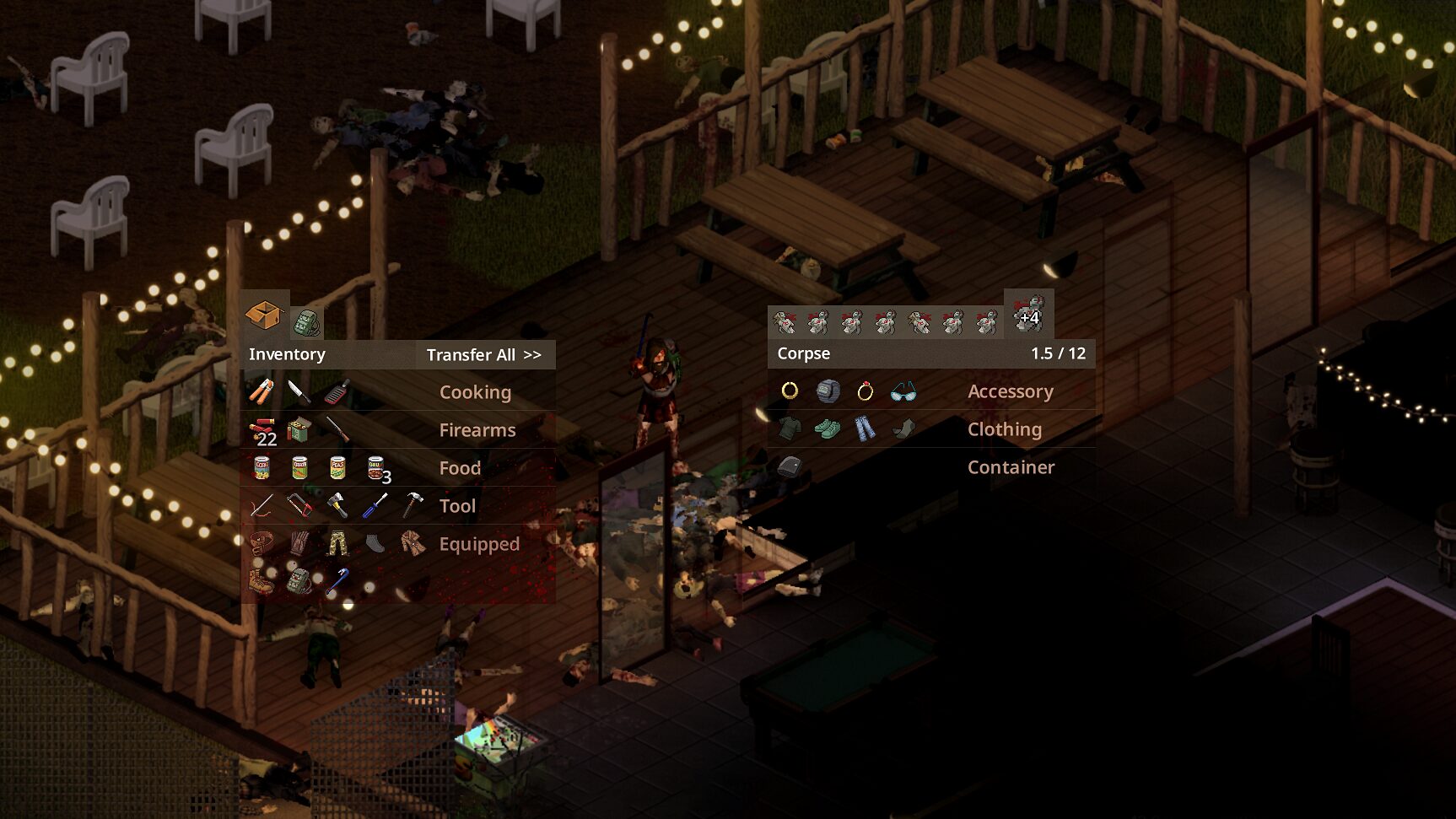
Inventory ReInvented introduces a stunning, icon-only user interface that leverages the beautiful vanilla pixel art of Project Zomboid. The design prioritizes a compact and rapid interface, ensuring that vital information is readily accessible without clutter. Beyond just aesthetics, the mod brings dynamic visual cues to your gameplay. Experience immersive effects for blood splatters on your character and subtle visual indicators for fatigue, adding another layer of realism to your survival efforts.
Enhanced Functionality and Control
The mod doesn’t just stop at visual improvements; it significantly boosts the usability of your inventory. Key features include:
- Auto-resizing elements for a cleaner look.
- Intuitive drag-and-drop functionality.
- Floor icons for both outdoor and indoor environments, making loot spotting easier.
- Full support for controller, mouse, and split-screen play, with significantly faster controller navigation.
- Immersive icons for interactive elements like the “Turn on” button.
- An improved category system for better organization.
- A refined color palette that enhances readability.
Streamlined Looting and Management
Navigating your inventory and the world’s loot has never been smoother. Inventory ReInvented introduces smart features such as using the mouse wheel to easily switch between containers from anywhere within the inventory screen. A convenient “Loot All” button becomes visible when your mouse hovers near the weight panel. The mod also intelligently auto-collapses item stacks if they exceed thirty units, decluttering your view. For controller users, tooltips now intelligently follow the window’s position, and a dedicated button allows for collapsing items within any stack.
Optimization and Customization
This mod is designed for Project Zomboid Build 42.1.0 and includes settings to further optimize your experience. By adjusting specific in-game options, such as UI offscreen rendering and texture compression, you can tailor the visual performance to your hardware. For those seeking an even deeper level of immersion, options to disable highlighting selected containers and customize their color are also available. These adjustments aim to ensure smooth performance and a visually appealing interface, allowing you to focus on the challenges of survival.