
Extra Map Symbols
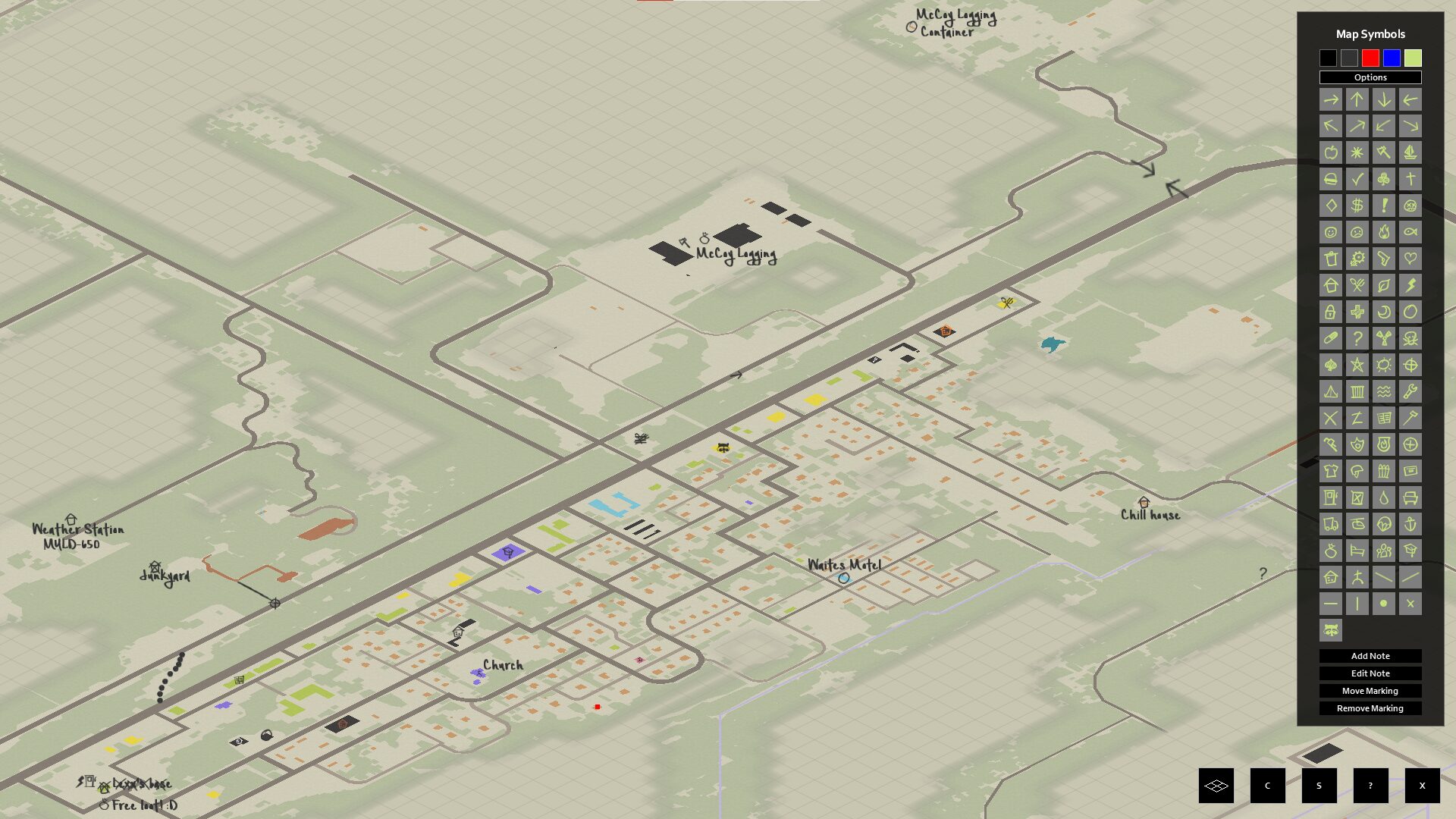
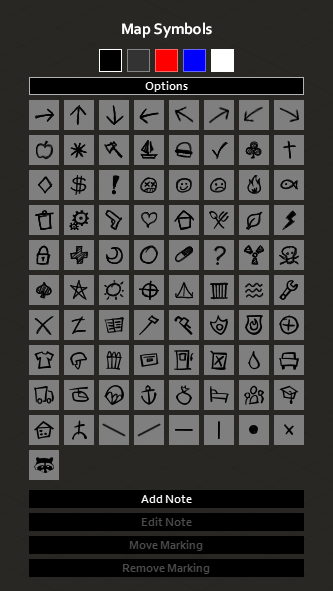
Enhance Your Project Zomboid Cartography with Extra Map Symbols
Project Zomboid’s vast, unforgiving world demands meticulous planning and keen observation. While the base game provides essential map markers, dedicated survivors know that every detail can be the difference between life and a gruesome end. Introducing Extra Map Symbols, a mod designed to enrich your in-game cartography experience with a host of new tools and visual improvements.
Expanding Your Mapping Arsenal
This mod introduces a variety of new map symbols, all meticulously crafted to seamlessly blend with the established visual style of Project Zomboid. Whether you’re marking safe houses, resource caches, or dangerous undead concentrations, these new icons offer greater clarity and specificity.
Beyond mere additions, Extra Map Symbols also provides enhanced variants for existing base game markers. This feature, particularly when paired with the companion Extra Map Symbols UI mod, allows for a more nuanced representation of points of interest on your maps. Imagine differentiating between a simple “food” location and a “high-value food” location with distinct visual cues.
Refined Navigation and UI Enhancements
Navigation in Project Zomboid often relies heavily on efficient map usage. Extra Map Symbols addresses this by refining existing markers. Angled arrows are replaced with new versions specifically aligned to road networks, offering more intuitive directional guidance. Additionally, iconic markers like the “KnifeFork” and “Wrench” have received unique visual overhauls, making them instantly recognizable.
Streamlined Map Management with Extra Map Symbols UI
For those who truly want to delve into the customization of their mapping experience, the Extra Map Symbols UI mod is an essential companion. This interface tweak mod allows for a more personalized approach to map annotation.
- Adjust the number of columns displayed for your map symbols, optimizing screen real estate.
- Customize the size of both symbols and accompanying text for improved readability.
- Utilize crayons for a more visceral and in-world method of adding symbols to your maps.
- Implement symbol variants, adding another layer of detail to your annotations.
- Fine-tune the positioning and resizing of UI elements for a comfortable experience.
While both “Extra Map Symbols” and “Extra Map Symbols UI” are designed to function independently, enabling both unlocks the full suite of features for a truly comprehensive mapping solution in Project Zomboid. Explore the world with greater detail and plan your survival with unparalleled precision.