
CH Status HUD
Project Zomboid: Stay Informed with the CH Status HUD Mod
In the relentless world of Project Zomboid, keeping a constant eye on your survivor’s well-being is paramount. Navigating through menus to check vital statistics can be a dangerous distraction when the undead are on your doorstep. The CH Status HUD mod elegantly solves this problem, offering a streamlined and customizable way to monitor your character’s condition at a glance.
Effortless Status Monitoring
Once enabled, the CH Status HUD appears automatically, providing immediate access to a wealth of information without requiring any complex setup. A simple keybind toggles the panel’s visibility, allowing you to conceal it when not needed or bring it front and center during tense moments. This mod is designed for quick integration, letting you focus on survival from the moment you load into your game.
Comprehensive Stat Display
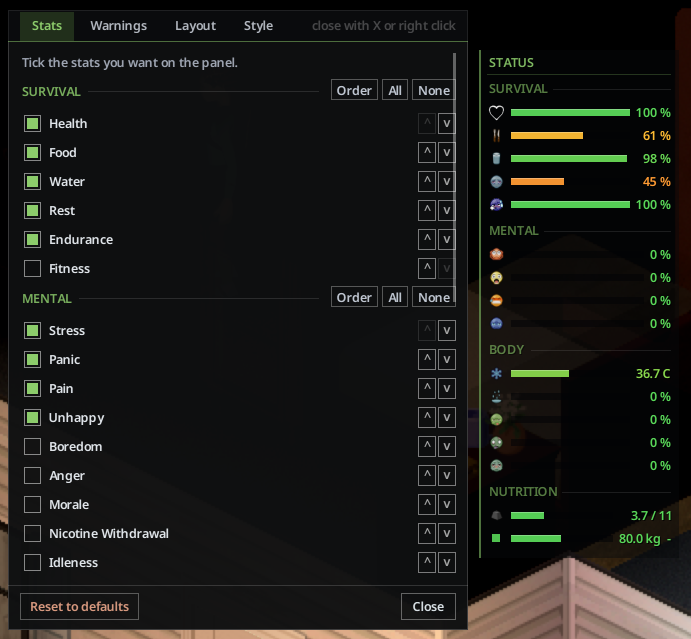
The CH Status HUD goes above and beyond by presenting up to 32 crucial statistics, meticulously organized into four distinct categories:
- Survival: Health, Food, Water, Rest, Endurance, Fitness.
- Mental: Stress, Panic, Pain, Unhappy, Boredom, Anger, Morale, Nicotine Withdrawal, Idleness, Sanity.
- Body: Body Temperature, Body Heat Generation, Wetness, Discomfort, Sickness, Infection, Fever, Drunk, Food Sickness, Poison.
- Nutrition: Carry Weight, Body Weight, Calories, Proteins, Carbs, Fat.
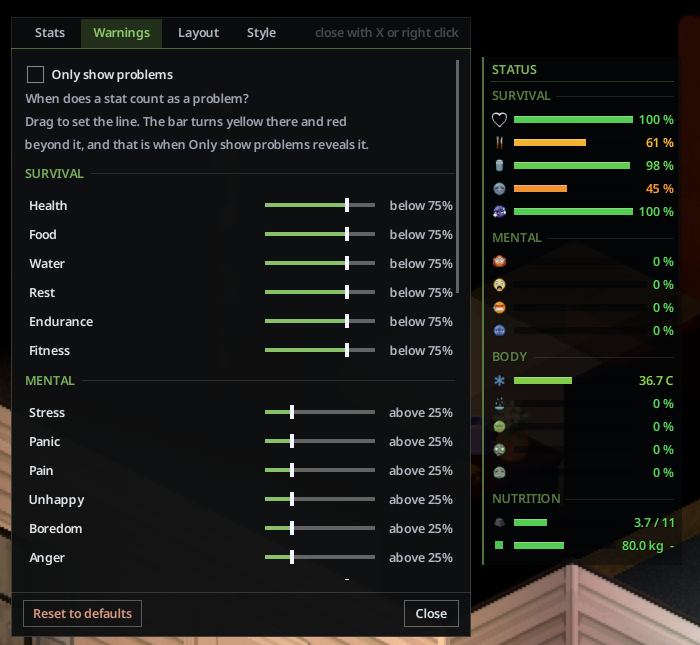
Each stat is represented with an icon, a clear numerical value, and a visual bar that changes color to indicate its status, shifting from yellow to red as conditions worsen. Hovering over any stat reveals its full name, ensuring you’re always informed.
Tailor Your Interface
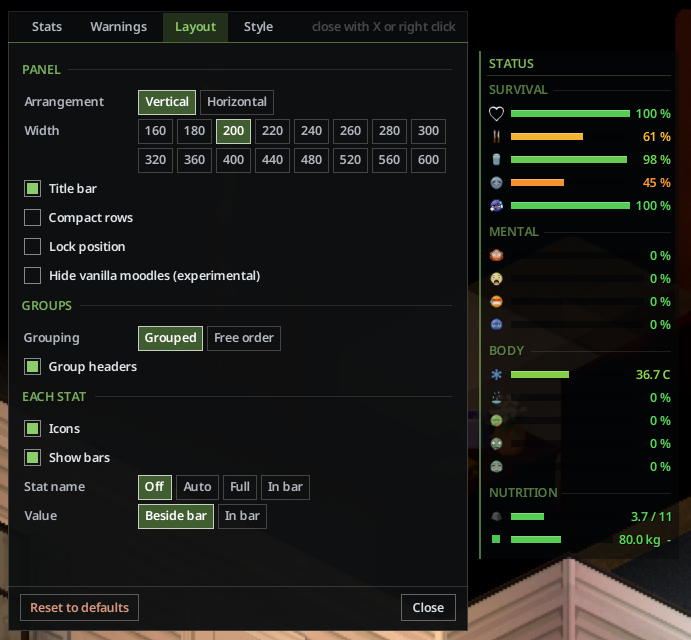
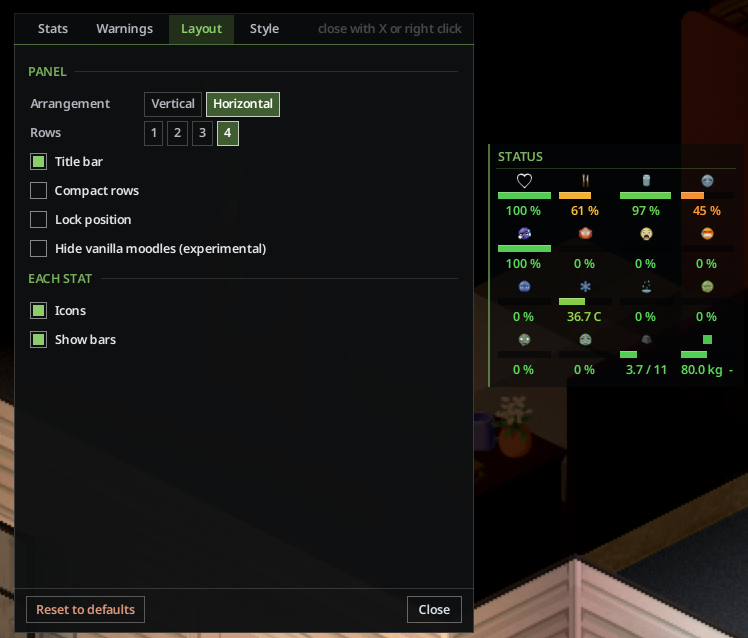
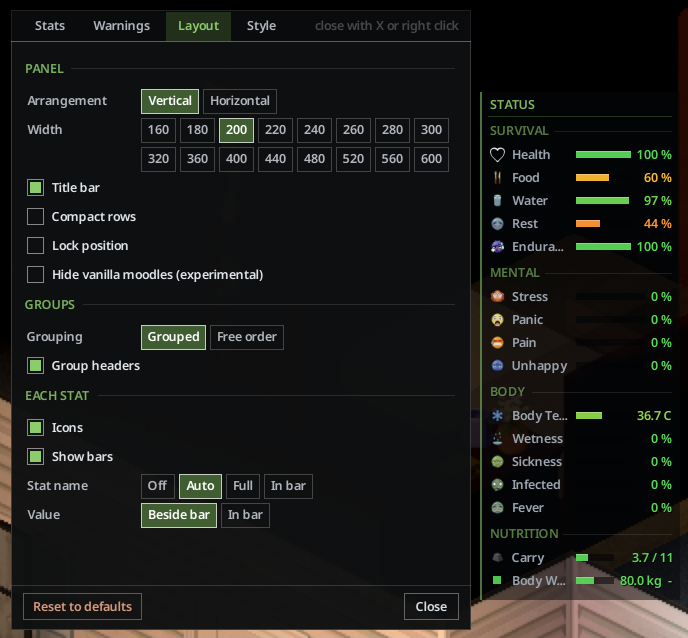
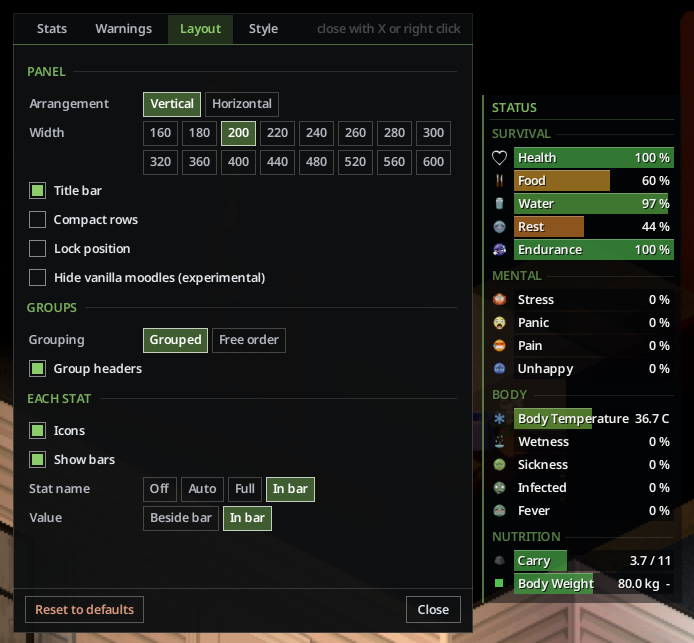
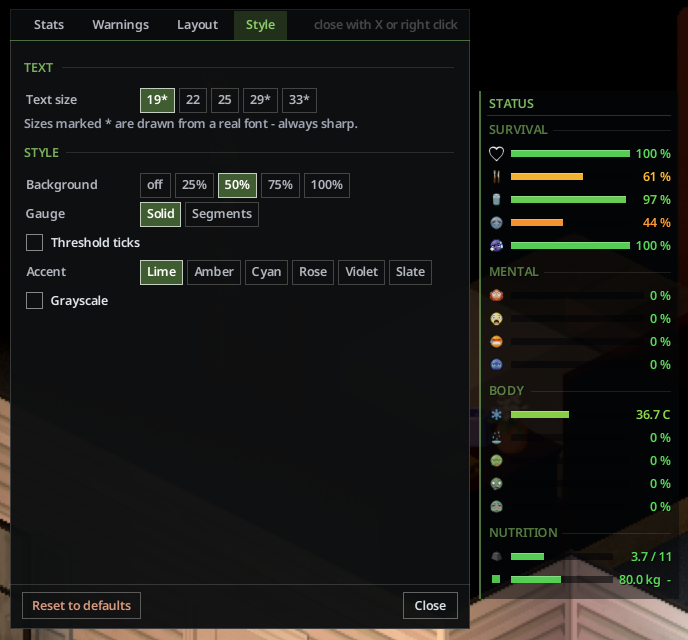
Personalization is a core feature of the CH Status HUD. Right-clicking the panel opens a settings menu where you can fine-tune every aspect of its appearance and functionality. Adjust the layout to a vertical list or a horizontal strip, change text sizes, and even control the transparency of the background. You can choose where stat names and numbers are displayed – alongside the bar, within it, or hidden entirely. The mod also allows you to group stats by category or arrange them in a completely free order, with options to show or hide category headings and dividers. For those who prefer a cleaner display, the “Only show problems” option hides any stat that is currently in a healthy state, and you can even opt to hide the default moodle icons.
Advanced Customization and Server Options
Beyond basic layout adjustments, the CH Status HUD offers advanced features like threshold ticks on bars to indicate upcoming negative effects, and a diagnostic tool to help understand stat discrepancies. Server administrators have additional control, with options to lock specific stats for players or disable certain features globally. The mod is client-side only, meaning each player needs to enable it individually.