
Better Server Settings
Streamline Your Project Zomboid Server Setup with Better Server Settings
Managing server configurations in Project Zomboid can often feel like a chore, especially when dealing with mod lists. The Better Server Settings mod aims to revolutionize this process, making it significantly smoother and more intuitive for server administrators. No more tedious manual entry or confusion about mod compatibility – this mod brings intelligent automation to your server setup.
Effortless Mod Management
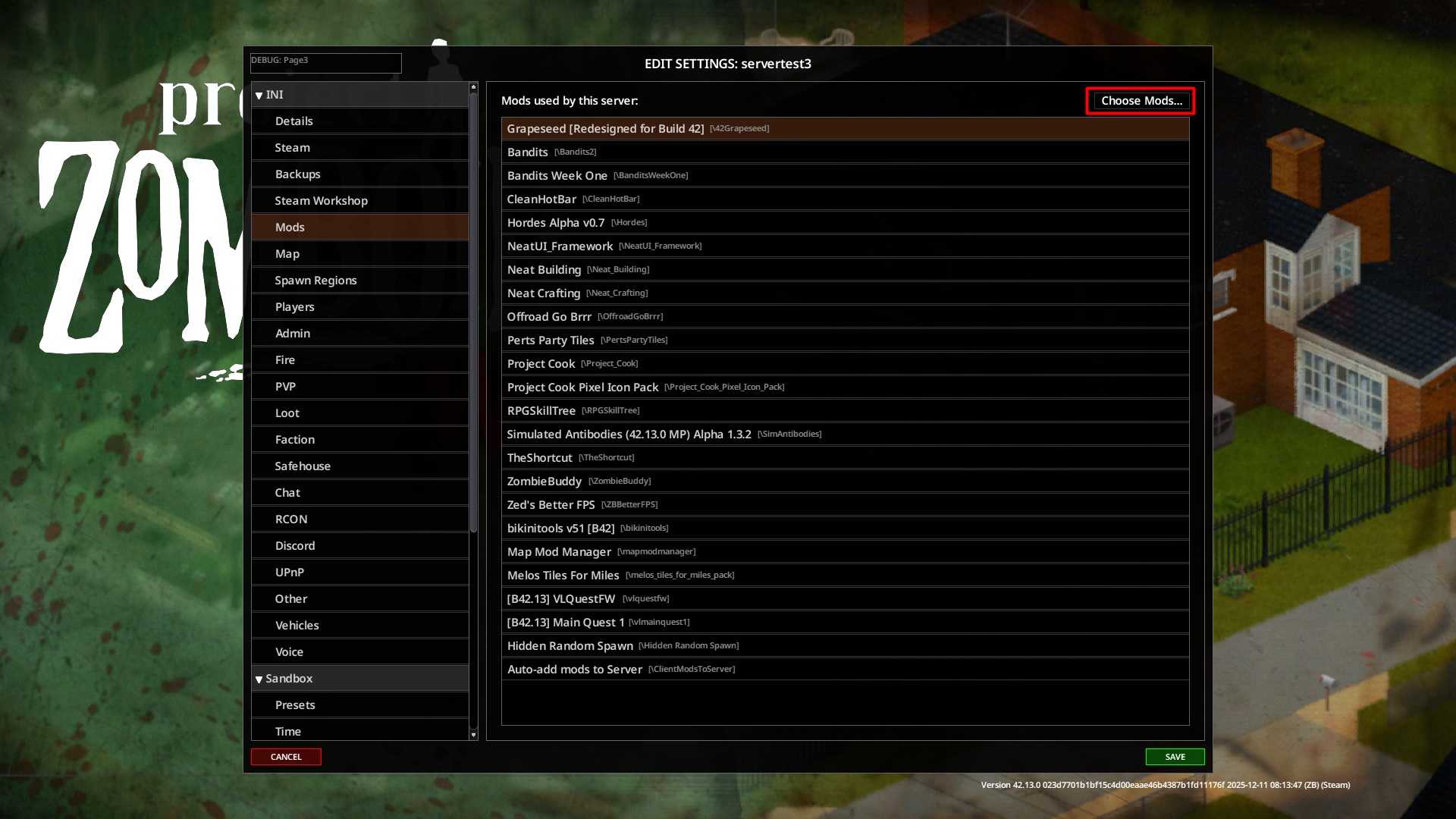
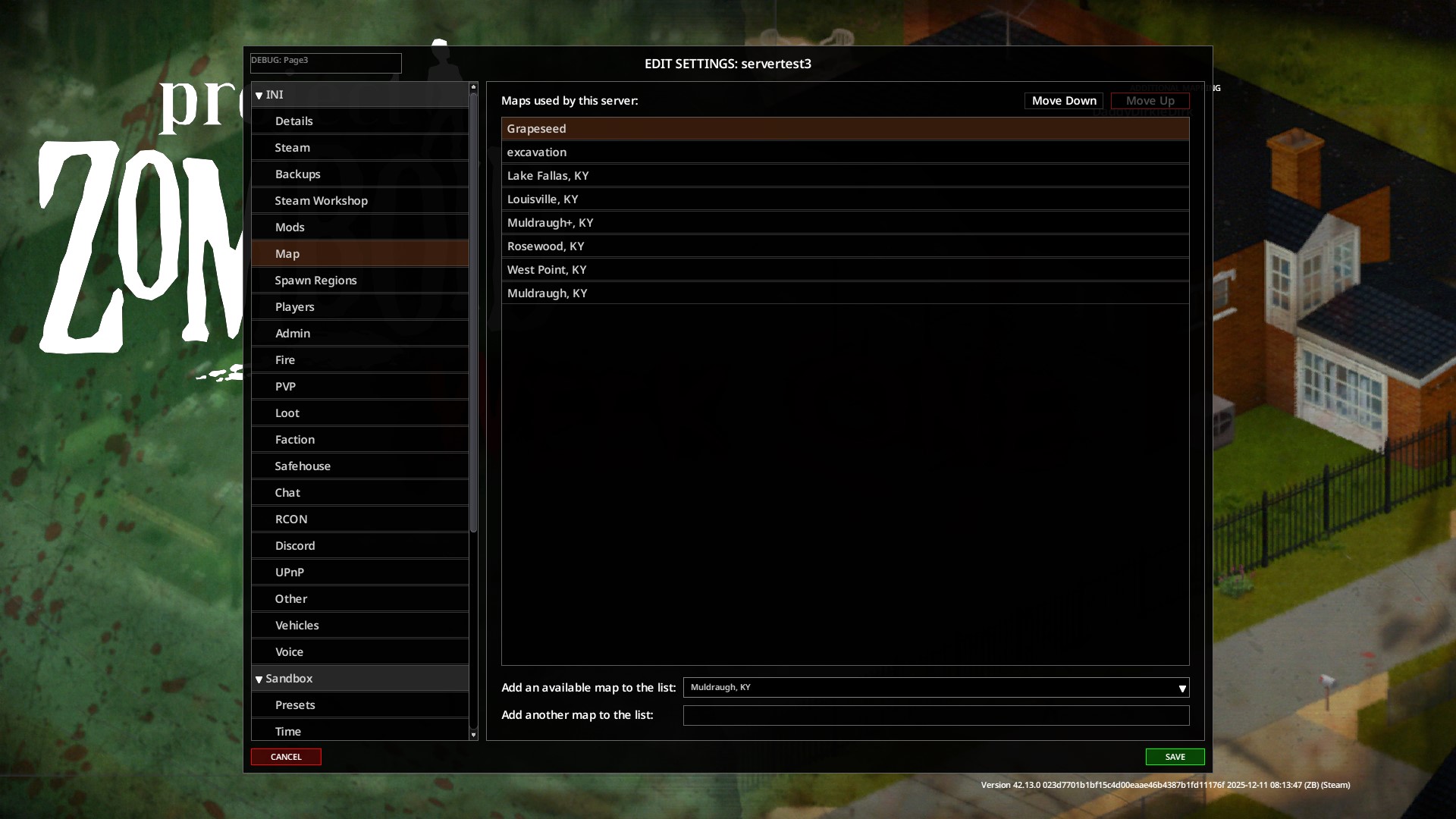
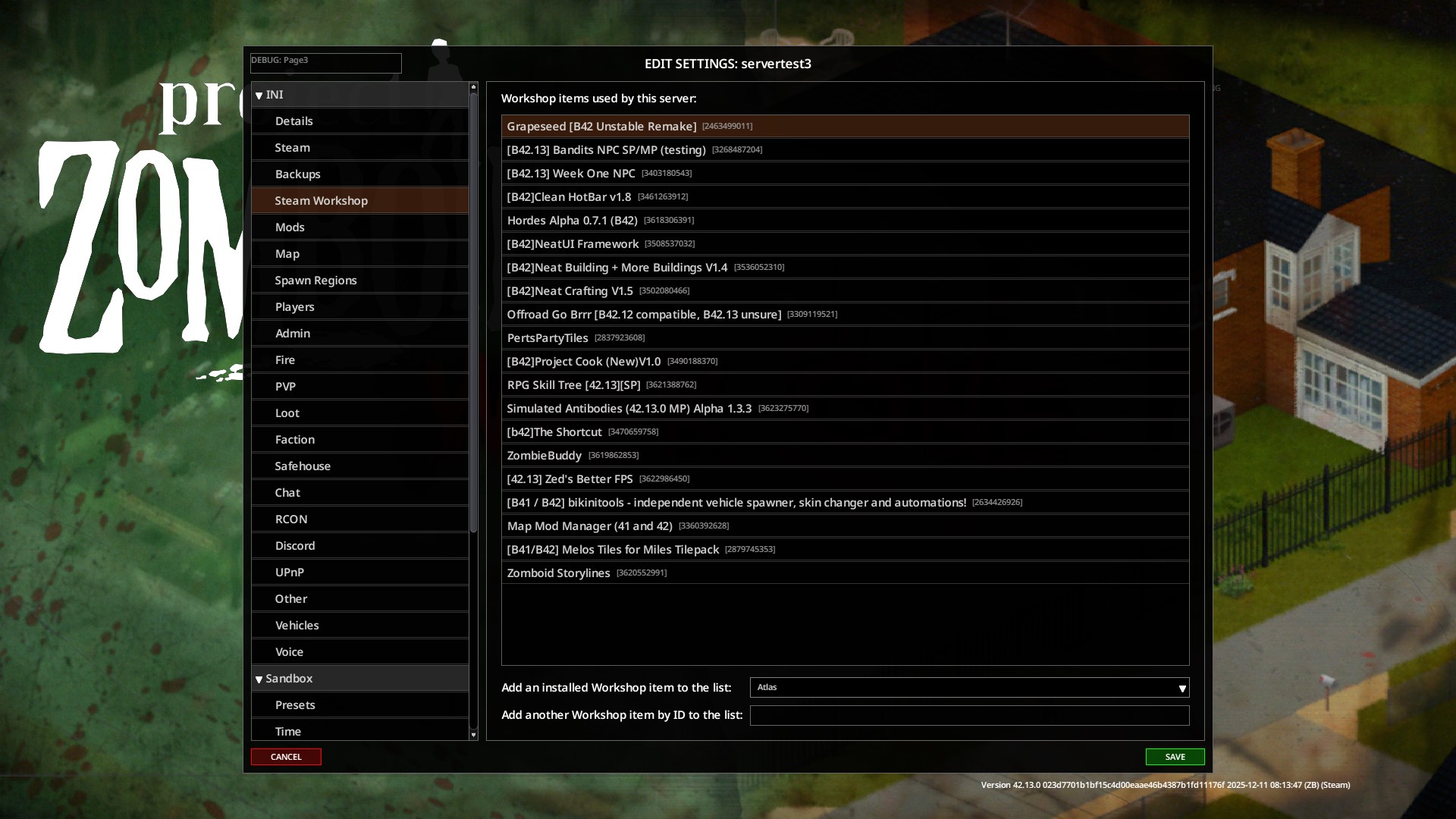
One of the most significant improvements offered by Better Server Settings is its intelligent mod population feature. When you create a new server configuration, the mod automatically scans your active mods and populates the server file with their details, including crucial Workshop IDs and any associated map files. This auto-addition respects your current load order, ensuring a consistent and predictable mod setup every time you spin up a new server.
Intuitive Mod Selection
Forget about being prompted to select mods repeatedly. Better Server Settings integrates seamlessly with the in-game Mod Manager. Within the server’s “Mods” tab, you can now use the familiar Mod Manager interface to add, remove, and arrange your server’s mods. Once you save your changes, the mod intelligently copies this updated mod list to all relevant sections of your server configuration, ensuring everything is in sync.
Key Features at a Glance:
- Automatic Mod Population: New server configs automatically include your active mods with Workshop IDs and map data.
- Load Order Synchronization: Mod lists are populated based on your current active load order.
- Integrated Mod Manager: Utilize the Mod Manager directly within the server settings for easy mod selection and arrangement.
- UI Scaling: The user interface dynamically adjusts to the size of your game window for a more comfortable experience.
- Configuration Sync: Changes made in the Mod Manager tab are automatically copied to other server configuration sections upon saving.
Enhanced User Experience
Beyond mod management, Better Server Settings also enhances the overall user interface. The UI now scales dynamically with your game window size, providing a more comfortable and accessible experience regardless of your screen resolution. This attention to detail ensures that managing your server settings is as straightforward as possible, allowing you to focus on what truly matters: surviving the apocalypse.
Compatibility Considerations
This mod is designed to work harmoniously with the existing Mod Manager. However, if other mods also modify the server settings interface, potential compatibility conflicts may arise. It’s recommended to use the version of Mod Manager compatible with your Project Zomboid build for the best results.