
AutoLoot 简中汉化
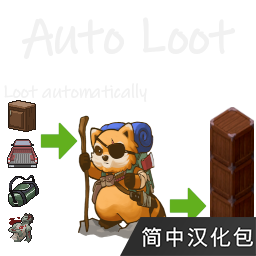
Streamline Your Scavenging in Project Zomboid with AutoLoot
Are you tired of the relentless grind of looting in Project Zomboid? Does spending precious in-game hours sifting through every cupboard and corpse dampen your survival spirit? If so, the AutoLoot mod is here to revolutionize your gameplay experience. This essential modification allows you to automate the tedious task of item collection, freeing you up to focus on more critical survival challenges.
Effortless Item Collection
AutoLoot introduces the ability to automatically pick up items as you traverse the zombie-infested world. No more manually clicking on every piece of loot. Simply configure your preferences, and the mod will handle the rest, ensuring you don’t miss out on vital supplies while keeping your inventory stocked. This significantly enhances the pacing of the game, allowing for more dynamic exploration and engagement with the environment.
Intelligent Item Transfer
Beyond automatic collection, AutoLoot also offers a streamlined way to manage your gathered items. Inspired by the functionality of other quality-of-life mods, AutoLoot provides a “Deposit All” feature. With a single click, items you’ve collected – provided they aren’t currently equipped or specifically excluded – will be intelligently transferred to nearby containers that already hold similar items. This drastically reduces the time spent organizing your base and ensures your hard-earned loot finds its designated place efficiently.
Customization is Key
The true power of AutoLoot lies in its customizability. While default settings offer a good starting point, tailoring the mod to your specific playstyle is highly recommended. To manage these settings, you will need the ModOptions mod. After installing both, you can access AutoLoot’s configuration menu through the in-game settings menu. Here, you can:
- Define exactly which items you want to automatically loot.
- Exclude specific items from being picked up.
- Configure the “Deposit All” function to target specific item categories in containers.
- Prevent AutoLoot from affecting specific containers or vehicles via a right-click context menu.
Tips for Optimal Use
To get the most out of AutoLoot, consider these suggestions. It’s generally best to keep the default settings unless you have a clear reason to change them, but remember to personalize your loot list. If you use other mods that modify item lists, such as Necroforge, ensure they are loaded before AutoLoot to avoid conflicts. To prevent your meticulously organized base from becoming cluttered, consider disabling AutoLoot before returning from a scavenging run. You can also right-click on containers or vehicles to permanently disable auto-looting for them, offering granular control over the mod’s behavior.
With AutoLoot, you can reclaim valuable time and elevate your Project Zomboid survival experience. Say goodbye to the mundane and hello to more efficient, engaging gameplay.