
Thermal Tooltips
Mastering the Cold and Heat with Thermal Tooltips for Oxygen Not Included
Navigating the intricate thermal systems of Oxygen Not Included can be a daunting task. From managing the precise temperatures for gas liquefaction to selecting the right materials for heat containment, a deep understanding of thermal properties is crucial for survival and prosperity. The Thermal Tooltips mod dramatically simplifies this process, putting vital information directly at your fingertips.
Unlock In-Depth Thermal Insights
This powerful mod injects comprehensive thermal data into the game’s existing tooltips, eliminating the constant need to consult external resources or the in-game codex. Whether you’re an experienced duplicant manager or just starting your asteroid colony, Thermal Tooltips provides the crucial details you need to make informed decisions on the fly. The mod displays information not only for gases and liquids but also for the very materials you use to construct your base.
Key Information at a Glance
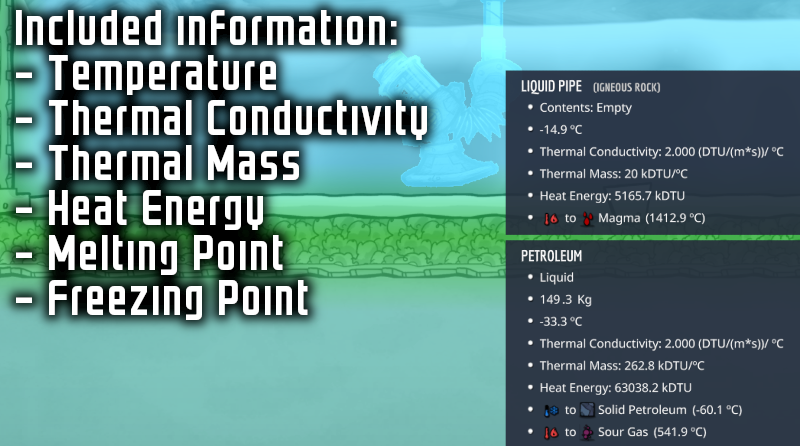
Thermal Tooltips enhances your understanding by revealing a wealth of thermal data for various elements and building materials. This includes:
- Temperature: View the current temperature, with the option to display it in Celsius, Fahrenheit, and Kelvin, regardless of your primary in-game setting.
- Thermal Conductivity: Understand how quickly heat transfers through different materials, essential for designing efficient insulation or heat exchangers.
- Thermal Mass: Gauge the heat capacity of substances, helping you predict how much energy is needed to alter their temperature.
- Heat Energy: See the total thermal energy stored within an element, measured in DTUs.
- Phase Transition Points: Instantly know the exact freezing, condensation, melting, and boiling points of elements, including the specific resulting element and the temperature at which these transitions occur.
Streamlining Material Selection
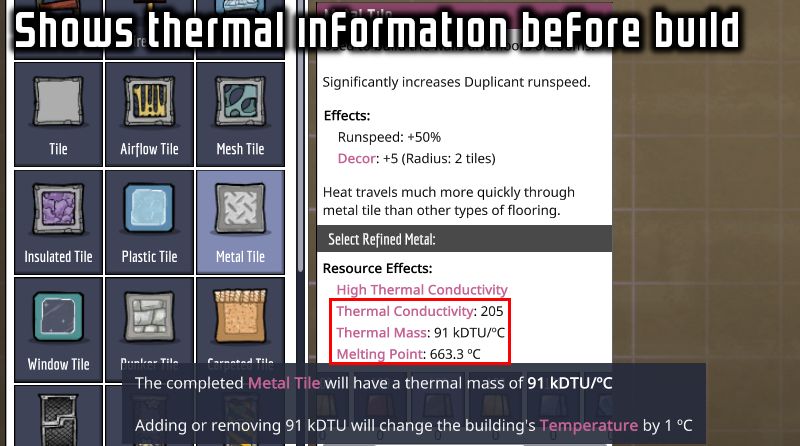
Building is a core mechanic in Oxygen Not Included, and choosing the correct materials can be the difference between a stable environment and a thermal disaster. Thermal Tooltips extends its helpfulness to the building planning screen, offering insights into the thermal characteristics of construction materials. This allows you to select appropriate resources based on their thermal conductivity and mass, ensuring your structures are optimized for heat management from the moment they are planned.
Customizable Display Options
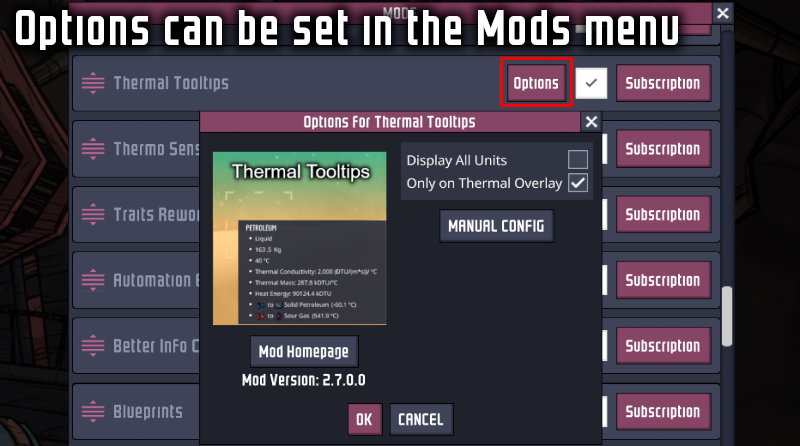
Tailor the mod to your preferences with easy-to-configure options. You can choose whether to display all temperature units or just your primary selection. Additionally, you can opt to have the expanded thermal tooltips appear only when the Temperature Overlay is active, keeping your interface clean when not actively analyzing thermal data.