
Mod Manager // by @Ony 👾


Master Your Oxygen Not Included Mod Experience
Tired of wrestling with your mods in Oxygen Not Included? Whether you’re a seasoned duplicant wrangler or just starting your subterranean journey, managing your modifications can sometimes feel like a second job. Introducing the Mod Manager, a powerful tool designed to streamline your modding workflow and bring order to your game’s enhanced features.
Take Control of Your Mod Library
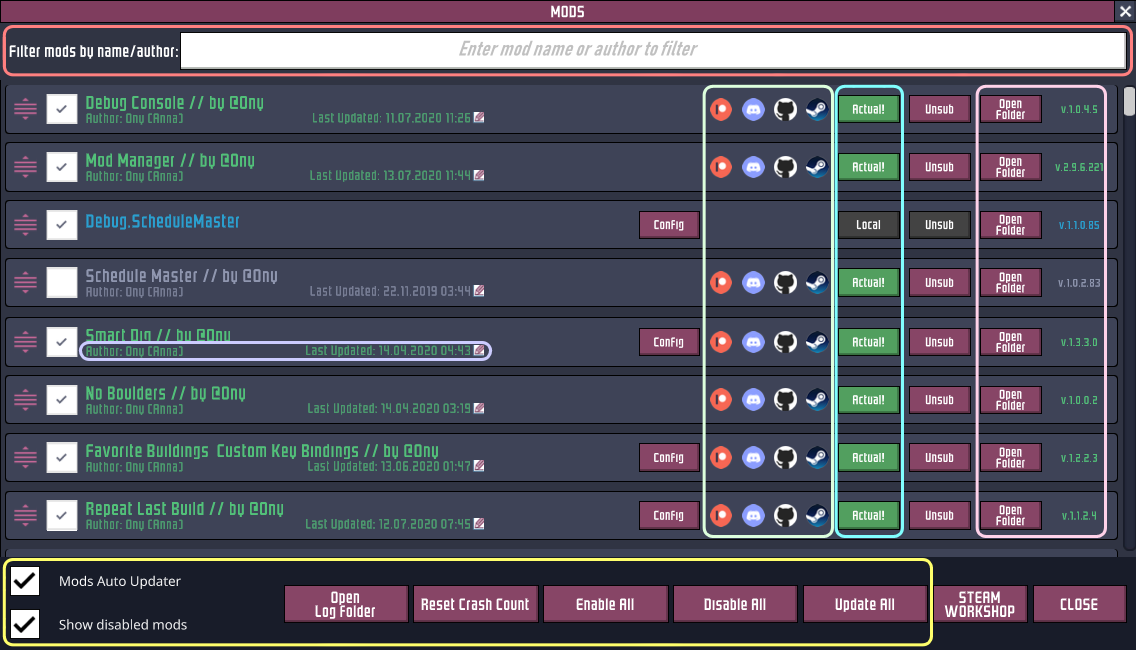
The Mod Manager offers a comprehensive suite of features to give you unparalleled control over your installed mods. Say goodbye to the frustration of Steam Workshop’s occasional caching issues. This mod helps ensure you’re always running the latest versions of your favorite enhancements, preventing potential conflicts and lost progress.
Key Features for Effortless Mod Management:
- Performance Optimized: Designed to handle even the most extensive mod lists (100+ mods) with impressive speed.
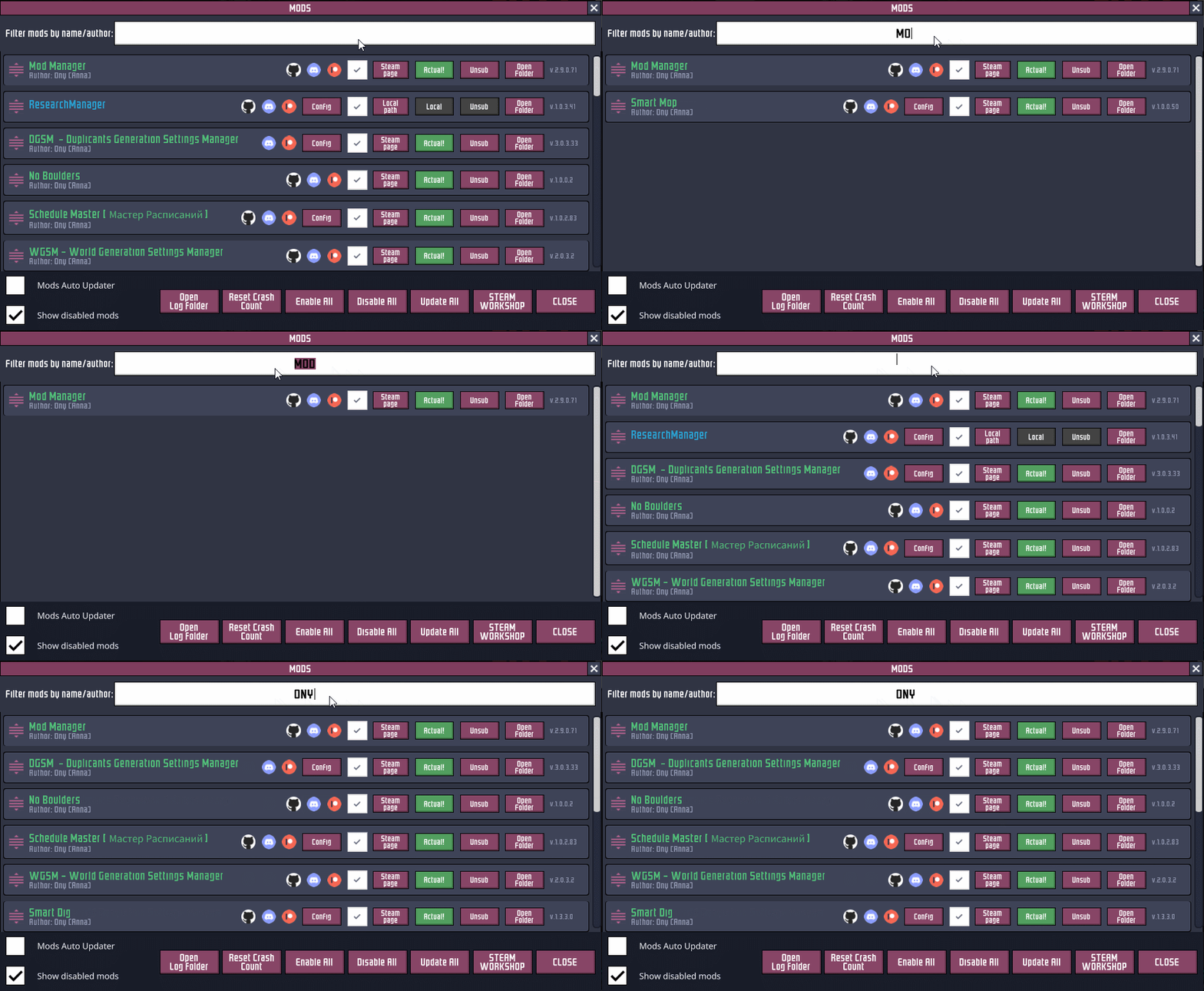
- Intelligent Filtering: Easily locate specific mods by name or author, a lifesaver for large collections.
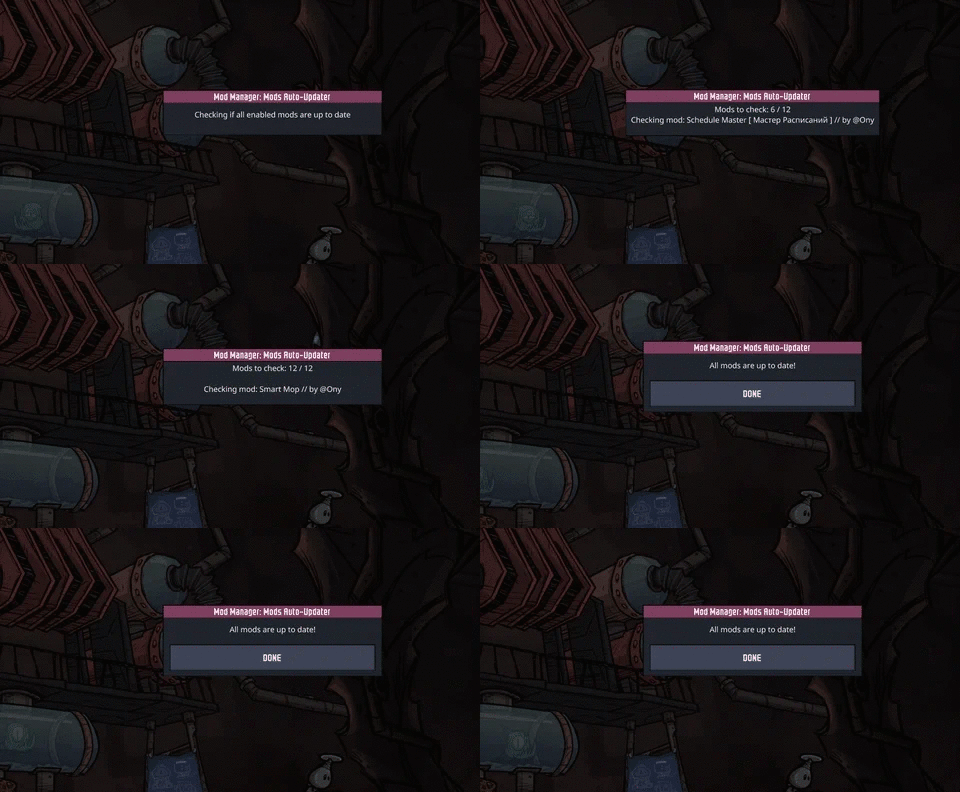
- Accurate Auto-Updater: This mod checks for updates by directly parsing Steam Workshop changelogs, guaranteeing you’re always on the latest version. You even have the option to choose whether to update or stay with a current version.
- Detailed Mod Information: View author details, Steam profile links, last update dates, and access changelogs directly from the mod list.
- Direct Folder Access: Quickly open the local folder for any mod, ideal for configuration file adjustments.
- Automatic Backups: Before any update, the Mod Manager creates a zipped backup of your mod files, providing a safety net for your installations.
- Seamless Unsubscription: Remove unwanted mods directly from within the game’s mod menu.
- Version Visibility: See the version number of each mod, ensuring compatibility and awareness.
- One-Click Enable/Disable: Toggle all your mods on or off with a single action.
- Visual Distinction: Enabled Steam mods are highlighted in green, and local mods in blue, for immediate recognition.
- Crash Count Reset: A dedicated button to reset the crash count for mods, helping resolve persistent issues.
- Force Update Option: Manually trigger updates for mods that Steam might be caching incorrectly.
- Mod Stability: Mods remain enabled even if another mod causes a game crash.
- Log Folder Access: Conveniently open the game’s log folder for troubleshooting.
- Hide Disabled Mods: Clean up your view by hiding inactive mods.
- Creator Link Support: Mod creators can integrate links to their GitHub, Discord, and Patreon.
- Dynamic UI Adjustments: The mod window dynamically resizes to accommodate different UI scaling settings for optimal viewing.
Simplified Troubleshooting and Installation
Getting started is as simple as subscribing to the Mod Manager and activating it from the main menu. The mod provides clear indicators for mod status and performance, making it easier than ever to identify and resolve issues. Whether you’re looking to update all your mods at once or troubleshoot a specific enhancement, the Mod Manager empowers you to maintain a stable and feature-rich Oxygen Not Included experience.