
Auto-Eject
Streamline Your Duplicant Operations with Auto-Eject
Tired of micro-managing your duplicants’ every button press? Does the constant need to manually activate certain crucial devices add unnecessary friction to your colony management? Introducing the Auto-Eject mod for Oxygen Not Included, designed to alleviate these tedious tasks and keep your duplicants focused on more important duties.
Effortless Automation for Key Devices
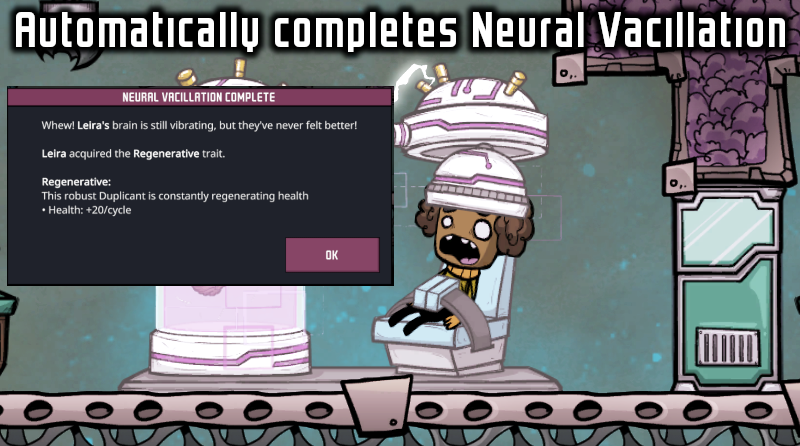
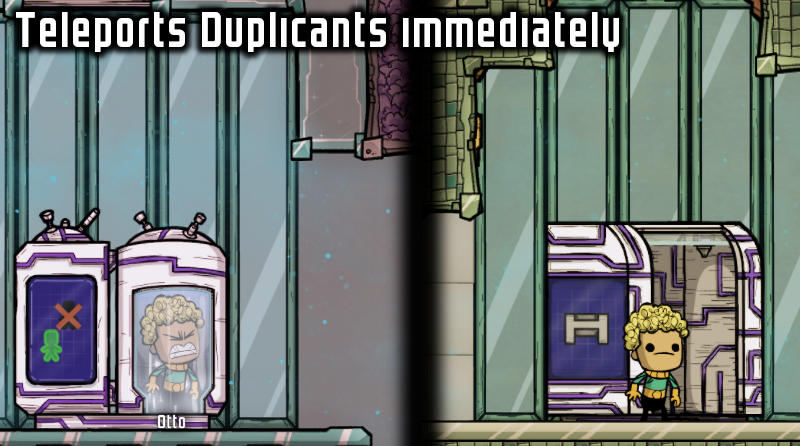
The Auto-Eject mod intelligently handles tasks that typically require a simple, often forgotten, button press. This includes the essential Neural Vacillator, a vital tool for trait management, and the game-changing Teleporter, which opens up new possibilities for exploration and resource gathering, especially within the Spaced Out! expansion. By automating these interactions, the mod ensures these devices function seamlessly without constant Duplicant intervention.
How Auto-Eject Enhances Gameplay
This mod is specifically crafted to eliminate those small, easily overlooked actions that can disrupt the flow of your colony. Instead of manually assigning a duplicant to click a button, Auto-Eject takes care of it, allowing your workforce to remain engaged in more critical tasks like resource gathering, construction, and research.
Key benefits include:
- Automated activation of the Neural Vacillator.
- Seamless operation of the Teleporter (Spaced Out! expansion compatible).
- Reduced micro-management, freeing up duplicant time.
- More efficient colony operations.
Important Considerations
While Auto-Eject handles the activation, it’s important to note that the mod does not skip the completion animation or associated dialogue. In the case of the Neural Vacillator, this means you’ll still see the animation and the dialogue box confirming the received trait. Similarly, the Teleporter will display its completion sequence. Be prepared for your screen to occasionally center on these devices as their tasks conclude. This ensures you don’t miss any crucial feedback regarding the outcomes of these operations.
For support and to access the source code, please visit the official GitHub repository.