
Add Rocket Route
Streamline Your Rocketry with Add Rocket Route for Oxygen Not Included
Managing your interstellar expeditions in Oxygen Not Included can become significantly more efficient with the Add Rocket Route mod. This enhancement, specifically designed for the Spaced Out DLC, introduces a powerful new way to command your rockets, allowing you to plot multi-stop journeys across the cluster map with unprecedented ease.
Effortless Route Planning
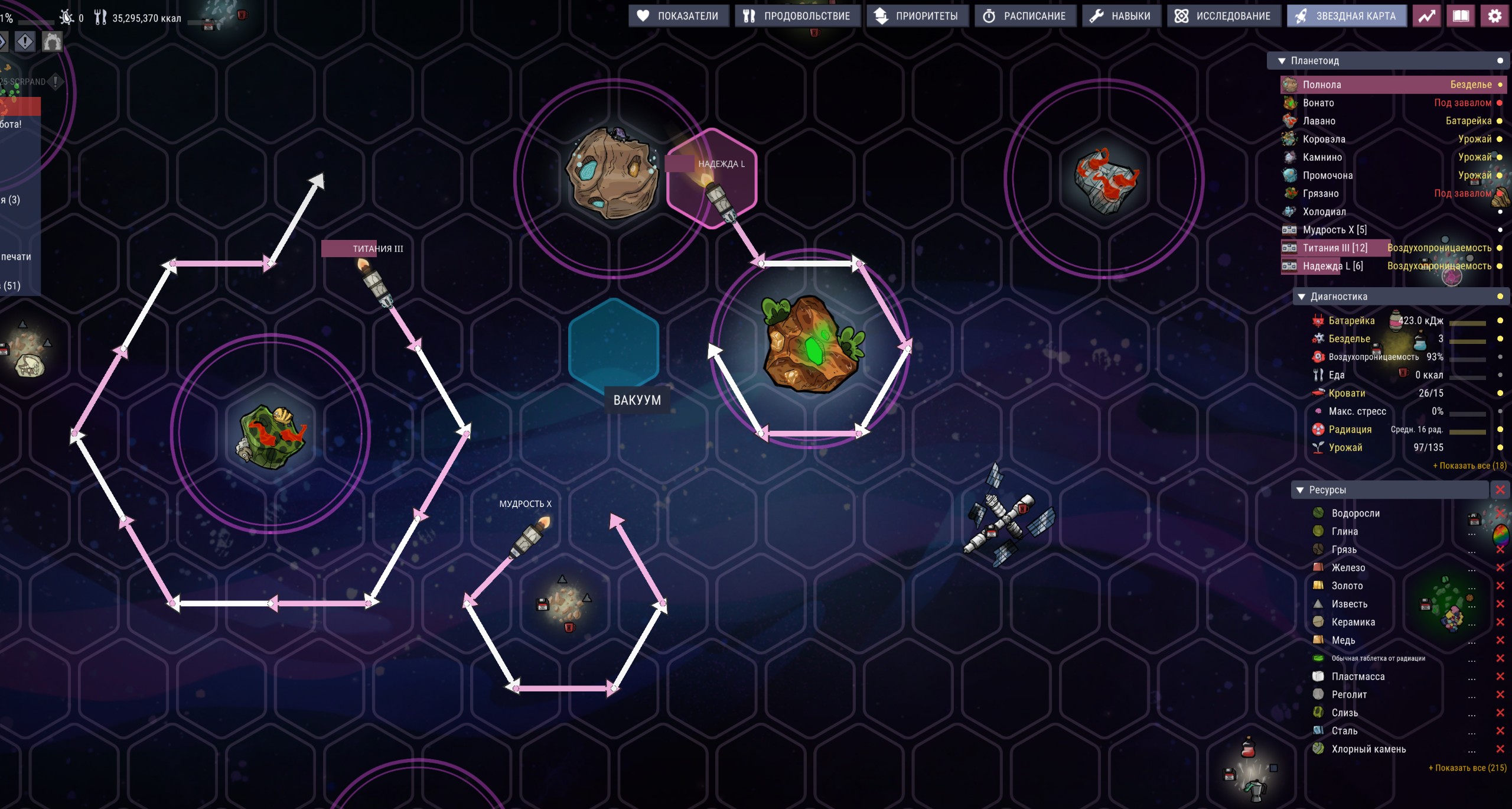
The core of the Add Rocket Route mod lies in its intuitive interface for setting up complex flight paths. Instead of launching a rocket to a single destination and then manually rerouting it, you can now define a sequence of waypoints directly on the cluster map. Simply click on the desired celestial bodies or asteroid locations, and the mod will automatically sequence them, displaying clear numerical indicators and visual route segments. As you hover over potential next destinations, a preview arrow will extend from your last plotted point, giving you a clear picture of the intended trajectory before you commit.
Automated Multi-Stop Journeys
Once your route is defined, your rocket takes off for the first waypoint. What follows is a seamless, automated journey where the rocket flies through all intermediate stops without requiring any further input. It will only land or orbit at the final destination you’ve set. This eliminates the tedious back-and-forth of manual waypoint selection for each leg of a longer mission, freeing up your attention for other crucial colony management tasks.
Key Features at a Glance:
- Set multi-stop routes directly on the cluster map.
- Visualize your flight path with numbered waypoints and directional arrows.
- Preview the next segment of your route before committing.
- Rockets automatically fly through intermediate destinations without landing.
- Easily remove waypoints individually or the last one added.
- Route data is saved and loaded with your game.
- Waypoint count displayed conveniently in the Planetoid panel.
Seamless Integration and Management
The Add Rocket Route mod ensures that your meticulously planned journeys persist through game saves and loads, meaning you can pick up right where you left off. Managing your defined routes is also straightforward. You can remove specific waypoints by clicking on their numbered icons on the map, or simply remove the last added waypoint with a dedicated button within the rocket’s interface. The number of waypoints in a rocket’s current route is clearly visible next to its name in the Planetoid panel, providing at-a-glance information about its assigned mission.