
Smart Mod Management (For TML)
Streamline Your tModLoader Experience with Smart Mod Management
Navigating the vast world of tModLoader mods can sometimes feel a bit cumbersome. For those seeking a more intuitive and efficient way to manage their mod library, Smart Mod Management offers a significant overhaul of the game’s user interface. This powerful mod focuses on enhancing the usability of tModLoader’s modding tools, making it easier than ever to discover, organize, and deploy your favorite modifications.
Enhanced Mod List Functionality
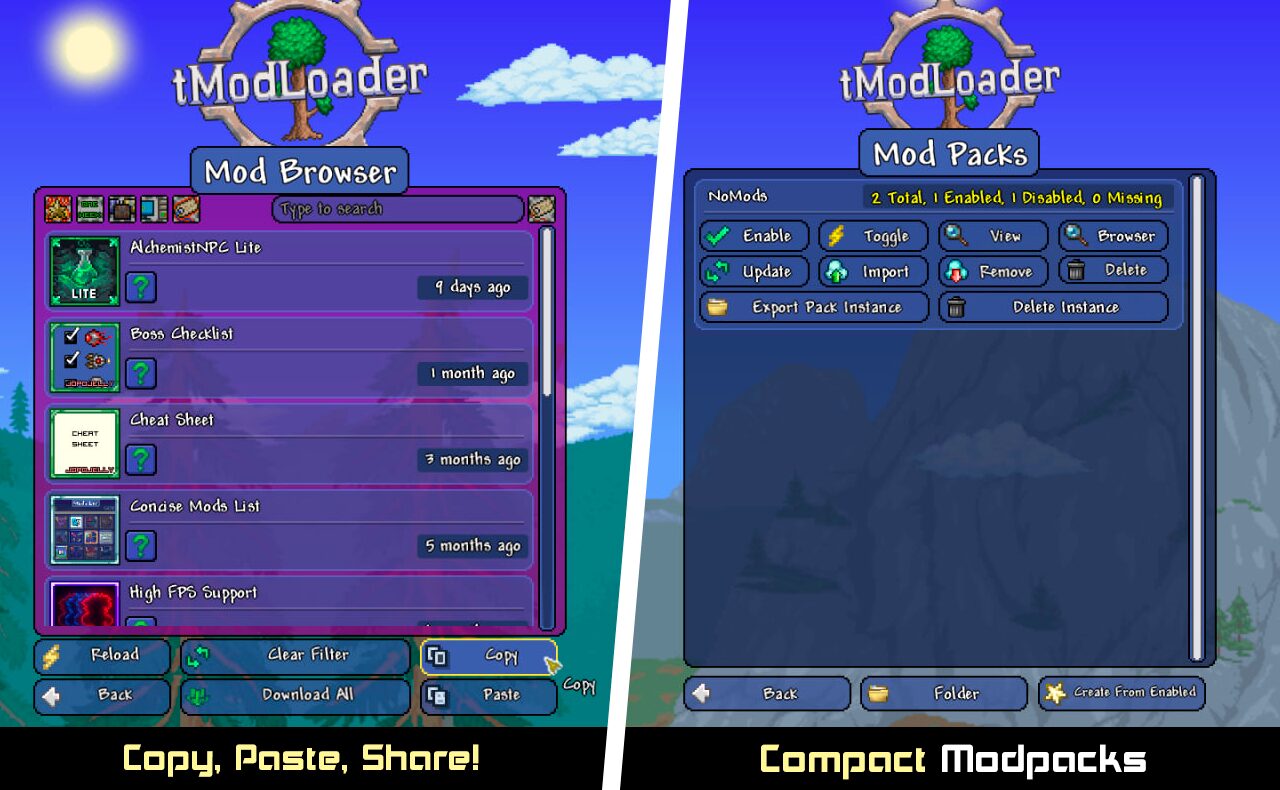
Smart Mod Management introduces a host of improvements directly to the Mod List interface. Gone are the days of a static display; this mod brings dynamic elements and helpful new features to your fingertips. You’ll find redesigned buttons throughout the Mod List, Mod Packs List, and Mod Browser, offering a cleaner and more modern aesthetic. Crucially, new buttons like “Cancel” and “Reveal in Browser” have been added to the Mod List, providing immediate access to related actions without digging through menus.
Key Features for Effortless Modding
- Redesigned buttons across Mod List, Mod Packs List, and Mod Browser for a cleaner look.
- New “Cancel” and “Reveal in Browser” buttons added to the Mod List for quick actions.
- Introduction of a “Favorites” system within the Mod List to quickly mark and access your preferred mods.
- Revamped layout for the Mod Packs List and Mod List, improving readability and navigation.
- Ability to view enabled mods directly within the Mod Browser, simplifying cross-referencing.
- Clickable “Dependencies” and “Translation” icons to easily view detailed information within the list.
- Resized Search Textbox in the Mod Browser for more comfortable input.
- Functionality to copy the filtered Mod Browser content to your clipboard.
- Ability to paste a mod list directly into the Mod Browser from your clipboard, streamlining installations.
Improved Mod Browser Integration
The Mod Browser also receives a significant upgrade. Beyond the visual redesign of its buttons, Smart Mod Management introduces powerful new tools for managing your mod collection. You can now view which of your mods are enabled directly within the browser, making it simple to check compatibility or identify specific mods. The search functionality is enhanced with a resized textbox, and for advanced users, the ability to copy the filtered Mod Browser list to your clipboard or paste a mod list from your clipboard opens up new possibilities for sharing and managing large collections.
For those who utilize companion mods that further refine the mod list display, Smart Mod Management offers excellent compatibility. It seamlessly integrates with enhancements like Compact Mods and Concise Mod List, ensuring a cohesive and optimized modding experience. This mod is a testament to thoughtful UI design, aimed at making your tModLoader adventures smoother and more enjoyable.