
Send Images In-game
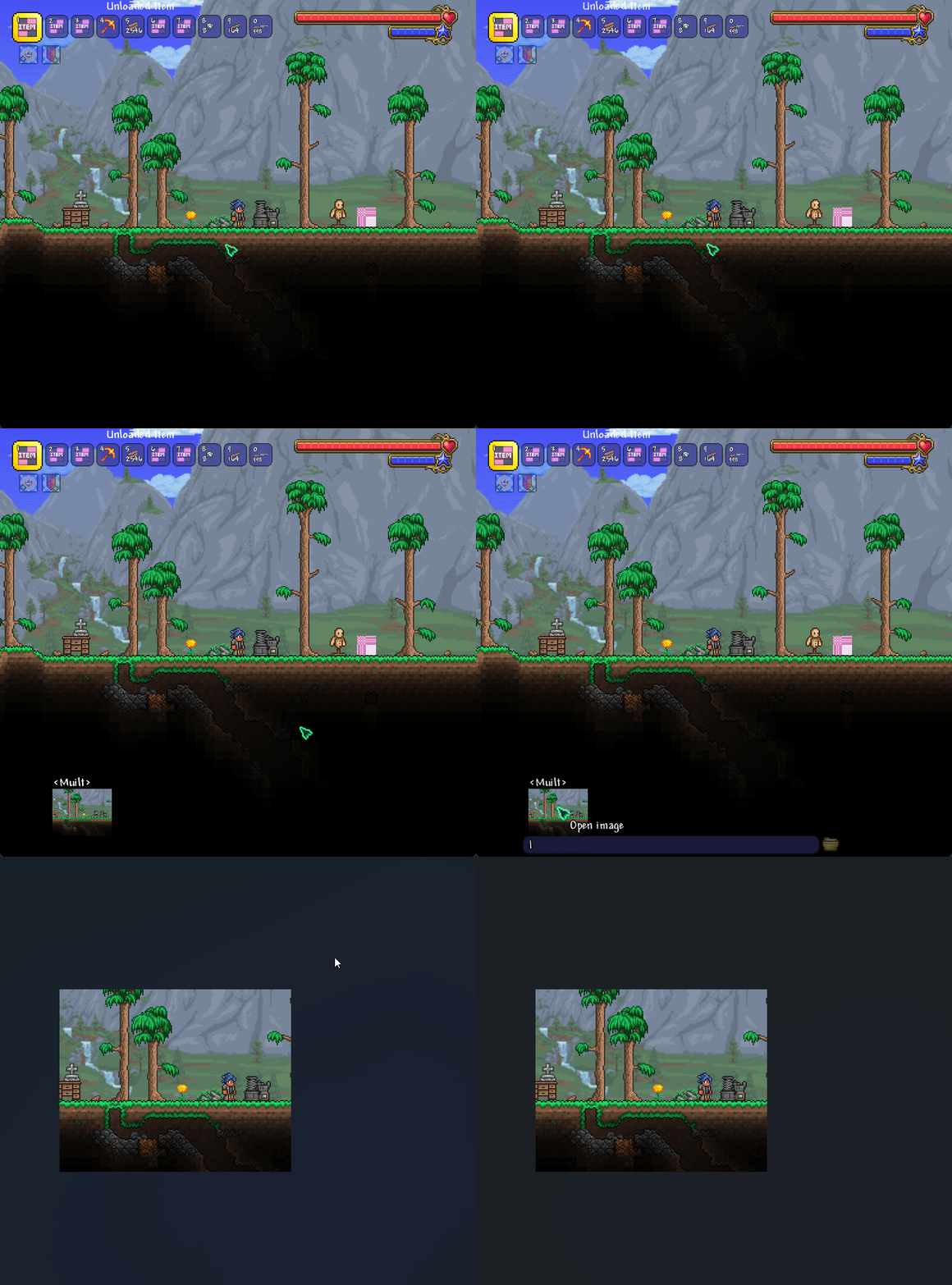
Share Your Creations: The Send Images In-game Mod for tModLoader
Elevate your tModLoader experience with the Send Images In-game mod, a powerful tool designed to enhance communication and capture those unforgettable moments directly within the game. This mod introduces a seamless way to share visual content, whether you’re collaborating with friends on a complex build or simply want to share a hilarious in-game event.
Effortless Image Sharing
Gone are the days of alt-tabbing to external programs to share screenshots or visual ideas. With Send Images In-game, sharing is as simple as a keyboard shortcut. When the chat window is open and you have an image copied to your clipboard, a quick press of Ctrl+V will instantly send that image directly into the chat. This makes collaborating on designs, sharing crafting recipes visually, or even just adding a personal touch to your messages incredibly straightforward.
Capture and Share In-Game Moments
Never miss the perfect screenshot opportunity again. This mod allows you to bind a dedicated key for taking in-game screenshots. Once activated, your screenshot will be immediately sent to the chat, ensuring your fellow players can see what you’ve captured in real-time. Additionally, the screenshot is automatically copied to your clipboard, providing immediate access for sharing outside of tModLoader if desired.
Key Features at a Glance:
- Send images directly to chat by pasting from your clipboard (Ctrl+V).
- Bind a key to take in-game screenshots that are instantly sent to chat.
- Screenshots are automatically copied to your clipboard for easy external sharing.
- Adjustable image size limits to manage data usage in multiplayer.
- Compatible with the Better Chat mod for an integrated experience.
Important Considerations
When sending large images, especially in multiplayer environments, be mindful of data consumption. The mod offers adjustable image size limits to help manage your traffic. Currently, this mod is fully supported on Windows. While development is ongoing, macOS and Linux users may need to wait for future updates.
This mod is open-source, with the code available on GitHub. For bug reports or to join the community, visit the official Discord server.