
Progression Tooltips

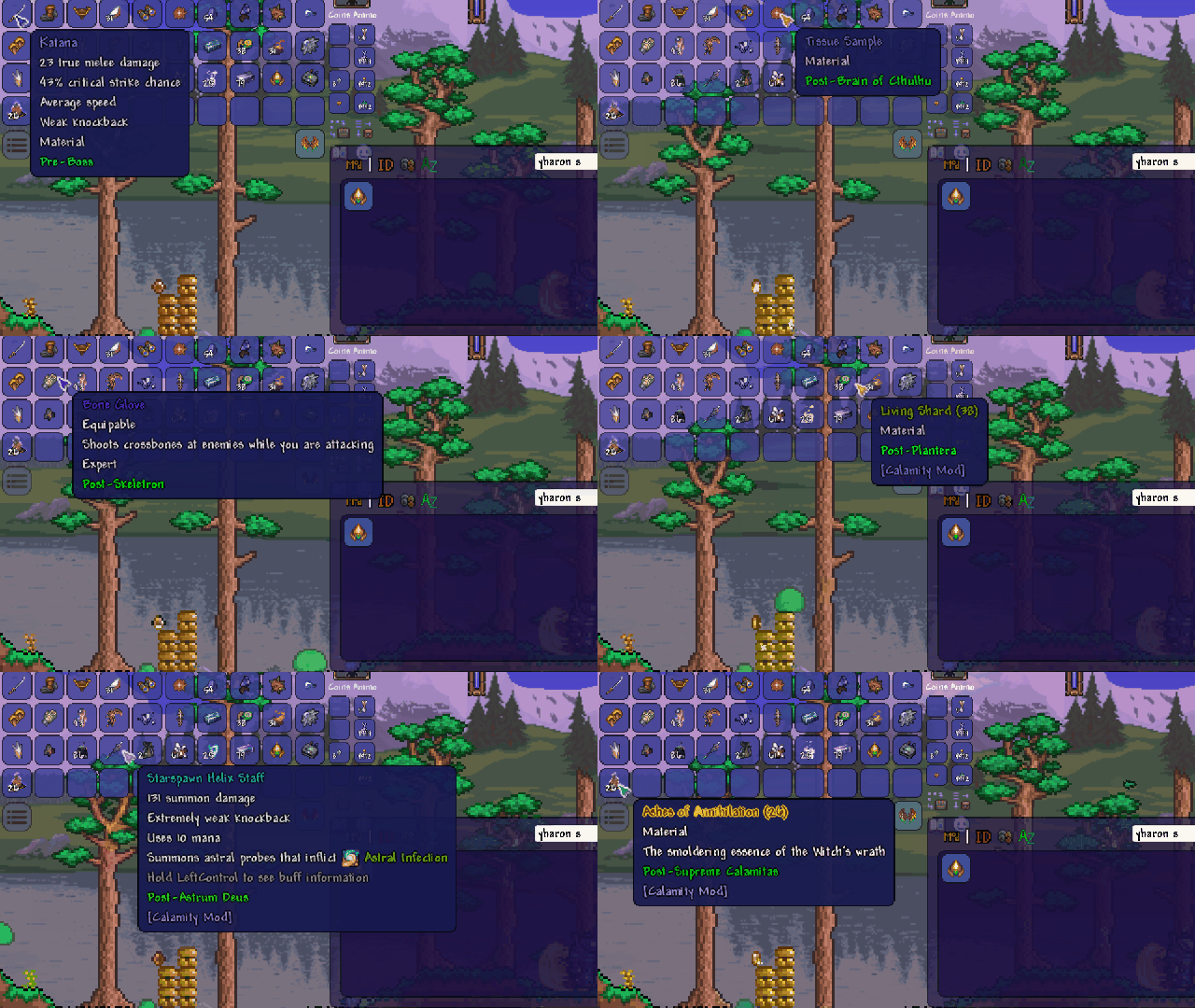
Enhance Your tModLoader Experience with Progression Tooltips
Navigating the vast world of tModLoader can be a rewarding, yet sometimes bewildering, journey. Players often encounter moments where they’re unsure which gear will best equip them for the next challenging boss, or discover powerful items only to realize they’re far beyond their current in-game progression. This is precisely where the Progression Tooltips mod shines, offering a streamlined and intuitive way to understand item accessibility.
Understanding Item Progression at a Glance
The core of the Progression Tooltips mod lies in its ability to visually indicate when an item becomes available within your tModLoader playthrough. By assigning each item to a specific progression tier, the mod provides instant feedback. When you hover over an item, its tooltip will dynamically change color. An orange-gold hue signals that the required progression tier has not yet been met, while a vibrant green indicates that you’ve reached or surpassed the necessary point in your game. This simple yet effective system eliminates the need to constantly consult external wikis, allowing you to focus on the adventure at hand.
How Progression Tooltips Works
This mod meticulously defines progression tiers based on the significance of in-game bosses. Factors such as whether a boss unlocks new ores, introduces unique NPC interactions, or opens up new crafting opportunities are considered when establishing these tiers. Each tier is assigned a numerical value to denote its position in the overall game progression. Items are then assigned to these tiers, with crafted items automatically inheriting the highest tier of their constituent materials. Crucially, the mod’s progression tier colors adapt to your world’s state; for instance, if Plantera has been defeated, any tier preceding it will display as green, regardless of whether earlier bosses have been vanquished. It’s important to note that this mod is purely visual and does not alter core gameplay mechanics.
Key Features of Progression Tooltips:
- Visual progression indicators for all items.
- Dynamic tooltip coloring: orange-gold for unavailable, green for available.
- Automatic tier assignment for crafted items.
- Customizable tier settings for personalized progression.
- Compatibility with popular mods like Calamity, Confection REBAKED, Split, and Thorium.
- Multiplayer support for a shared experience.
- An accessible API for modders to integrate their own progression tiers.
Mod Settings and Modder Support
Progression Tooltips goes a step further by offering robust mod settings. Players can personally adjust item tiers and even introduce new tiers for items that may have been overlooked. For those who create content for tModLoader, the mod includes an API that allows for seamless integration of custom tiers, enabling a unified progression system across multiple mods. This mod is a vital tool for anyone looking to enhance their understanding of item acquisition within the complex world of tModLoader and its many modifications.