
Mod Marks For Materials
Streamline Your tModLoader Experience with Mod Marks For Materials
Navigating the vast ecosystem of tModLoader mods can be a rewarding but sometimes overwhelming experience. With numerous content additions, quality-of-life improvements, and expansive gameplay overhauls, it’s easy to lose track of which item originates from which mod. Fortunately, the “Mod Marks For Materials” mod offers a simple yet elegant solution to this common challenge, enhancing your gameplay by providing clear visual cues directly within the game.
Unlock a Visually Organized Inventory
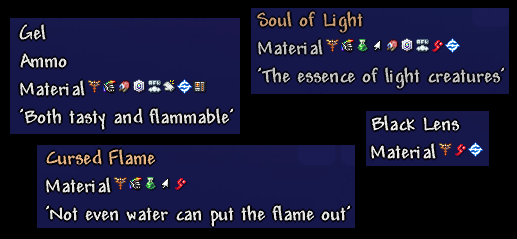
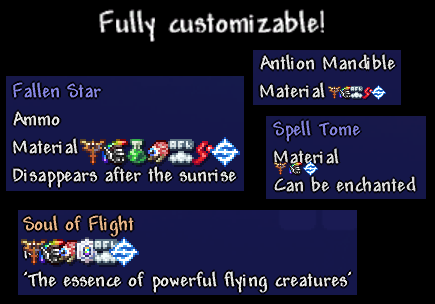
Mod Marks For Materials introduces a subtle yet incredibly useful visual indicator to every material within your tModLoader game. When you hover over an item, this mod displays a small icon that signifies the specific mod its crafting recipes belong to. This means no more guesswork or constant tab-switching to remember where that essential crafting component came from. Whether you’re deep into a new playthrough with multiple large content mods or experimenting with various smaller additions, this mod ensures you always have a clear understanding of your item origins.
Key Features to Enhance Your Modded tModLoader Playthrough:
- Intuitive Visual Identification: Instantly see which mod an item’s recipes are associated with through clear, in-game icons.
- Improved Inventory Management: Streamline your crafting process and reduce confusion by quickly identifying the source of your materials.
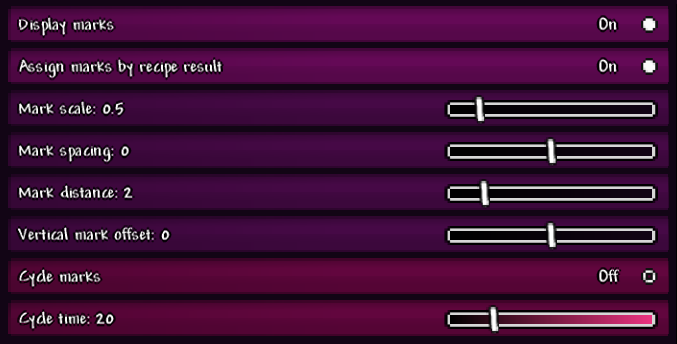
- Configurability for Personalized Experience: Tailor the mod’s behavior to your specific needs and preferences through its dedicated configuration options.
- Broad Mod Compatibility: Designed to work seamlessly with a wide range of tModLoader mods, offering a more integrated experience.
Understanding Icon Display
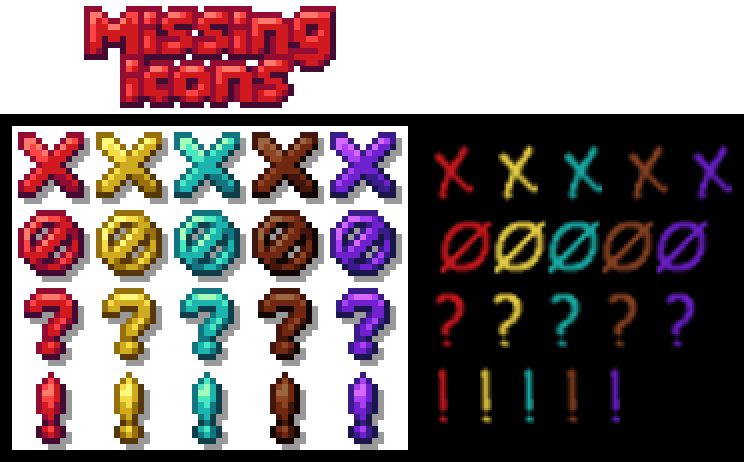
Mod Marks For Materials relies on mods providing a small, designated icon—often used for in-game bestiaries—to represent them. While this works effectively for many substantial mods, some smaller additions or quality-of-life items might not have this icon readily available. In such cases, a placeholder icon will be displayed. The mod creator is actively working to integrate support for custom icons from a growing list of popular mods, ensuring an even more visually cohesive experience for a wider array of content.
Community and Support
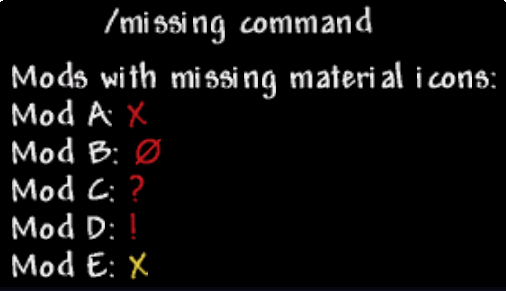
The developers encourage players to utilize the in-game `/missing` command to identify any mods that might be displaying a placeholder icon. Furthermore, if you encounter any issues or notice a popular mod lacking its proper icon, please share your feedback. This collaborative approach helps improve the mod and ensures a smoother experience for the entire tModLoader community. Mod Marks For Materials is a testament to how small, focused mods can significantly enhance the overall enjoyment and usability of your tModLoader adventures.