
Git for Terraria
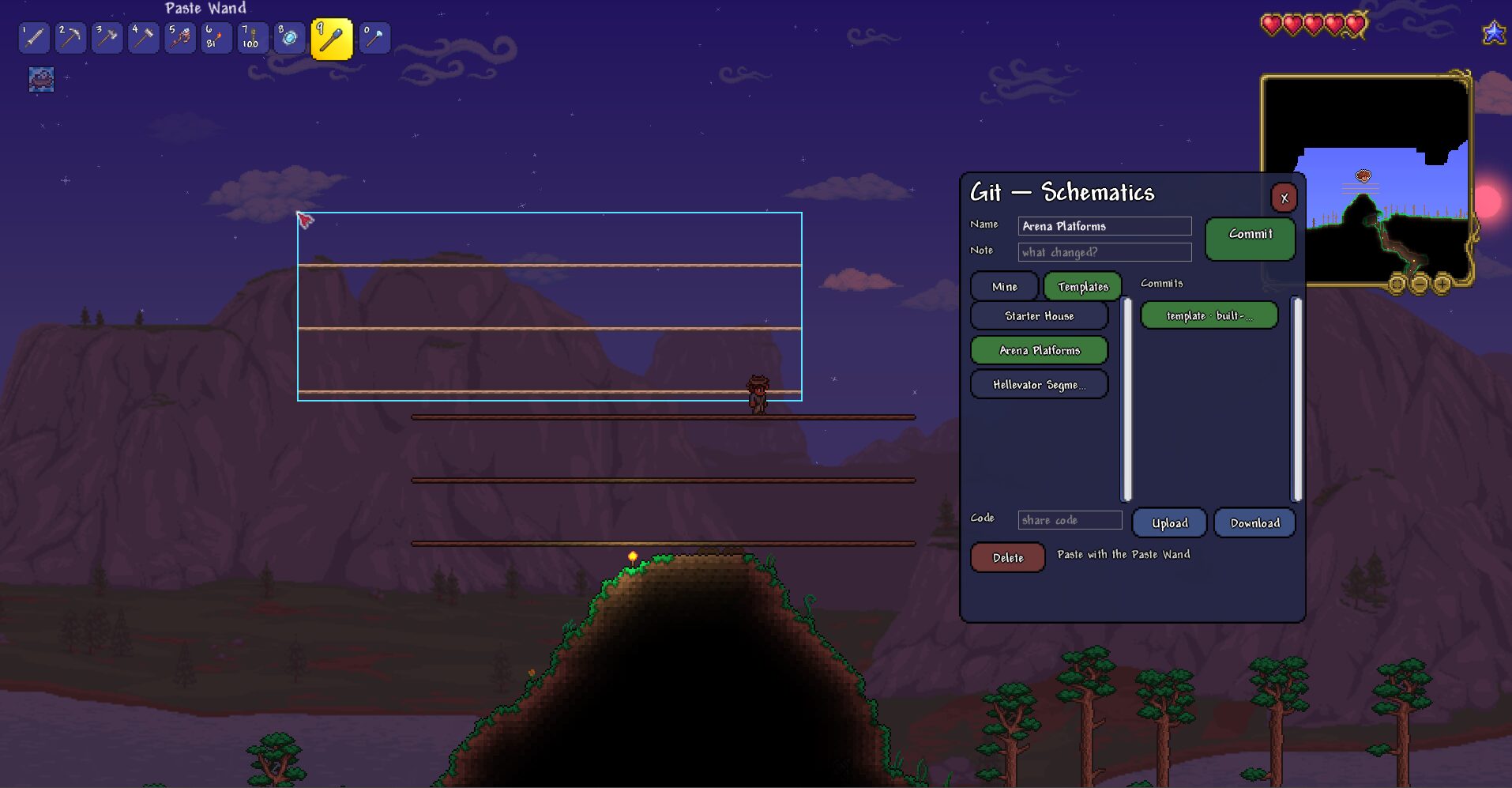
Master Your Builds with Git for Terraria
Elevate your tModLoader experience with Git for Terraria, a powerful mod designed to revolutionize how you construct and manage your creations. No more tedious rebuilding or complex copy-pasting! This mod introduces a sophisticated version control system directly into your tModLoader world, allowing you to save, replicate, and iterate on your builds with unparalleled ease.
Effortless Build Management
At its core, Git for Terraria enables you to select any area of your world, save it as a named “schematic,” and store its entire history. Imagine perfecting a complex farming setup, a sprawling base, or an intricate wiring contraption, and then being able to recall and reproduce it at a moment’s notice. This mod acts as your personal blueprint library, empowering you to build smarter, not harder.
Key Features to Enhance Your Building Process:
- Selection Wand: Easily define the exact boundaries of your desired build with intuitive point-and-click functionality.
- Paste Wand: Visualize your upcoming placement with a live “ghost” preview, ensuring precision before you commit.
- Comprehensive Version History: Save multiple iterations of the same schematic, allowing you to revert to or paste any past version – just like a professional developer uses Git.
- Material Costs: By default, pasting schematics consumes the necessary materials from your inventory, maintaining the challenge and resource management of tModLoader. Furniture is accounted for at a fair, one-to-one cost.
- Built-in Templates: Get started quickly with pre-made schematics for common structures like starter homes and arenas.
- Clean User Interface: Access and manage your schematics through a user-friendly, draggable panel, with simple controls for committing and pasting.
- Sharing Capabilities: With a configured sharing server, you can upload and download schematics using share codes, making collaboration and showcasing your work a breeze.
Getting Started is Simple
To begin using Git for Terraria, craft the Selection Wand and Paste Wand at a Workbench. Once crafted, use the Selection Wand to mark your build, press the designated hotkey to open the mod’s interface, name your schematic, and commit it. Then, equip the Paste Wand, aim at your desired location, and watch as your creation materializes. Remember, by default, the paste operation requires the corresponding materials in your inventory, ensuring it functions as a genuine building tool.
Customizable Experience
Tailor Git for Terraria to your playstyle. You can disable material costs for a creative-mode-like experience or configure a schematic sharing server to exchange blueprints with other players. Dive into the mod’s configuration menu to explore these options.