
Eclipse UI: Background Dimmer
Eclipse UI: Background Dimmer for tModLoader
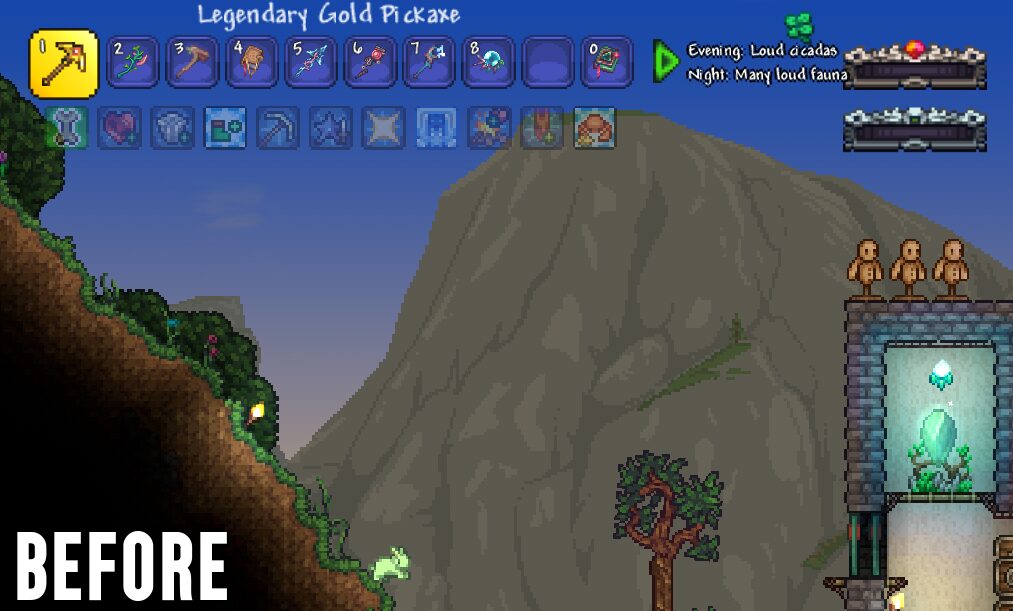
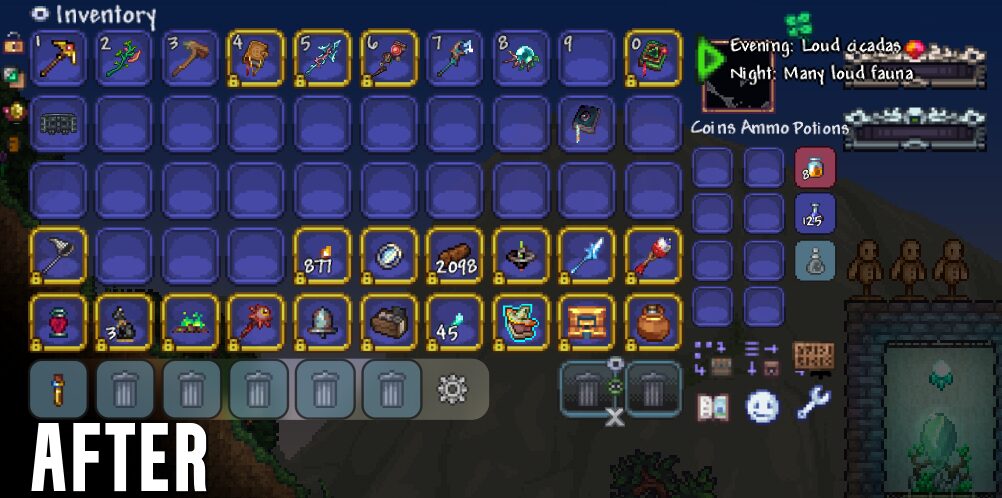
Tired of the vibrant world of tModLoader pulling your attention away from crucial inventory management or intricate crafting sessions? Eclipse UI: Background Dimmer is a lightweight Quality of Life mod designed to bring a sleek, cinematic focus to your gameplay. When you open any user interface, the mod intelligently dims the background, allowing you to concentrate on the task at hand and making on-screen text and icons exceptionally crisp and easy to read.
Key Features for Enhanced Focus
This mod introduces several key features to streamline your tModLoader experience:
- Smart Background Dimming: Automatically applies a subtle, smooth filter behind open UI windows, effectively reducing visual clutter without completely obscuring the game world.
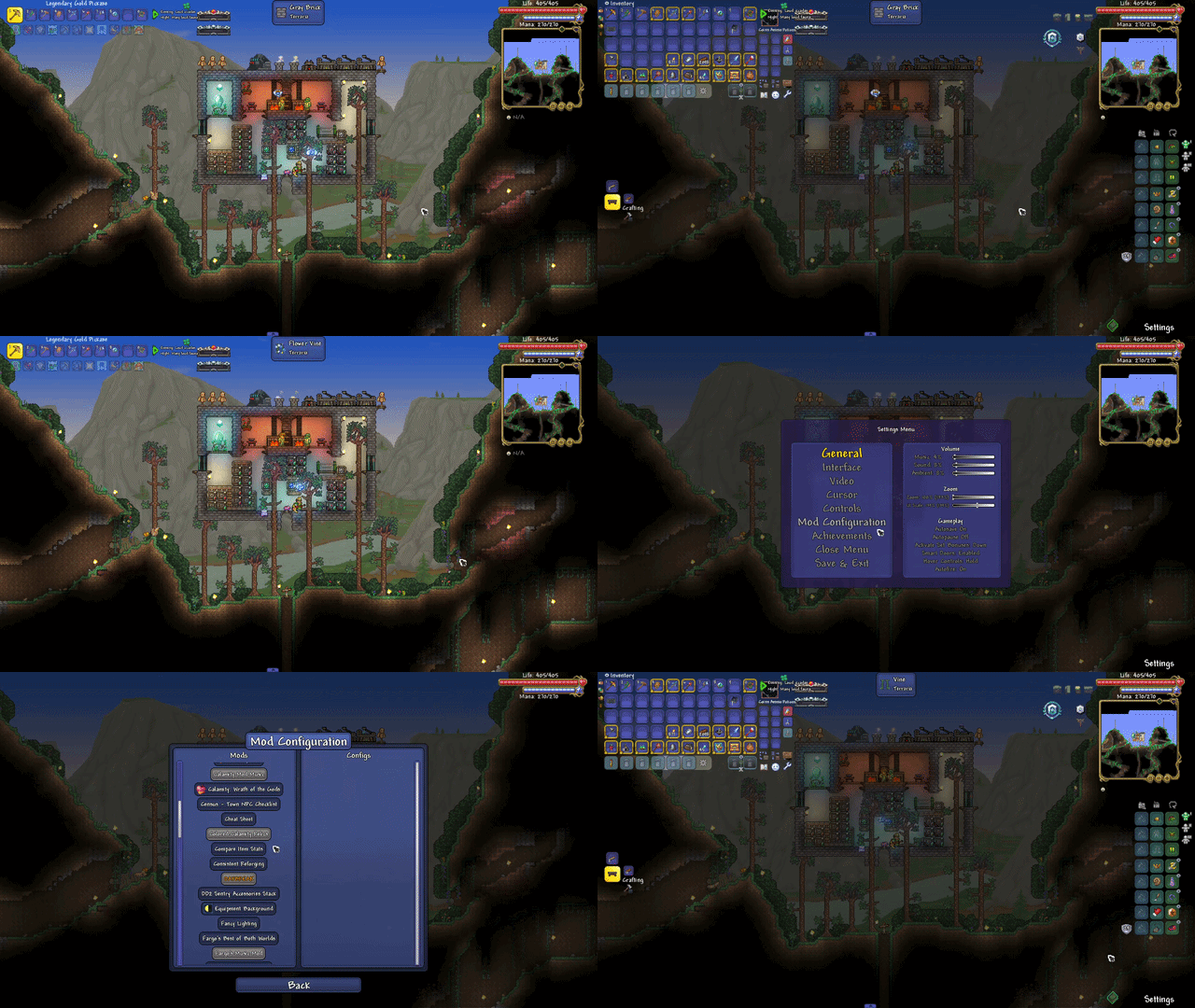
- Seamless Transitions: Enjoy fluid fade-in and fade-out animations when opening and closing menus. Say goodbye to jarring black screens and hello to a polished, cinematic feel.
- Universal Menu Support: Eclipse UI: Background Dimmer is designed to work flawlessly with all major tModLoader menus, including your player inventory, chests, the in-game options/settings menu, and any mod configuration menus.
- Pause-Proof Animations: Utilizing a real-time independent clock system, the animation transitions remain smooth and responsive even when the game is fully paused in singleplayer, ensuring a consistent experience.
Customize Your Cinematic Experience
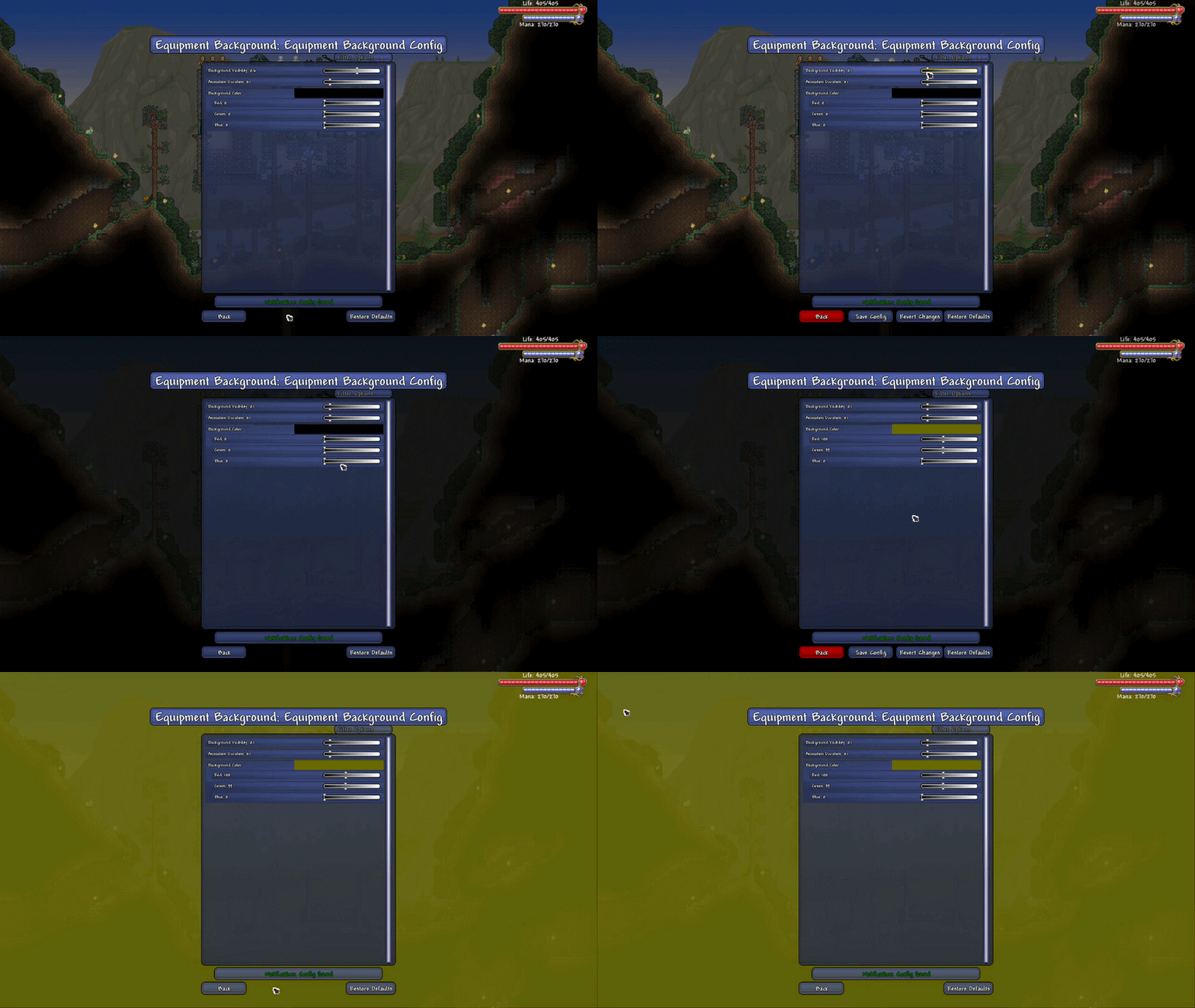
Eclipse UI: Background Dimmer offers extensive in-game configuration options through tModLoader’s built-in menu. You can tailor the effect precisely to your preferences:
- Background Visibility: Adjust the intensity of the dimming effect. Opt for a subtle ambiance or a deep, immersive darkness to enhance your focus.
- Animation Duration: Control the speed of the fade transitions, from instant (0 seconds) to a more leisurely pace (1 second). The default setting provides a perfect balance of responsiveness and cinematic flair.
- Background Color: Break free from tradition by selecting any color from a full RGB palette. Create a unique aesthetic by choosing deep blues, atmospheric purples, or any other color that complements your playstyle.
- Boss Fight Exemption: An option is available to disable the background dimming during boss fights, including those introduced by other mods, ensuring you maintain full awareness during intense combat encounters.
This mod is extremely lightweight, heavily optimized, and designed to have no impact on your game’s performance (FPS). It is fully compatible with all custom UI and item mods, making it a seamless addition to any tModLoader setup.