
Discraria
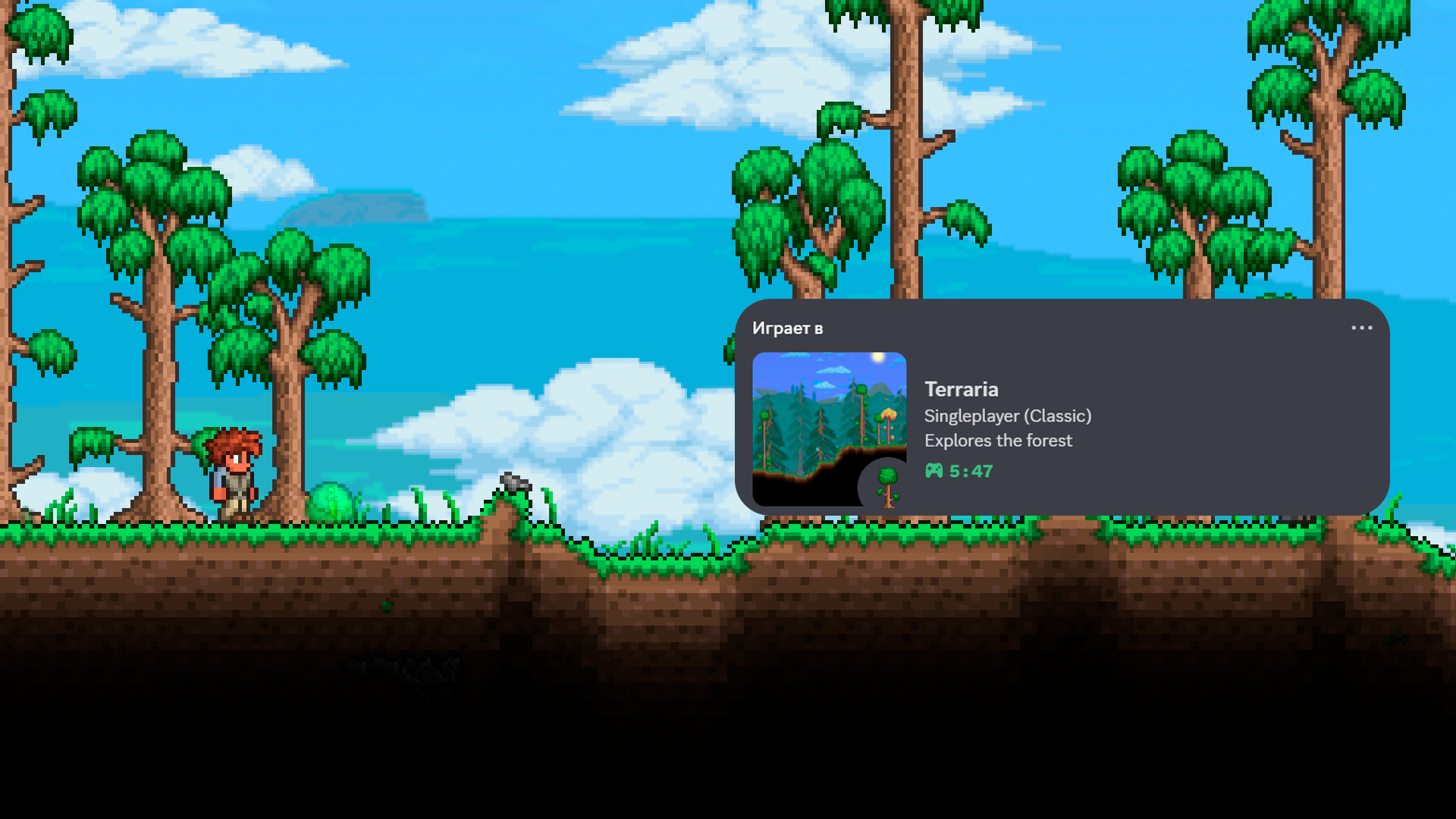
Enhance Your tModLoader Experience with Discraria: Show Off Your Adventures!
Are you an avid tModLoader player looking to share your in-game exploits with friends outside of the game? Introducing Discraria, a unique mod designed to bridge the gap between your tModLoader sessions and your Discord presence. By cleverly combining elements of “Terraria” and “Discord,” this mod brings your in-game activity to life on your profile, offering a dynamic and engaging way to showcase your adventures.
What is Discraria?
Discraria seamlessly integrates with your Discord client to provide “Rich Presence” updates. This means that whenever you’re playing tModLoader, your Discord status will automatically display a wealth of information about your current in-game situation. It’s like having a live news feed of your tModLoader journey directly on your profile for all your friends to see.
Key Features of Discraria
Discraria offers a comprehensive suite of features to keep your Discord status informative and exciting:
- Main Menu Presence: Let your friends know you’re ready to dive into tModLoader even before you load into a world.
- Biome Awareness: Display the specific biome you are currently exploring, from lush forests to treacherous caverns.
- World Details: Share whether you’re playing in singleplayer or multiplayer, and highlight your world’s difficulty setting.
- Iconic World Indicators: For specific world types, Discraria can show small icons representing unique challenges like Corruption, Crimson, Hardmode, and Secret World Seeds.
- Epic Boss Battles: When you’re locked in combat with a formidable boss, Discraria will let everyone know you’re facing a major threat.
- Dynamic World Events: Keep your friends updated on any ongoing world events, adding an extra layer of excitement to your status.
- Player Stats: Display your current maximum health, mana, and defense, giving a snapshot of your character’s progression.
Addressing Potential Updates
While Discraria aims for smooth integration, there might be rare instances where rapid changes in your in-game activity (like frequent biome hopping) could cause a slight delay in Discord status updates. If you notice this, a brief pause and then triggering a new in-game action, such as moving to a different biome, dying, summoning a boss, or returning to the main menu, will usually refresh your presence. Rest assured, your activity will eventually display correctly, even without manual intervention.