
Keep Presets on Mod Change
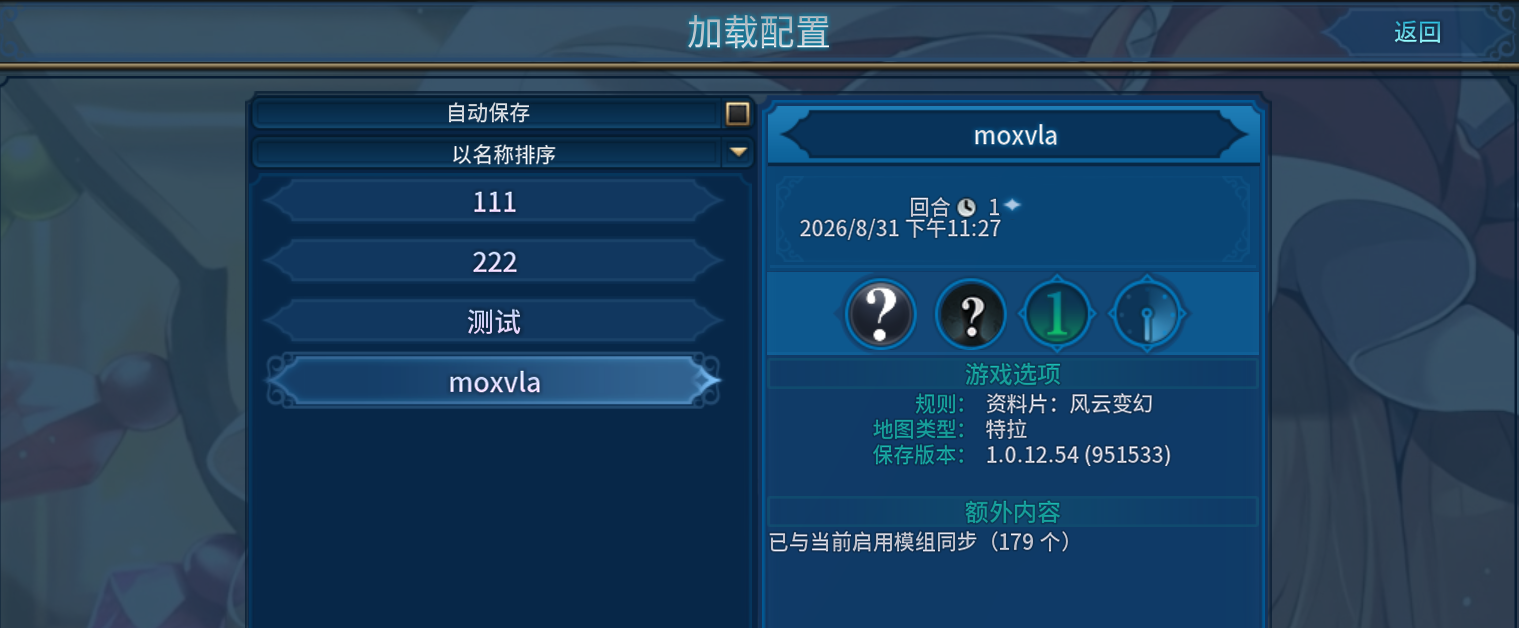
Seamlessly Manage Your Civilization VI Mod Presets
Tired of your meticulously crafted Civilization VI mod presets becoming corrupted or invalid every time you tweak your mod list? Introducing “Keep Presets on Mod Change,” a game-changing mod designed to eliminate that frustration and streamline your modding experience. This essential utility ensures that your saved game start configurations remain relevant and functional, no matter how often you add, remove, or disable mods.
Say Goodbye to Preset Breakage
The core function of “Keep Presets on Mod Change” is elegantly simple yet incredibly powerful. It automatically synchronizes the mod list within your saved presets to reflect the mods that are currently active in your game. This means that when you load a preset, it will intelligently adapt to your current mod setup, ensuring a smooth and predictable start to every new game.
Effortless Mod Integration and Removal
This mod drastically simplifies the process of incorporating new mods or removing unwanted ones.
- Adding Mods: Simply enable your new mods and load an existing preset. The mod will automatically recognize the added content, and your preset will be updated without requiring any manual reconfiguration.
- Removing or Disabling Mods: No more broken presets! Even if you disable or remove mods that were part of an old preset, the preset itself will not become invalid. The game will no longer fall back to default rules due to missing mods, preserving your intended game setup.
Enhanced Stability and User Experience
Recent updates to “Keep Presets on Mod Change” have further solidified its reliability. A previous bug that caused the mod to stop functioning after returning to the main menu mid-game has been resolved. You can now confidently toggle mods on and off at any stage of your gameplay, including after navigating back to the main menu, without any interruption to the preset synchronization. This ensures a consistent and stable modding environment for all Civilization VI players.