
Multiplayer Three Zones: PVE, PVPE, PVP
Project Zomboid: Master Multiplayer Zones with Three Zone Control
Elevate your Project Zomboid multiplayer experience with the Three Zones mod, introducing a dynamic system for managing player interactions across your server. This mod brings granular control over whether players can engage in combat with each other, offering unparalleled flexibility for diverse gameplay styles.
Understanding the Three Zones
The core of this mod lies in its three distinct zone types, each catering to a specific player dynamic:
- PVE (Player versus Environment): In these safe zones, players are shielded from each other. Focus on surviving the zombie hordes and building your base without the threat of other survivors interfering.
- PVPE (Player versus Player Enabled): This hybrid zone allows for consensual PvP. Combat is only possible if both players involved have explicitly enabled PvP for themselves, fostering tense encounters and calculated risks.
- PVP (Player versus Player): In these zones, PvP is automatically enabled for all players. Prepare for immediate and unrestricted conflict with any survivor you encounter.
Effortless Zone Management
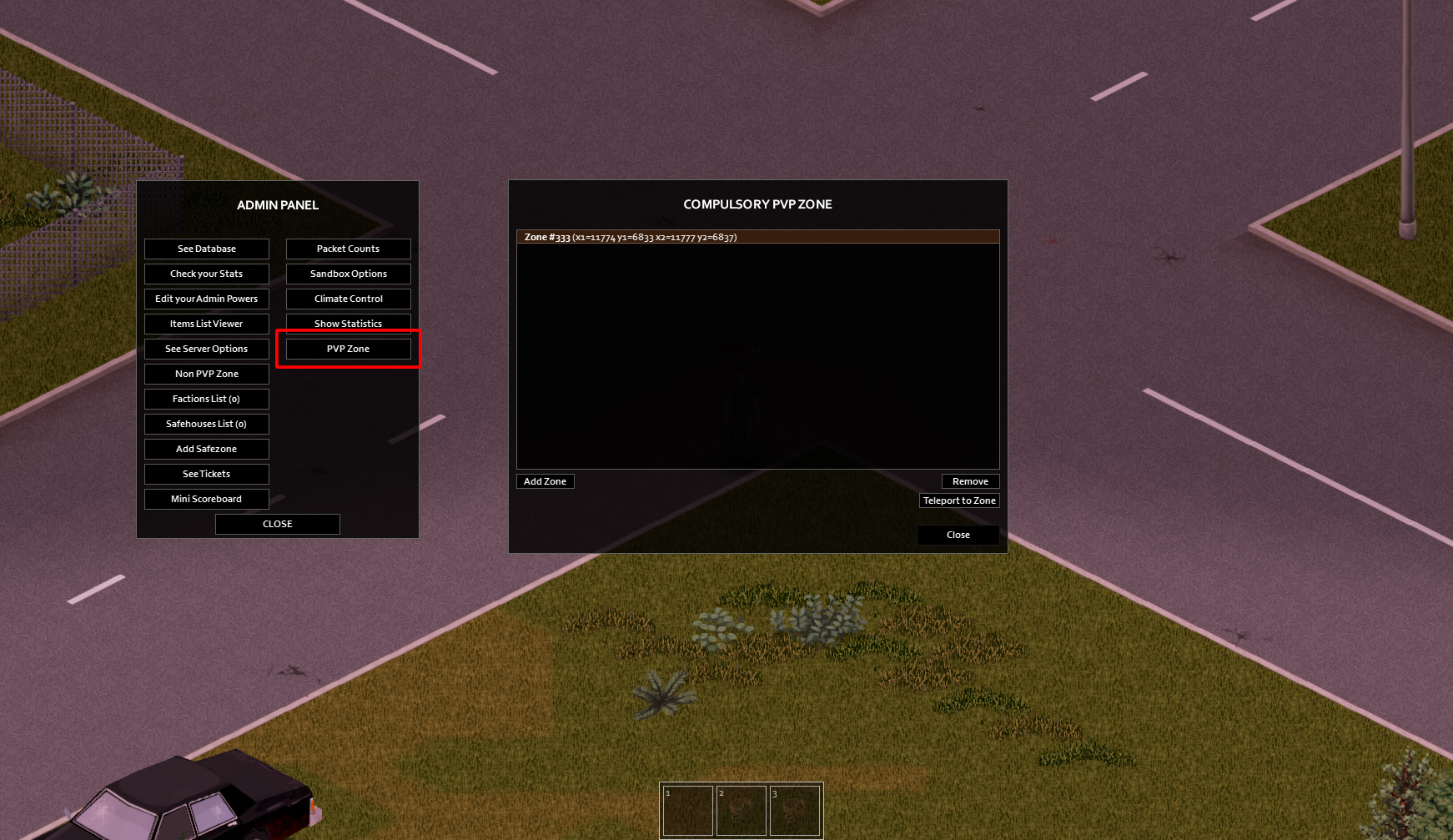
The Three Zones mod makes managing these zones straightforward for server administrators. By default, the entire map operates in the flexible PVPE mode. To establish custom zones, a new item, “PVP Zone,” is available within the admin panel. Adding a new zone will generate a configuration file named `yourservername_pvpzone.lua` in your server’s `ZomboidLua` folder. This file is crucial for restoring your custom zone setups after a server wipe.
For advanced users, the `yourservername_pvpzone.lua` file can also be directly edited to define zones using simple coordinate pairs. This offers a powerful way to sculpt your server’s PvP landscape. It’s important to note that zone definitions within this file are only loaded if no PvP zones have been manually created through the admin panel. To refresh the zones from the file, simply clear the manually created list and restart your server.
If the “PVP Zone” button doesn’t appear in your admin panel, it may indicate a conflict with another installed mod. Additionally, server administrators can always access the PvP zone control panel using specific debug commands, providing an alternative method for managing these crucial gameplay areas.