
No Particles Toggle
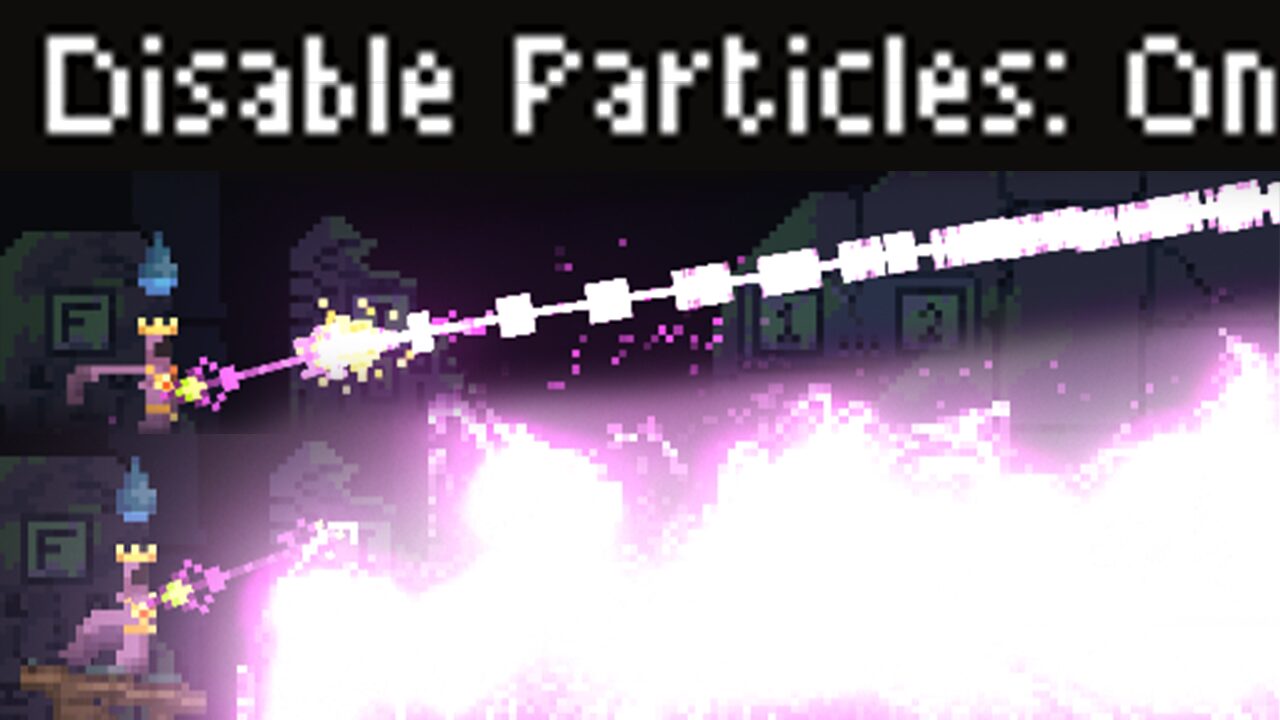
Noita’s No Particles Toggle Mod: Enhance Performance and Visual Clarity
Dive deeper into the perilous depths of Noita with the No Particles Toggle mod, a powerful tool designed to streamline your gameplay experience. If you’ve ever found your frame rates dipping during intense combat or wished for a cleaner visual presentation, this mod offers a simple yet effective solution.
Streamline Your Visuals, Boost Your FPS
The core functionality of the No Particles Toggle mod lies in its ability to significantly reduce visual clutter. By providing an in-game setting to disable the particle effects generated by player-fired projectiles, you can experience a noticeable improvement in performance, especially during chaotic encounters with powerful wands. This optimization is particularly beneficial for players running Noita on more demanding systems, ensuring smoother action and a more responsive experience.
Key Features and Customization
This mod isn’t just about a simple toggle; it offers several options to tailor the experience to your preferences:
- Projectile Particle Disabling: The primary feature allows you to switch off particle effects from your own spells, leading to performance gains.
- Hotkey Toggling: Easily enable or disable particle effects on the fly with a customizable hotkey, allowing for quick adjustments during gameplay.
- Whitelist Luminous Drill: Ensure the Luminous Drill remains visible, even when particle effects are generally turned off, for crucial visibility.
- Disable “Real Particles” (Fire): An additional option to turn off realistic fire particle effects from projectiles, further enhancing visual clarity and performance.
The No Particles Toggle mod is designed to be compatible with other visual enhancements, including the Realistic Particles mod, ensuring it integrates seamlessly into your existing setup. Whether you’re seeking a performance boost or a more focused visual presentation, this mod provides the tools to customize your Noita adventure.