
Spawn Boss Utility Mod
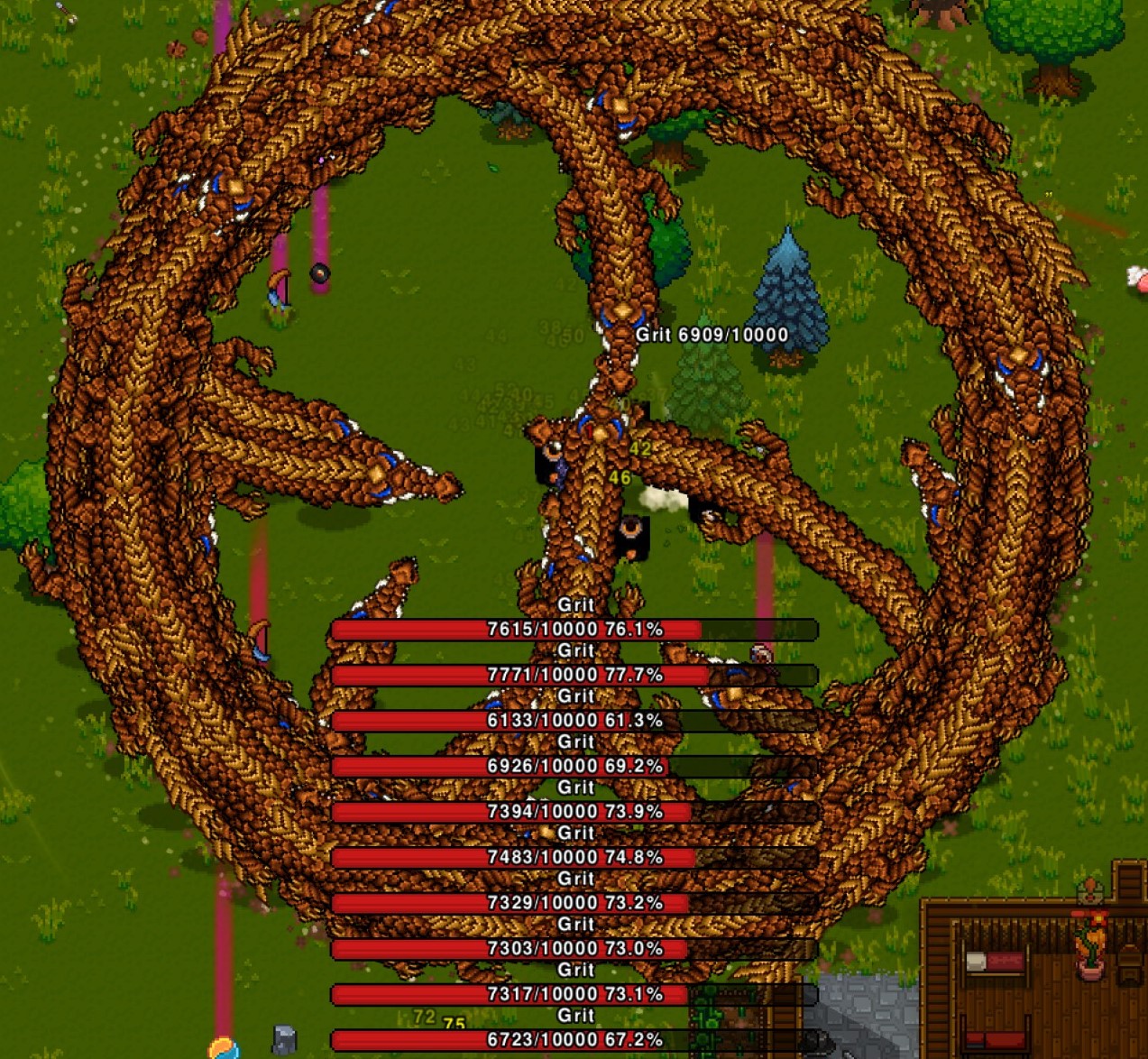
Take Control of Your Necesse Server with the Spawn Boss Utility Mod
Ever wished you could inject a little more chaos into your Necesse server? Perhaps you’re an administrator looking for a dynamic way to challenge your players or test their mettle. Introducing the Spawn Boss Utility Mod, a powerful tool designed to give server owners unparalleled control over the game’s most formidable foes.
Command Your Bosses with Ease
The Spawn Boss Utility Mod empowers server administrators with a simple yet effective command to summon any boss creature directly to their location. Forget tedious searching or waiting for random spawns; now you can strategically place bosses wherever you desire. The core command is straightforward: `/spawnboss BossName QuantityToSpawn`. This allows you to specify not only which boss to spawn but also how many should appear, creating intense encounters for your players.
Effortless Boss Naming and Autocompletion
We understand that many boss names contain spaces, which can be cumbersome in command-line interfaces. To address this, the mod supports standard quotation marks for names with spaces, like so: `/spawnboss “The Ancient Guardian” 5`. However, for ultimate convenience, the mod features an intelligent autocompletion system. Simply start typing the beginning of a boss’s name (e.g., `/spawnboss The`) and press the ‘Tab’ key. The mod will present you with matching boss names, saving you time and preventing typos. This feature makes managing boss spawns incredibly intuitive.
Key Features at a Glance
- Summon any boss mob directly to your current location.
- Specify the exact quantity of bosses to spawn for custom encounters.
- Supports quoted boss names for those with spaces.
- Intuitive ‘Tab’ autocompletion for effortless boss name selection.
- Ideal for server administrators seeking dynamic challenges and testing scenarios.
Troubleshooting and Updates
To ensure the mod functions correctly, it’s important to keep it updated. If you encounter any issues or believe your mod version doesn’t align with the game’s current version, a simple file verification can often resolve the problem. On Steam, right-click Necesse in your library, navigate to Properties > Installed Files, and select “Verify integrity of game files.” This process checks for any corrupted or missing files and ensures your game and mods are running optimally.