
No Darkness
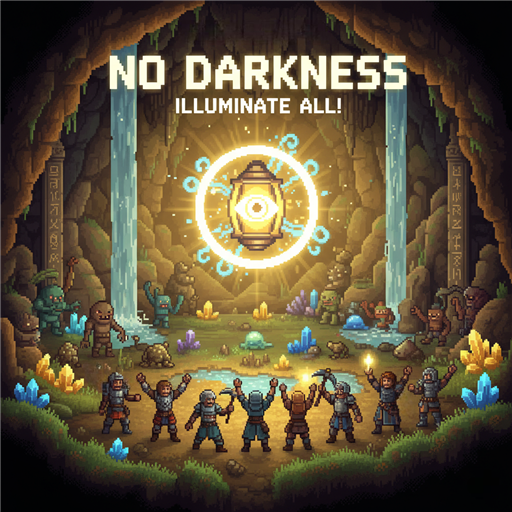
Banish the Shadows: Introducing the No Darkness Mod for Necesse
Tired of fumbling through pitch-black caves or straining your eyes to see during nighttime excursions in Necesse? The No Darkness mod is here to illuminate your adventures, offering a comfortable and visually enhanced gameplay experience. Say goodbye to frustratingly dark environments and embrace a clearer view of the world.
What is the No Darkness Mod?
This user-friendly mod effectively removes the oppressive darkness found in underground areas, caves, and even during the darkest hours on the surface. Whether you’re delving deep into mysterious dungeons or simply navigating your settlement after sunset, the No Darkness mod ensures you can always see what’s around you. It’s a fantastic quality-of-life improvement designed to make your Necesse gameplay more enjoyable and less visually taxing.
Key Features to Illuminate Your Game
The No Darkness mod comes packed with features to customize your experience:
- Universal Darkness Removal: Enjoy enhanced visibility in caves, underground biomes, and during nighttime on the surface.
- Configurable Brightness: Tailor the lighting to your preference by adjusting the brightness level through a simple configuration file. The default setting provides a balanced 20% increase, but you can fine-tune it from 0.0 (no effect) to 1.0 (maximum brightness).
- Easy Toggle: Instantly switch the mod on or off using a convenient hotkey, defaulting to the ‘L’ key, allowing you to revert to vanilla lighting whenever desired.
- Client-Side Functionality: This mod operates on your end, meaning it works seamlessly on any server, regardless of whether the server itself has the mod installed. You don’t need special permissions to enjoy its benefits.
- Optional UI Integration: For an even more user-friendly experience, install the Custom Settings Lib. This integration provides an intuitive in-game graphical user interface (GUI) with a brightness slider, making adjustments a breeze.
Seamless Integration and Configuration
Setting up the No Darkness mod is straightforward. It’s compatible across Windows, Linux, and Mac platforms via Steam Workshop. Configuration is managed through a dedicated `.cfg` file, the location of which varies by operating system but is clearly outlined for easy access. Simply edit the `darknessBrightness` value and restart your game for the changes to take effect.
Important Note: While the mod modifies game lighting, it may trigger a minor chat message regarding cheat permissions. Rest assured, the mod functions perfectly without enabling cheats, your Steam achievements remain unaffected, and cheats are not activated. You can safely ignore this message.
The No Darkness mod is perfect for solo adventurers, players on private servers (with permission), and anyone seeking a smoother, more visually accessible Necesse experience. Use it responsibly and enjoy a brighter world!