
Move It!
Revolutionize Your Base Building with Move It!
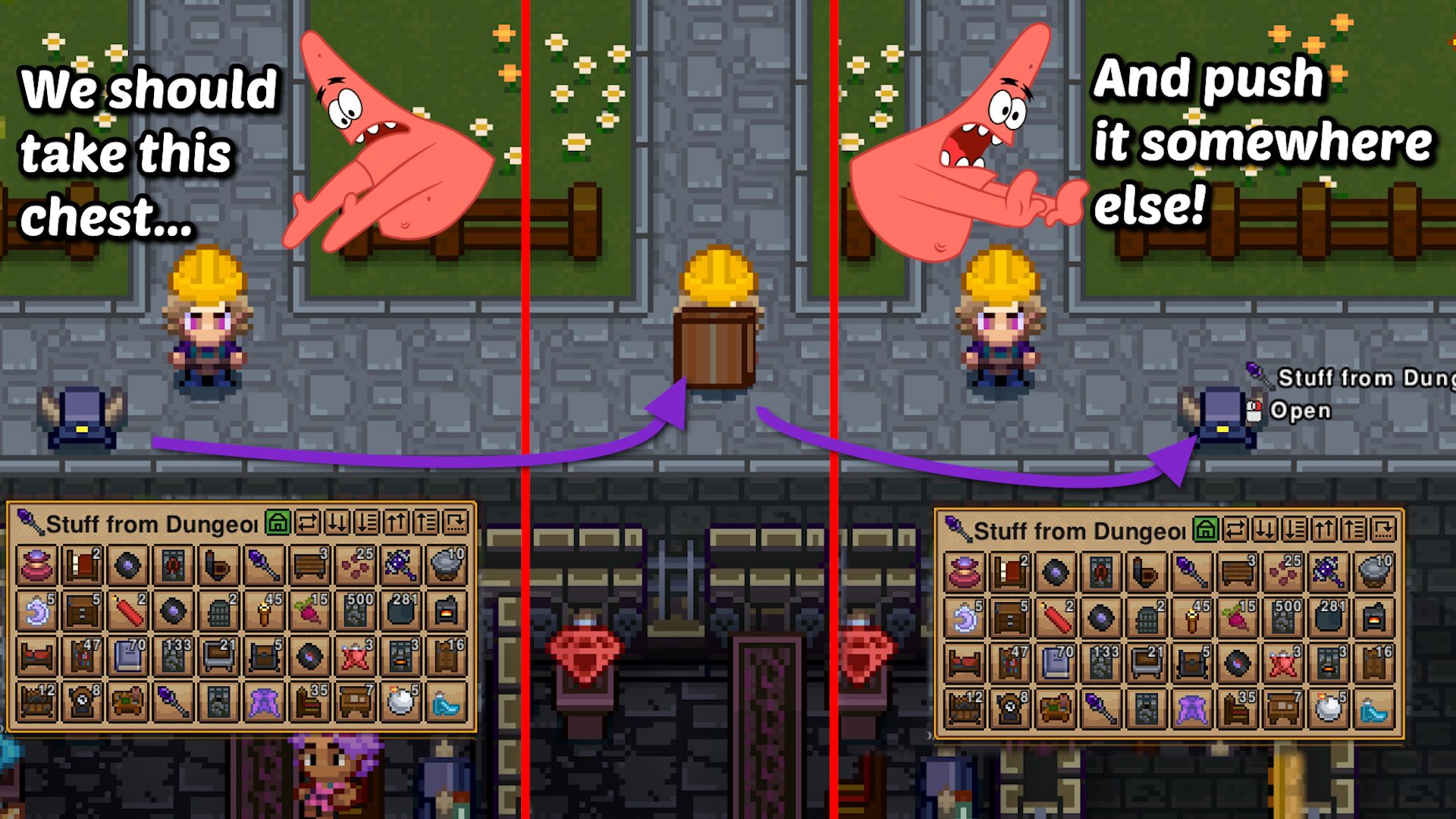
Tired of the tedious chore of manually transferring items or waiting for your settlers to slowly move entire chests? Introducing “Move It!”, a game-changing mod designed to streamline your base management and building experience. This innovative tool allows you to effortlessly relocate storage containers, saving you invaluable time and frustration.
Effortless Storage Relocation
The core of the “Move It!” mod lies in its unique “Moving Box” item. This single-use marvel lets you pick up any container that holds items – from standard chests to intricate bookshelves – and transport them to a new location in one go. No more agonizing over moving every single item individually or relying on slow AI routines. Simply craft a Moving Box at the Demonic Workstation, pack your container, and place it wherever you desire. The Moving Box perfectly replicates the original container’s name and retains all its contents, ensuring a seamless transition.
Key Features of Move It!:
- Pick up and move chests, bookshelves, and other item-holding containers instantly.
- Preserves container names and all stored items.
- Crafted conveniently at the Demonic Workstation.
- Single-use item for focused base management.
Navigating Item Restrictions and Multiplayer
Be aware that transporting packed boxes significantly impacts your movement speed, so plan your relocations strategically. Furthermore, a packed box cannot be placed inside another moving box until its contents are removed. This feature helps prevent accidental duplication or loss of items. The mod has been rigorously tested for multiplayer environments and dedicated servers, ensuring a stable and enjoyable experience for all players.
Mod Compatibility and Advanced Options
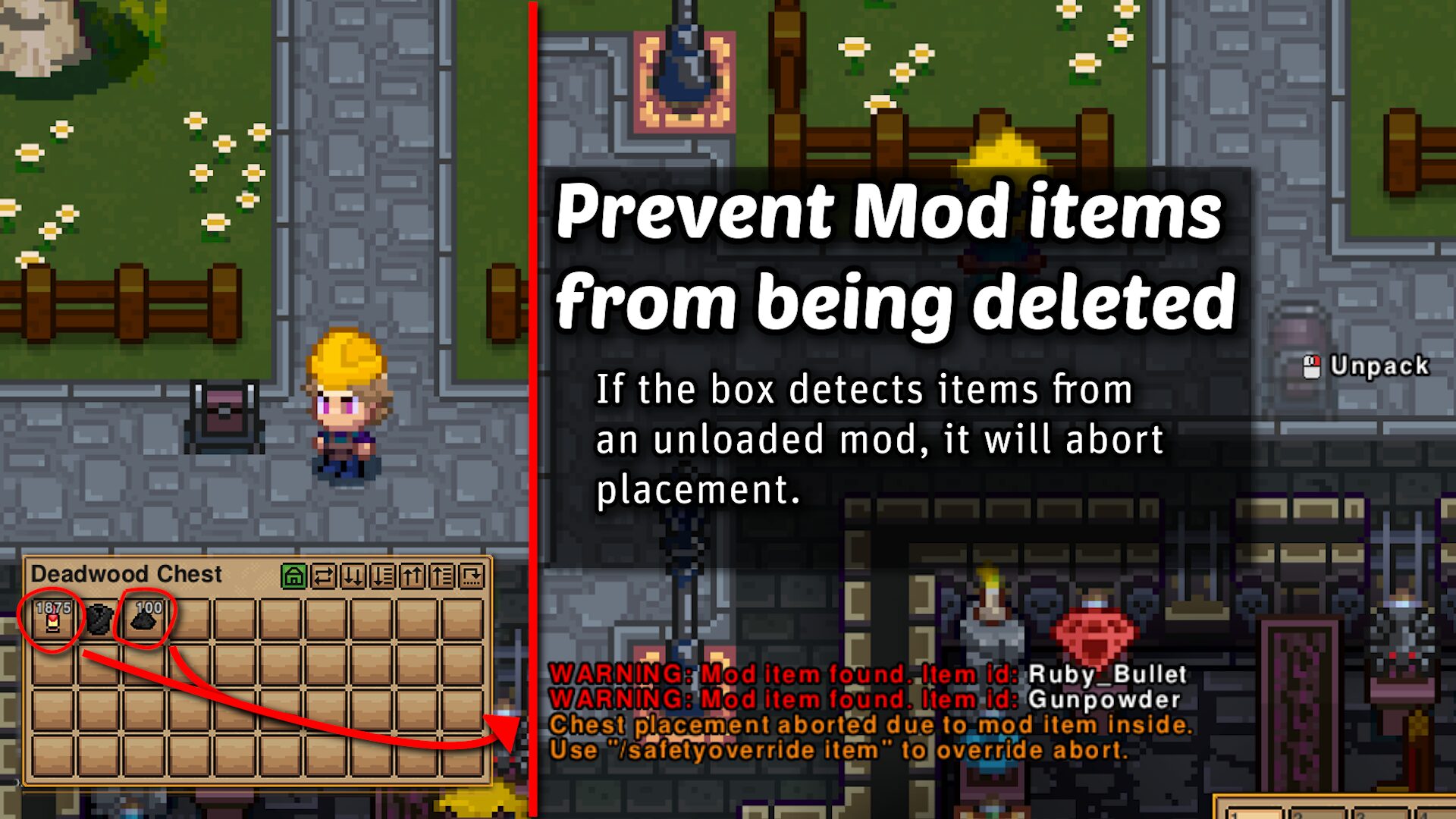
“Move It!” boasts excellent compatibility with other mods. If you unload a mod, any items from that mod stored within a Moving Box will remain intact. When placing a box containing items from unloaded mods, you’ll receive a warning, allowing you to abort the placement. For advanced users, there’s an option to override this behavior, though it may result in the deletion of mod-specific items. The same precautions apply when moving chests from unloaded mods, with an option to force their re-creation as basic storage boxes, potentially deleting items beyond the default capacity.