
Hover Ranges
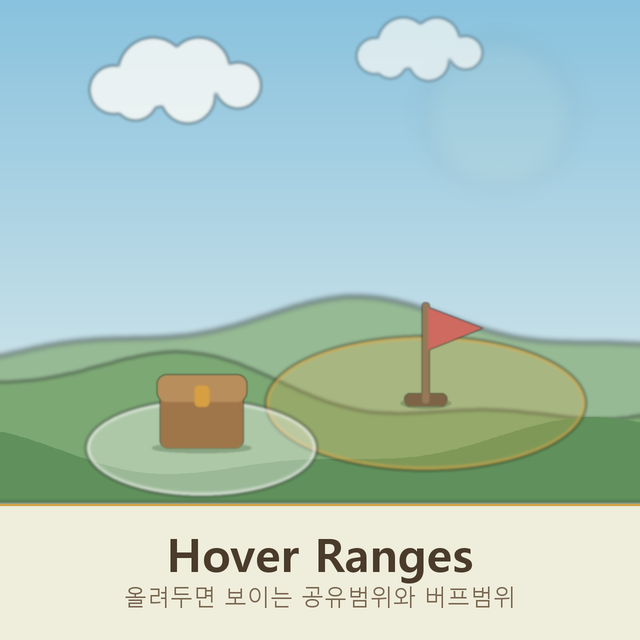
Enhance Your Necesse Experience with Hover Ranges
Tired of guesswork when it comes to optimizing your Necesse base? The Hover Ranges mod offers an elegant, intuitive solution to visualize crafting and buffing areas without ever needing to open a menu or enter a special mode. Streamline your building and production processes by understanding the true reach of your stations and banners at a glance.
Understanding Crafting and Buffing Zones
This clever mod provides clear visual feedback for a variety of interactive elements in your Necesse world. Simply hover your cursor over a chest, and the mod will highlight all the adjacent tiles from which a crafting station can access its inventory. This makes setting up efficient production lines and ensuring all your workstations have easy access to necessary materials a breeze.
Conversely, when you hover over a workstation, such as a forge, anvil, alchemy table, or upgrade station, the mod will display the area from which that station can draw its resources. This helps you identify any bottlenecks or gaps in your resource delivery system and allows for precise placement to maximize efficiency.
Visualizing Banner Buffs
The Hover Ranges mod also extends its utility to the powerful banners you can craft and display. Hovering over a Banner Stand that is equipped with a Banner of Speed, Damage, Defense, or Summon Speed will reveal the exact circular area that your banner buffs. Even the passive Banner of Peace is accurately represented, showing you the zone of its calming influence.
Key Features of Hover Ranges:
- Visualize crafting station reach to chests.
- See the pull radius of workstations like forges and alchemy tables.
- Clearly outline the buffing area of various banners.
- No clicking, menus, or placement mode required – just hover!
- Utilizes the game’s native range rendering for accurate representation.
- Client-side only, meaning it doesn’t require installation by other players on a server.
The visual overlays provided by Hover Ranges are built using the game’s own range rendering system and internal data. This ensures that the shapes and distances you see accurately reflect the game’s mechanics, eliminating any discrepancies between what you see and what actually applies. You can easily toggle this feature on or off within the game’s Settings menu, under the Interface tab, for ultimate control over your Necesse experience.