
Deep Freezer
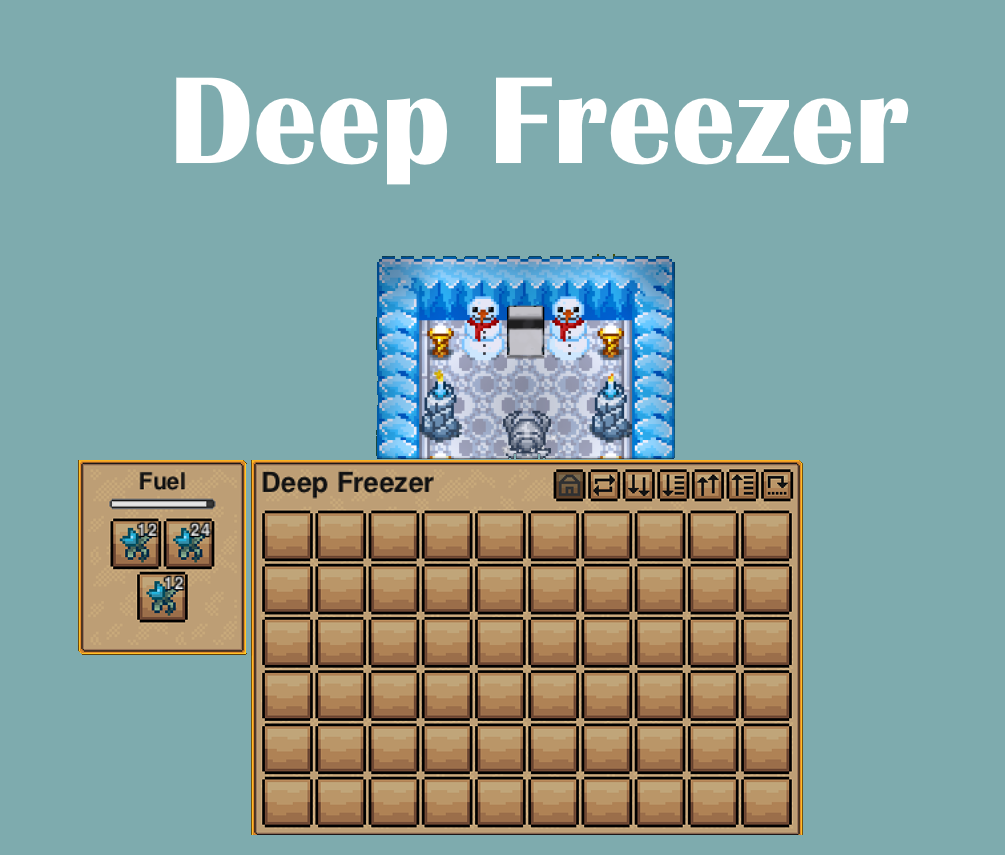
Preserve Your Harvest with the Deep Freezer Mod
Tired of watching your hard-earned resources spoil before you can use them? Introducing the Deep Freezer mod, a game-changing upgrade for your Necesse survival experience. This powerful new appliance significantly enhances your ability to store food and other perishable items, ensuring that no bounty goes to waste.
Unlock Advanced Storage Capabilities
The Deep Freezer acts as a superior alternative to the standard cooling box. It boasts an impressive 60 inventory slots, offering ample space for even the most extensive harvests. More importantly, it dramatically slows down the spoilage process. While standard cooling boxes reduce spoilage by 75%, the Deep Freezer pushes this benefit further, cutting spoilage rates by a remarkable 90%. This means you can stock up, prepare for long expeditions, or simply manage your resources with unprecedented efficiency.
Key Features of the Deep Freezer:
- Expanded storage with 60 inventory slots.
- A significant 90% reduction in spoilage rate.
- Provides peace of mind for long-term resource management.
- A valuable addition for any serious Necesse survivor.
Crafting Your Deep Freezer
Acquiring this essential piece of technology is achievable through the Advanced Workshop. The recipe requires a combination of valuable materials:
- 5 Tungsten Bars
- 10 Stone
- 15 Frost Shards
Gather these resources and bring the power of the Deep Freezer to your base.
Performance Considerations
While the Deep Freezer offers substantial benefits, it does come with a slightly increased operational cost. To maintain its superior preservation capabilities, it consumes fuel 25% faster than a regular cooling box. Plan your fuel supply accordingly to ensure uninterrupted operation and maximum preservation of your goods.
Important Update Information
This mod has been developed and tested for game version 0.28. If you encounter any issues with the mod not appearing or functioning correctly after an update, it is recommended to verify your game files through Steam. To do this, right-click on Necesse in your Steam Library, select ‘Properties,’ navigate to ‘Installed Files,’ and then choose ‘Verify integrity of game files.’