
Mod Categories(test)
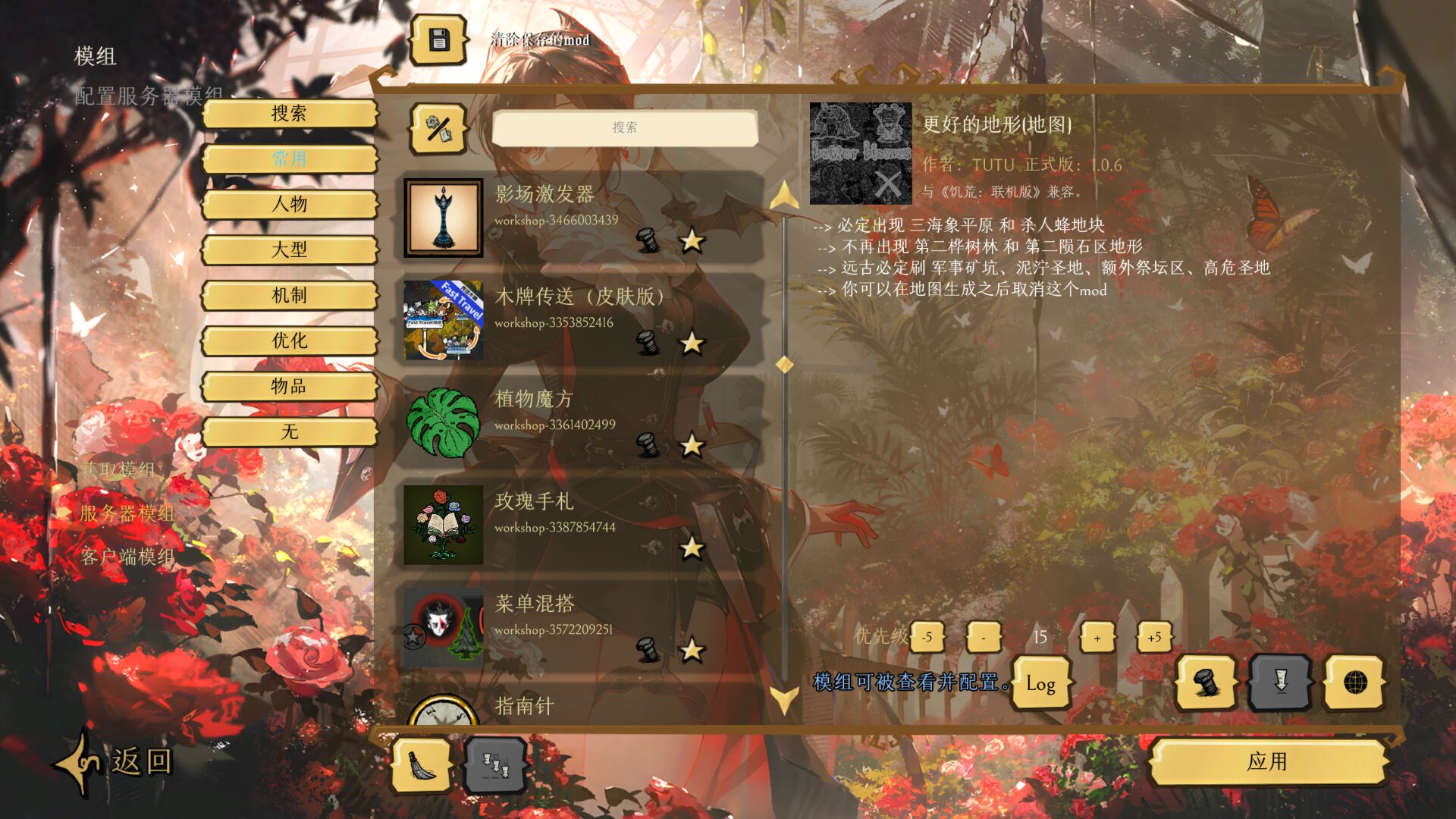
Streamline Your Don’t Starve Together Mod Experience
Are you overwhelmed by a sprawling list of mods for Don’t Starve Together? Does managing your gameplay enhancements feel like a chore? This powerful helper mod introduces an intuitive category management system designed to bring order to your mod collection, making game setup and mod discovery a breeze. Say goodbye to cluttered screens and hello to a perfectly organized mod library.
Effortless Mod Organization
This mod is your ultimate solution for handling a large number of subscriptions. It provides robust features to filter, track, and manage your mods with unparalleled efficiency.
Core Features for Enhanced Control
Dive into a suite of powerful tools designed to give you granular control over your Don’t Starve Together mod setup:
- Hidden Categories: Declutter your main mod list by hiding dependencies, language packs, and other utility mods. With multi-select support, you can designate entire categories to be hidden, ensuring they only appear when you specifically choose to view them.
- Mod Change Logs: Stay informed about every update. This mod automatically tracks version changes and generates a detailed log file, recording the time, mod name, and version history for each update. Never wonder what changed again.
- UI Layout Customization: Tailor the mod management interface to your preference. Choose between a streamlined sidebar layout that mirrors the game’s default navigation or a compact grid style embedded within the details page.
- Smart Crash Recovery: Don’t let unexpected crashes disrupt your workflow. If your mods are disabled after a crash, this feature can automatically detect the issue, re-enable essential mods, and restart the game for you (when enabled in settings).
- Custom Category System: Organize your mods into up to 12 customizable categories. Assign default categories like [Common] and [Characters], or rename them to suit your personal organizational style.
- Batch Operations: Save time with right-click batch actions. Enable or disable all mods within a selected category with a single click.
Intuitive Usage
Switching between organization and filtering modes is seamless. In “Edit Mode,” assign mods to categories by simply selecting them. Then, toggle to “Search Mode” (indicated by a blue button) to instantly filter your mod list by any category. Even hidden mods become visible when you need them.
Configuration and Notes
The mod offers easily accessible settings to configure hidden categories, enable update logging, and activate the smart crash recovery. Please note that this is a client-only mod, meaning it does not need to be installed on a server. Your category organization is saved locally, ensuring your setup persists across game updates.