
Map Helper
Master Your Don’t Starve Together World with Map Helper
Are you tired of aimlessly wandering the wilderness of Don’t Starve Together in search of crucial resources? Do newly introduced terrain modifications leave you feeling disoriented on unfamiliar maps? Introducing the Map Helper mod, an indispensable tool designed to transform your exploration experience. This mod acts as a comprehensive, built-in wiki for your Don’t Starve Together world, offering unparalleled insight into its intricate details.
Unlock In-Depth World Knowledge
Upon activating Map Helper, a new button will appear discreetly near your minimap. Clicking this button reveals a powerful user interface packed with information. For optimal performance on your first use, remember to click the “Refresh” button to initialize the data. This data dynamically updates to reflect the specific resource variants present on your current map, ensuring accuracy and relevance.
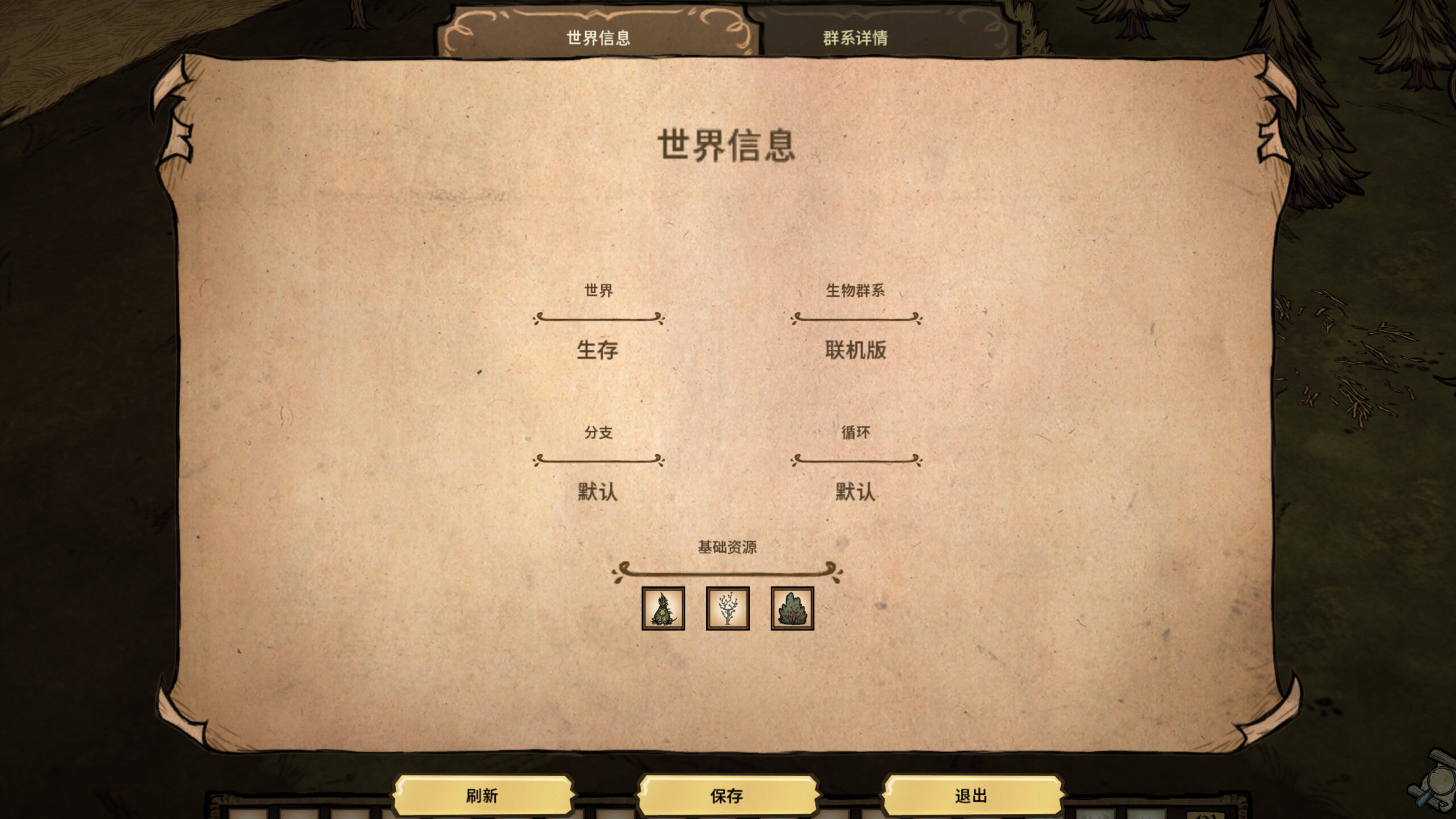
The mod features distinct tabs for easy navigation. The “World Info” tab provides a foundational overview of your world’s setup, while the “Biome Details” tab delves into the granular specifics of each biome.
Explore the Comprehensive Biome Encyclopedia
The right-hand panel within the “Biome Details” section is a treasure trove of information:
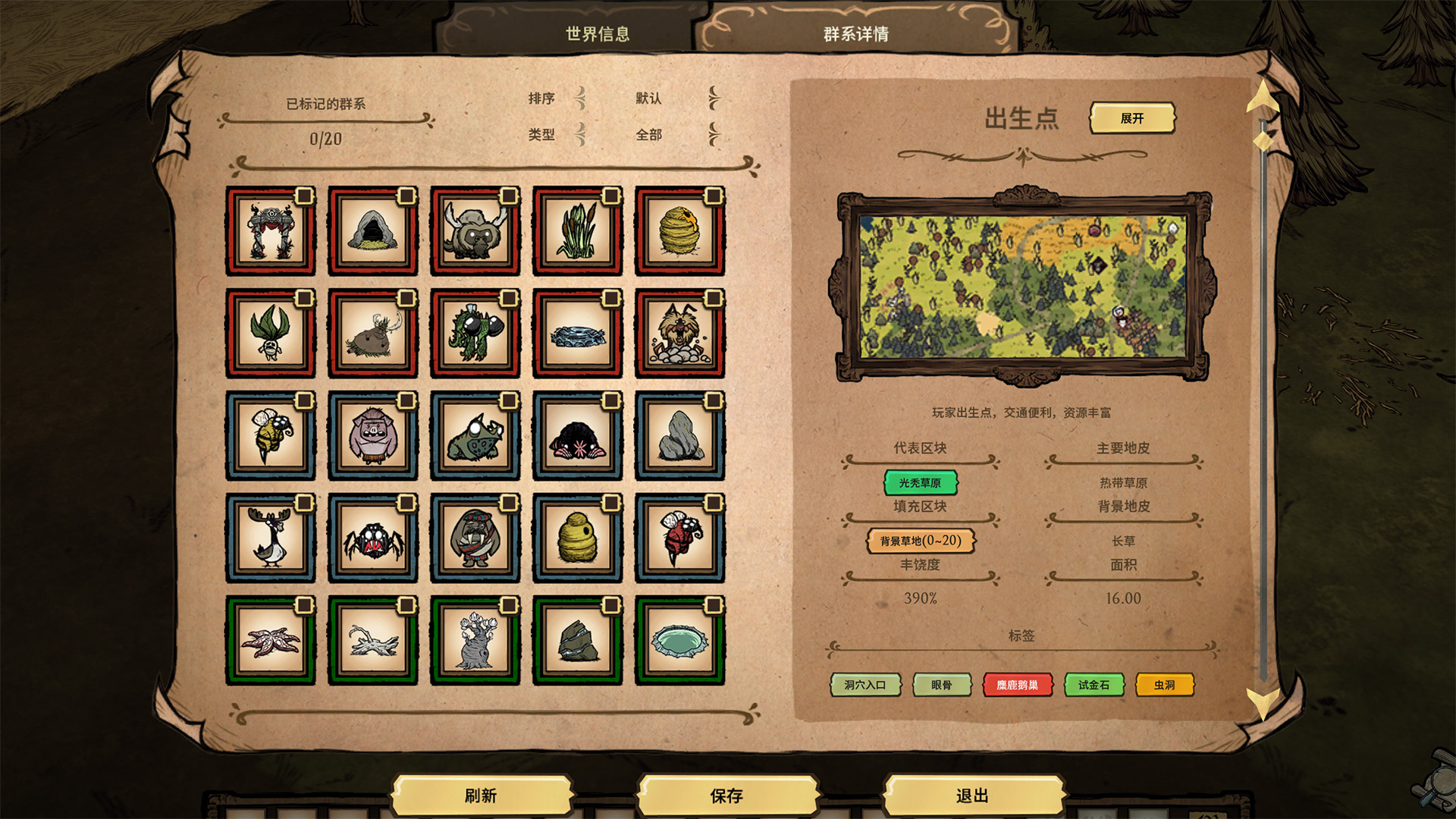
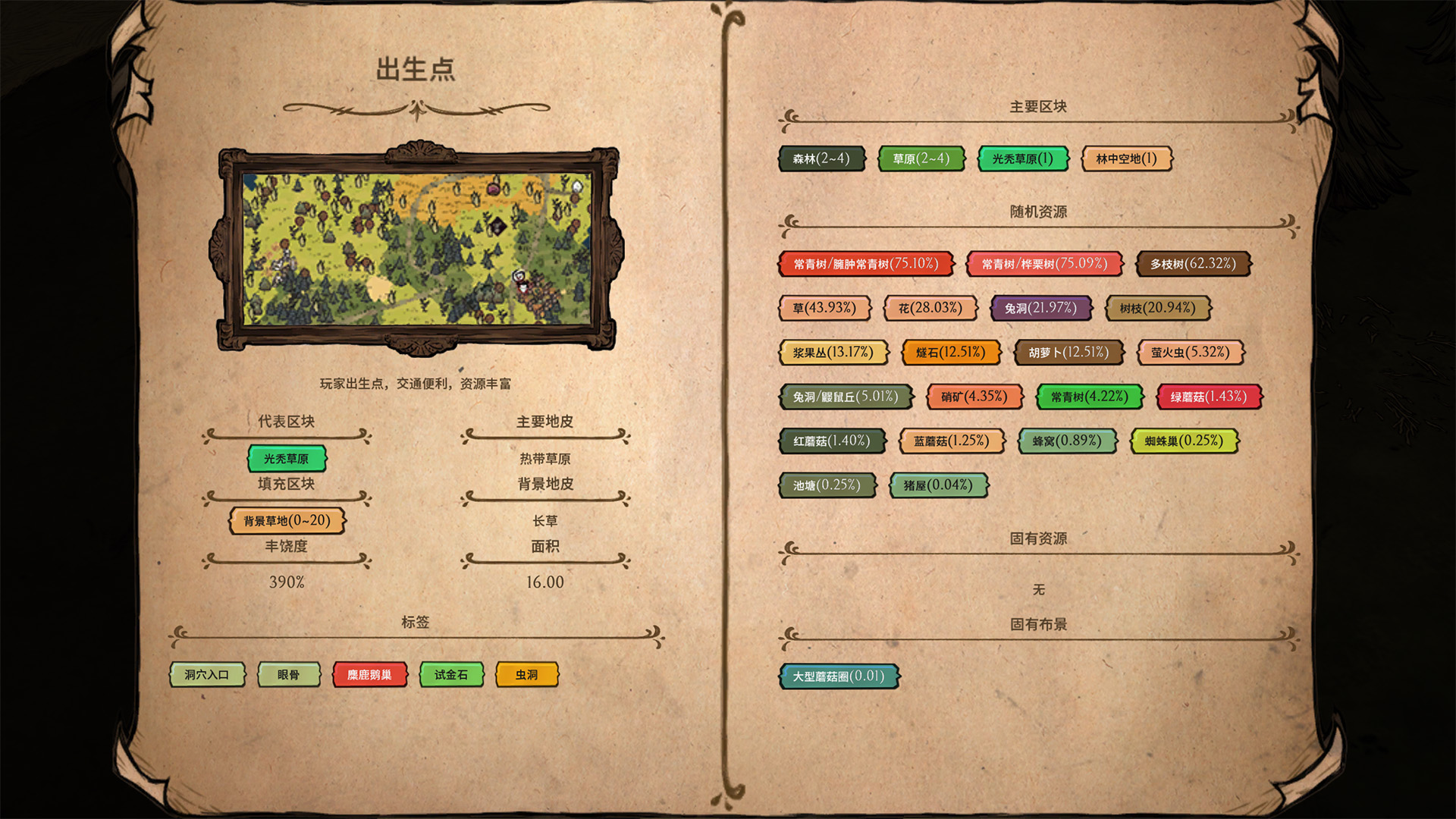
- Map Previews: Visually identify biomes with ease thanks to numerous expertly captured preview images, each accompanied by descriptive feature notes.
- Turf Analysis: Distinguish between “Primary Turfs” that define the core of a biome and “Background Turfs” found at its edges, aiding in precise biome identification.
- Resource Management: Gain complete control over resource distribution with detailed breakdowns of “Abundance,” “Random Resources,” “Inherent Resources,” and “Setpieces.”
- Node Composition: Understand the building blocks of each biome, including primary, filler, and entrance nodes, along with their respective quantities and representative nodes.
Track Your Progress and Understand Node Details
The left panel of “Biome Details” serves as your personal exploration tracker. Biomes are visually categorized with color-coded borders: red for guaranteed main continent biomes, blue for randomly selected main continent biomes, and green for island biomes. Each biome grid includes a checkbox allowing you to mark discovered areas, helping you monitor your exploration progress. Advanced sorting and filtering options within the toolbar enable you to instantly locate specific biomes.
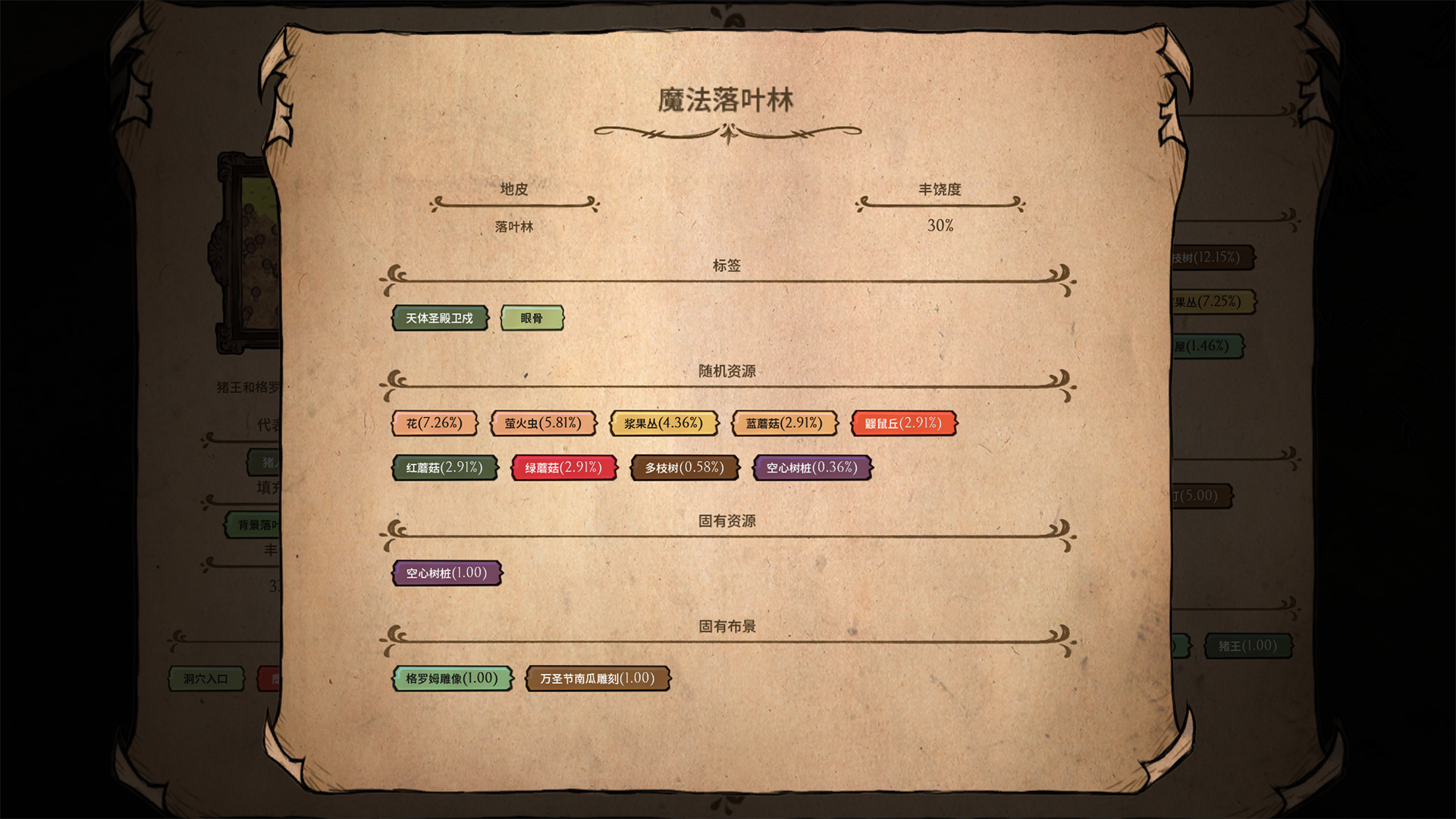
For those seeking an even deeper understanding, clicking on a specific node within a biome opens the “Node Details” page. This simplified interface mirrors the biome structure, detailing turfs, abundance, resource types, and setpieces, offering a granular view of every ecosystem’s composition.
Persistent Data and Future Enhancements
Map Helper ensures your hard-earned data isn’t lost. Initialized data and your exploration marks can be saved via the “Save” button, eliminating the need for repeated refreshing. Furthermore, the “Auto-Save” option in the mod settings provides automatic data saving whenever you exit the game. Future updates promise optimized exploration route calculations, multi-language support, and APIs for seamless integration with other mods.