
DSTAdmin
Master Your Don’t Starve Together Server with DSTAdmin
Running a dedicated server for Don’t Starve Together comes with its own set of challenges, particularly when it comes to managing players and ensuring a smooth experience. The DSTAdmin mod offers a powerful and intuitive solution, providing server administrators with a comprehensive suite of tools directly within the game. No more relying on external consoles or complicated commands; DSTAdmin brings essential administrative functions to your fingertips.
Streamlined Player Management
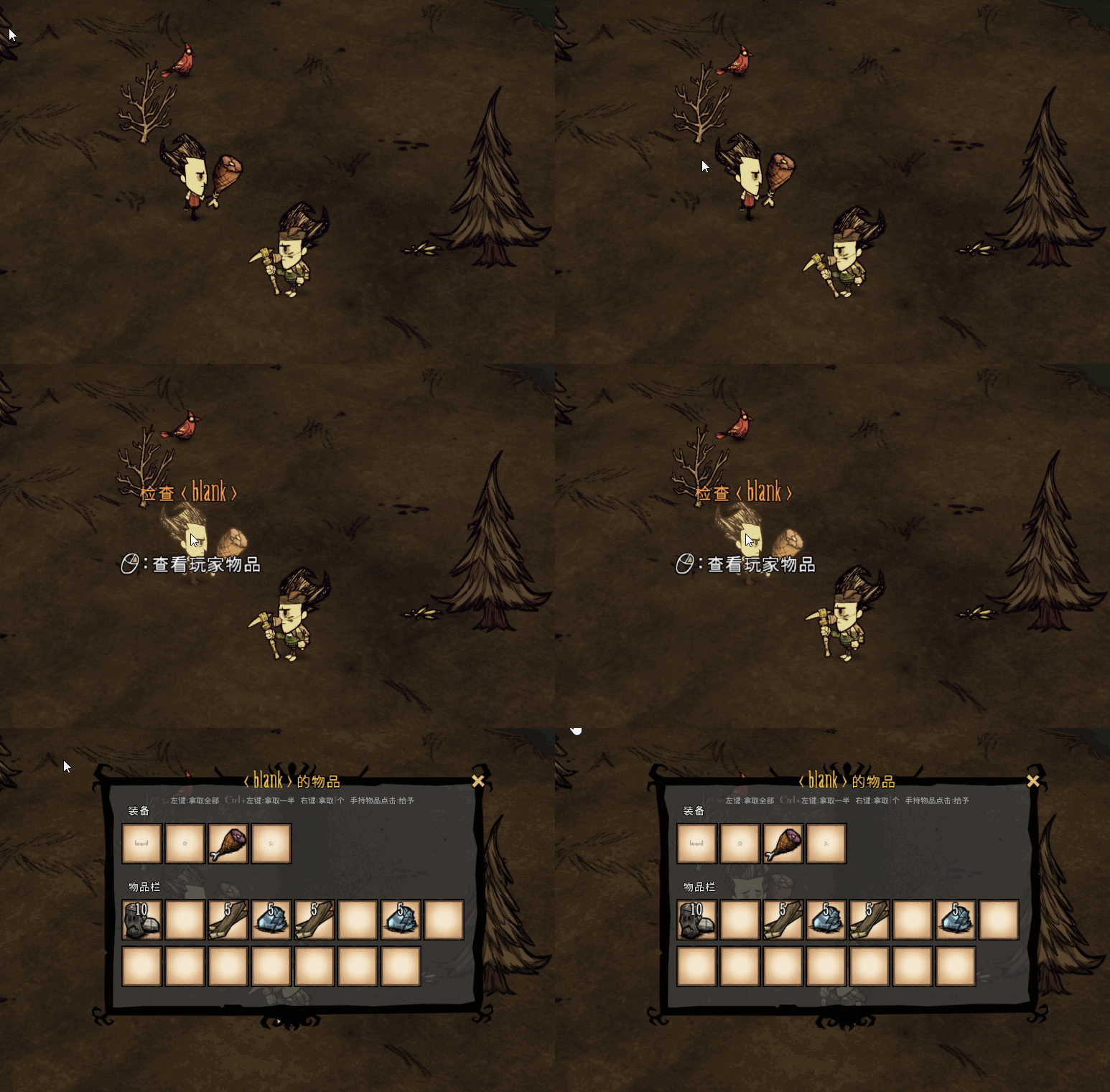
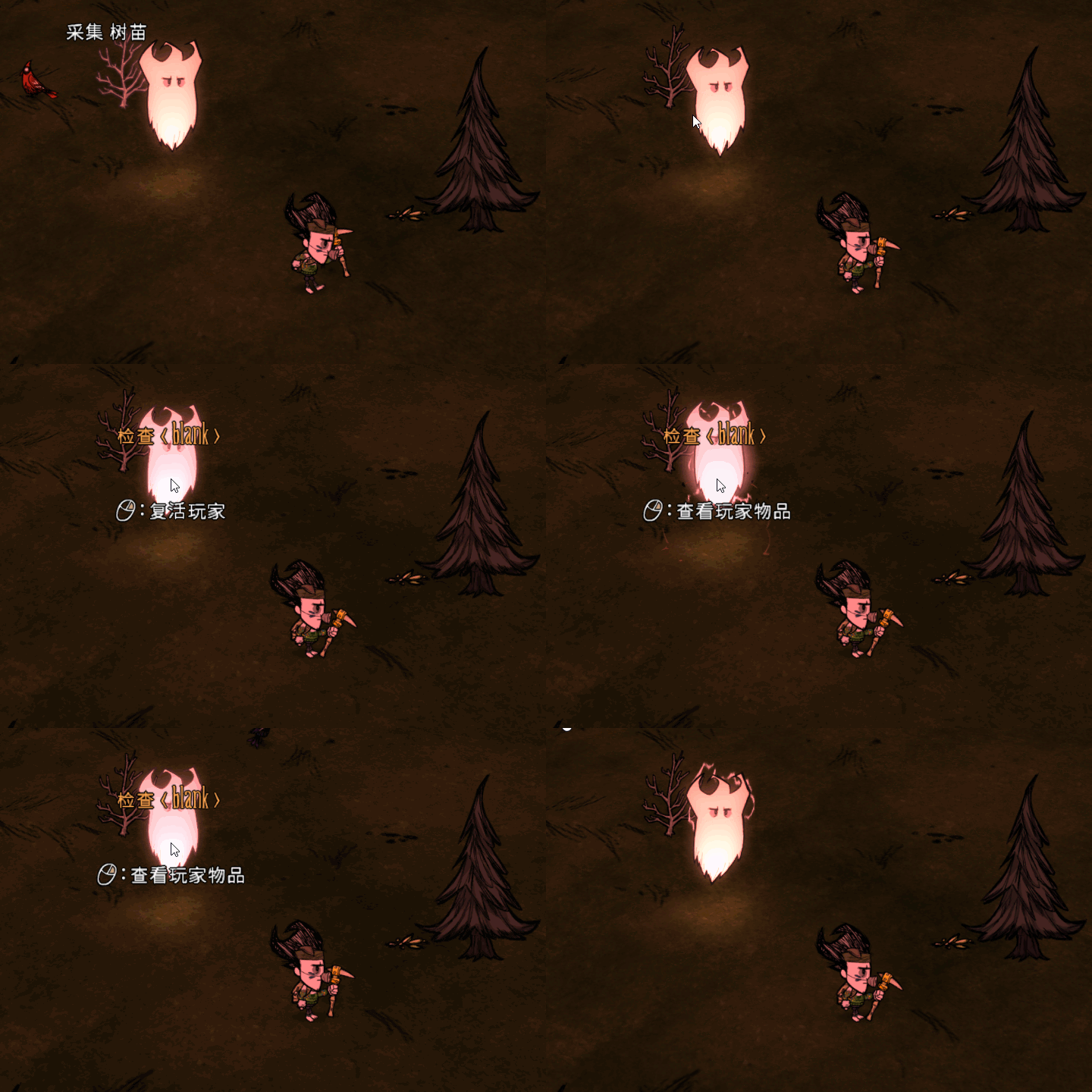
At the core of DSTAdmin is its robust player management system. Easily monitor all currently online survivors, complete with their character portraits, names, and Klei IDs. Real-time statistics for health, hunger, and sanity are readily available, allowing you to quickly identify and assist players in distress. Need to bring a fallen comrade back to the land of the living? The one-click revive feature makes it instantaneous. For those needing a more comprehensive recovery, a single click can fully restore a player’s health, hunger, and sanity to their maximum. The mod also includes an optional toggle to view a list of offline players, complete with the ability to inspect their inventories and transfer items to or from them, even across different server shards.
Intuitive Item and Cross-Shard Control
Beyond player status, DSTAdmin excels at item management. Admins can view the equipment, inventory, and backpack contents of any player. A simple click-and-drag interface allows for effortless item transfers. You can take entire stacks, half stacks, or individual items with intuitive key combinations. While equipment slots are view-only to prevent abuse, giving items to players is as simple as clicking a slot while holding the desired item. For added convenience, DSTAdmin supports seamless cross-shard management, allowing you to revive, restore, and transfer items between players on the surface and in the caves without any hassle.
Customizable and Discreet
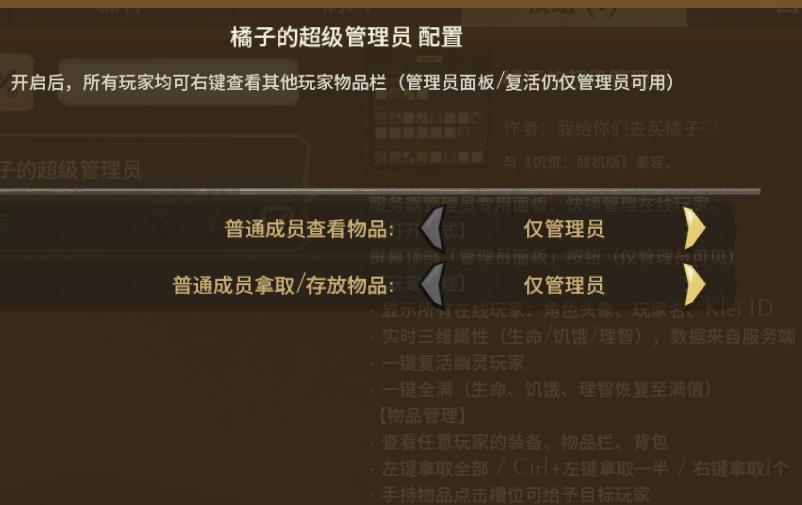
The DSTAdmin mod is designed with flexibility in mind. Configure various settings to suit your server’s needs, such as who can view other players’ inventories or transfer items. You can also choose whether the powerful revive and full restore buttons are visible or hidden. For those who prefer a less intrusive administrative presence, DSTAdmin includes an option to hide the admin badge on the TAB scoreboard and character select screen, maintaining a cleaner interface for your players.