
Circular Placement (星形摆放辅助) 薇诺娜铺设传送网络
Streamline Your Base Building in Don’t Starve Together with Circular Placement
Tired of meticulously placing every item in Don’t Starve Together? Wish you could create perfect circles of farms or precisely align your network of Worm Holes with ease? The Circular Placement mod is here to revolutionize your base construction, offering intuitive tools to help you build more efficiently and aesthetically. This client-side mod provides powerful visual aids and shortcuts to make repetitive placement tasks a breeze.
Effortless Construction with Anchor Points
Circular Placement introduces a novel “anchor point” system that dramatically simplifies intricate building projects. By activating an anchor point (typically with a middle mouse click while holding a designated key), you can designate a central point for your construction. Holding down `LCTRL` while the anchor point is active will cause your cursor to snap precisely to this anchor, allowing for perfect alignment when planting, building, or dropping items. This is particularly useful for creating symmetrical layouts or ensuring consistent spacing for your structures.
Visualize and Automate Your Builds
Beyond simple snapping, the mod offers a preview function. Holding `LSHIFT` and single-clicking an anchor point while the anchor is active will show you a ghost placement of your item or structure. Click again, and the game will automatically perform the action, significantly speeding up the process of filling large areas or replicating patterns. This feature is invaluable for tasks like rapidly planting crops or constructing multiple identical buildings.
Key Features to Enhance Your Gameplay:
- Anchor Point System: Easily set central points for precise building and placement.
- Snapping Functionality: `LCTRL` modifier ensures your cursor locks onto anchor points.
- Placement Preview: Visualize your intended placement before committing.
- Automated Construction: Single-click automation for rapid building and planting after preview.
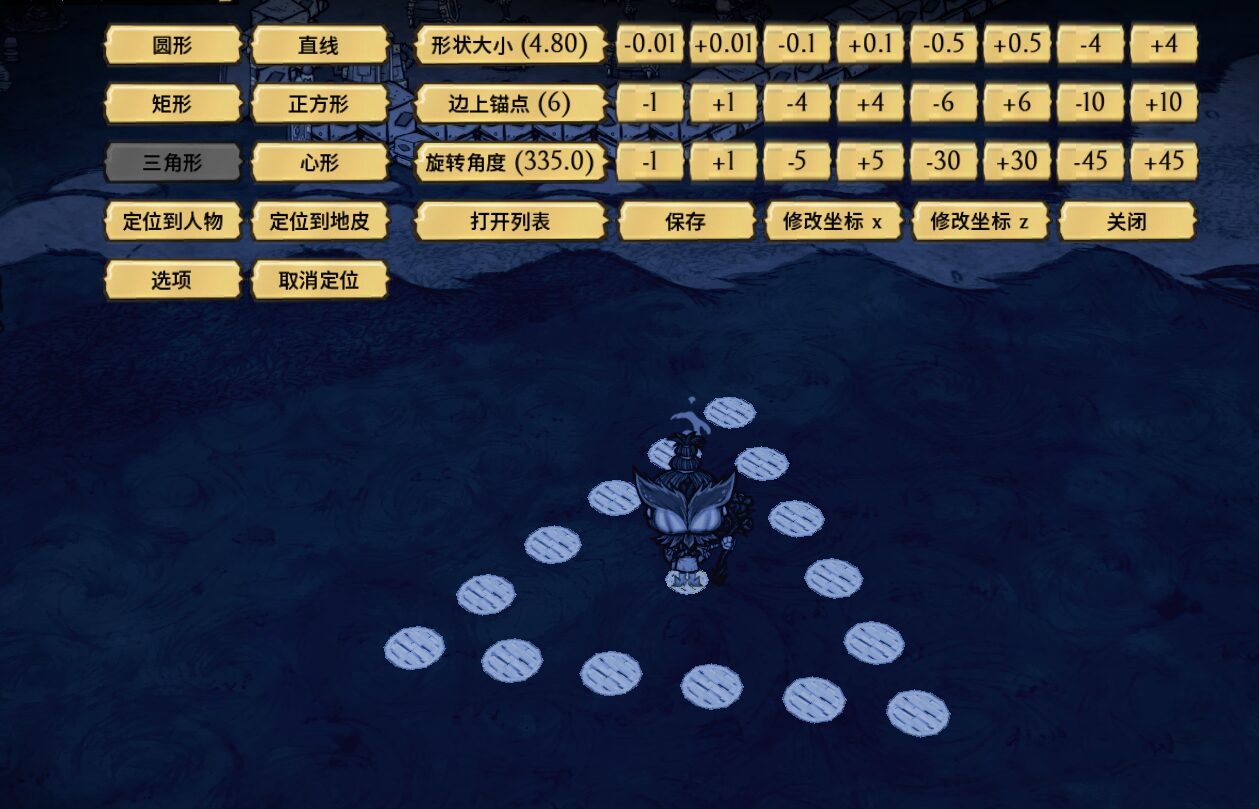
- Shape Configuration: Access a configuration panel (default `H` key) to select and customize various placement shapes, including circles, lines, rectangles, and more.
- Preset Saving and Loading: Save your custom layouts and quickly apply them later.
- Customizable Hotkeys and Settings: Tailor hotkeys and fine-tune options like grid capture precision.
- Warp Network Assistance: Specifically optimized to aid in the efficient laying out of Winona’s network of Teleportato.
Customization at Your Fingertips
The mod’s strength lies in its adaptability. A dedicated configuration panel, accessible via the `H` key by default, allows you to customize nearly every aspect of Circular Placement. You can choose from various predefined shapes, adjust parameters for each shape, save your favorite configurations for quick recall, and even rebind hotkeys to suit your playstyle. The developers have also implemented user-friendly features like confirmation dialogs for deleting presets and automatic closing of menus after actions, ensuring a smooth and uninterrupted building experience. Whether you’re a seasoned veteran aiming for ultimate base efficiency or a new player looking to build a more organized sanctuary, Circular Placement is an essential addition to your Don’t Starve Together mod list.