
双绑快切HUD-装备工具快捷切换 Dual Bind Quick Switch HUD (Quick Switch for Gear & Tools)
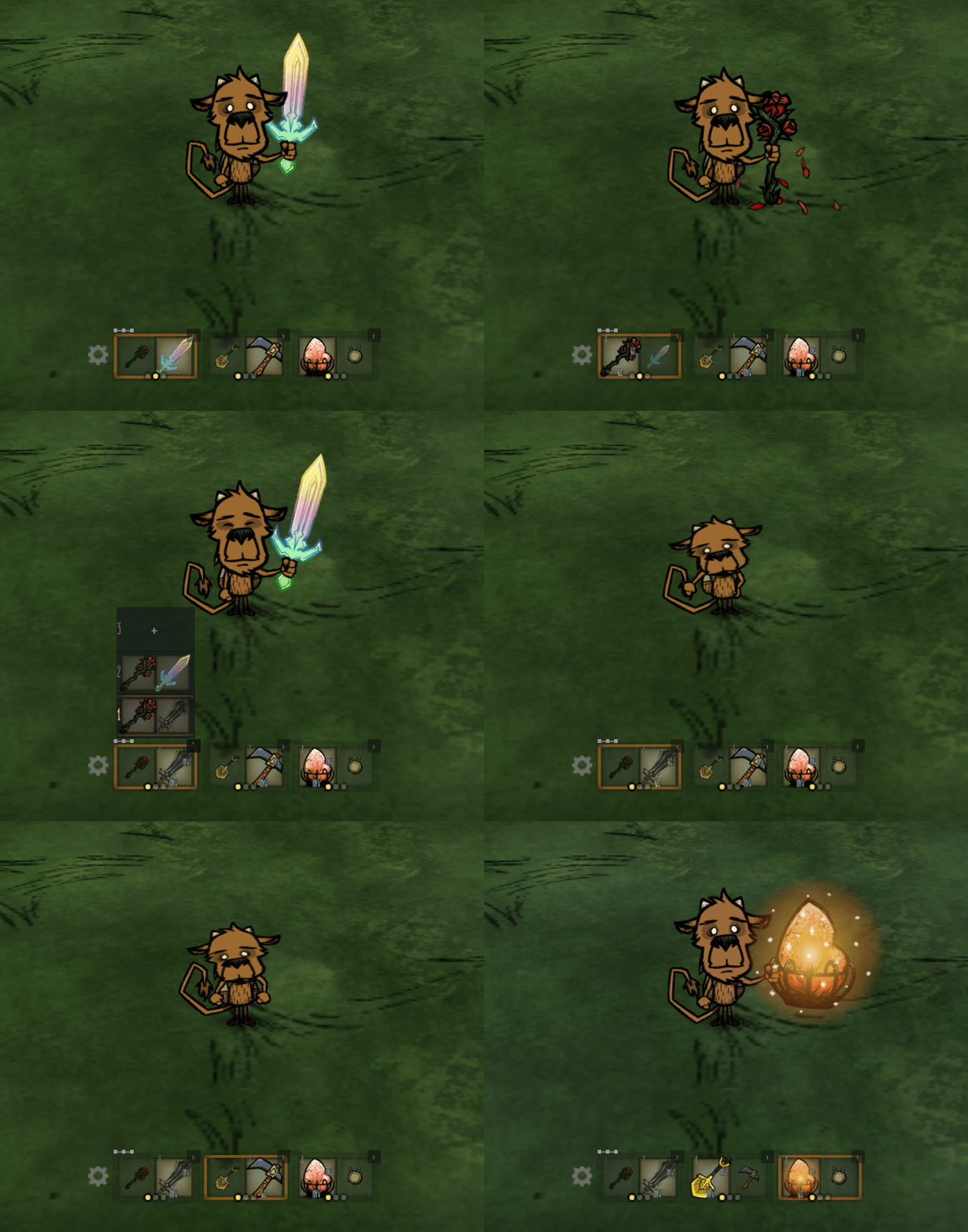
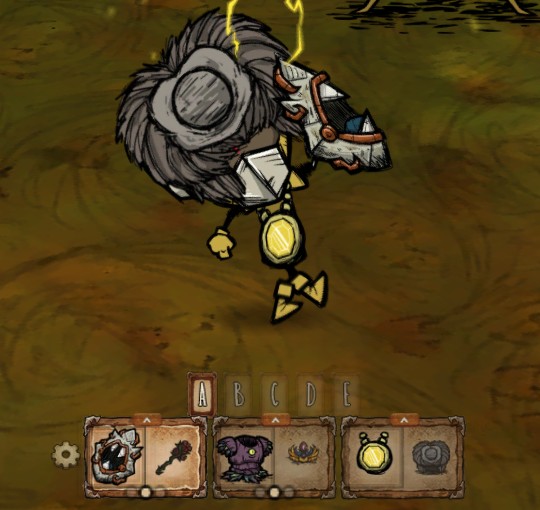
Master Your Inventory: The Dual Bind Quick Switch HUD for Don’t Starve Together
Juggling vital gear, tools, and light sources in the unforgiving world of Don’t Starve Together can quickly become a chaotic ordeal. Fumbling through your inventory mid-battle or during critical crafting moments can mean the difference between survival and a swift, untimely demise. Thankfully, the Dual Bind Quick Switch HUD mod is here to streamline your item management and keep you one step ahead of the dangers lurking in the Constant.
Effortless Item Access
This ingenious mod introduces a customizable HUD designed to display your most frequently used items and equipment setups directly on your screen. Forget the constant pause to rummage through your inventory; with the Quick Switch HUD, you can instantly access and swap between your essential gear with a simple click or a pre-assigned hotkey. This means more time focusing on surviving and less time wrestling with your digital belongings.
Key Features for Enhanced Gameplay
The Dual Bind Quick Switch HUD offers a robust suite of features to optimize your gameplay experience:
- Three dedicated quick bars, each capable of holding up to three distinct item setups.
- Direct on-screen switching, expanded preview options, and rapid cycling for seamless transitions.
- Support for default combo returns, ensuring temporary item swaps are easily reverted.
- Half-slot pinning functionality allows one slot to remain fixed while others cycle freely.
- Versatile tool fallback support for interchangeable items like axes, pickaxes, shovels, and more.
- Five preset slots for quick saving and loading of your preferred item configurations.
- Optional integration with the “Quick Pick and Sort” mod for efficient item retrieval.
- Choice between Classic and New HUD themes, easily switchable in-game.
Intuitive Controls and Customization
Getting started with the Dual Bind Quick Switch HUD is straightforward. Access the in-game settings via the F8 key or the dedicated settings entry on your screen. Binding items is as simple as picking one up and left-clicking an empty slot. To replace an existing bind, hold Shift and left-click the target slot. Clearing a slot is as easy as a right-click. The mod provides five preset slots, allowing you to save and load your favorite gear arrangements. You can even rename these presets and choose to hide the preset bar if you prefer relying solely on hotkeys. The majority of settings are now managed directly within the game, offering unparalleled convenience.