
EC- town statue saber skin 雕像 (说明已更新)
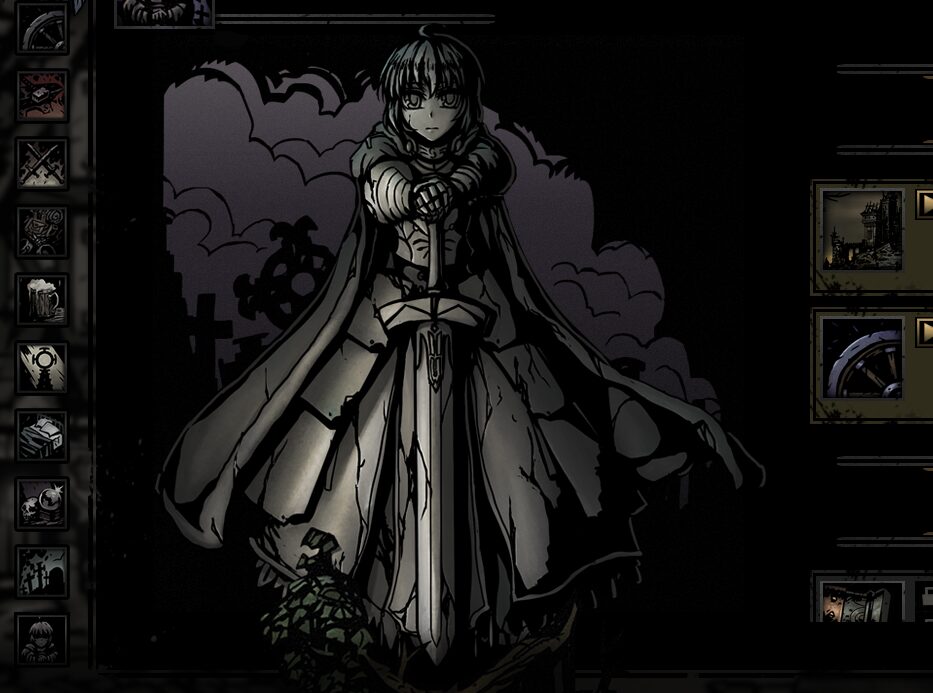
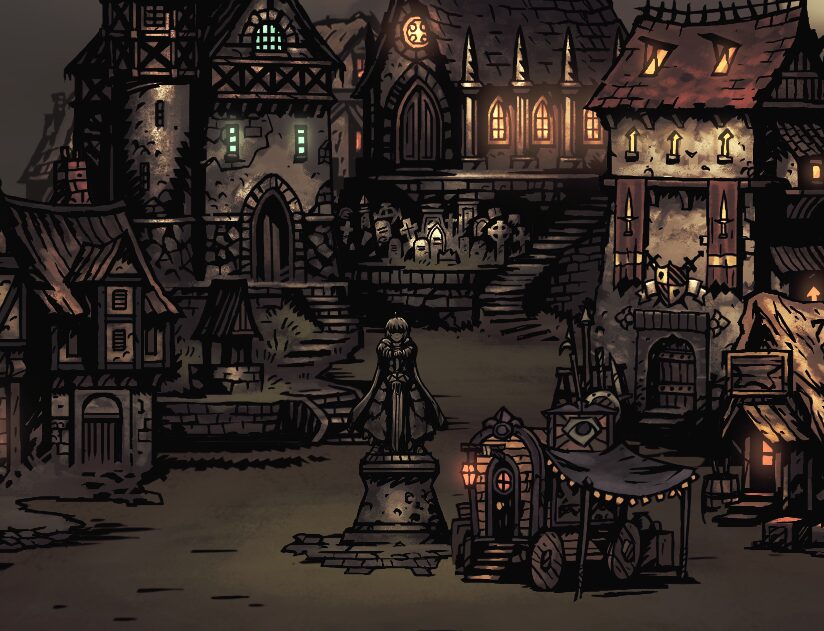
Revitalize Your Hamlet with the EC Town Statue Saber Skin Mod for Darkest Dungeon
Breathe new life into your settlement with the EC Town Statue Saber Skin mod, a cosmetic enhancement designed to bring a unique visual flair to your Darkest Dungeon experience. This mod specifically targets the town statue, offering a distinct visual replacement that subtly alters the familiar landscape of your hamlet.
A Touch of the Unique
The core of this mod lies in its replacement of the default town statue. The creator has strived to integrate the new design as seamlessly as possible, aiming for a look that feels both fresh and fitting within the game’s established aesthetic. While the primary function is a straightforward visual swap, the mod also includes a few “special versions” for those seeking further customization.
Key Features of the EC Town Statue Saber Skin Mod:
- Replaces the appearance of the town statue with a new design.
- Aims for natural integration into the game’s visual style.
- Includes optional “special versions” for alternative looks.
- Completely SFW by default, with options for those seeking different content.
Customization and Integration
For players who enjoy delving deeper into mod customization, the EC Town Statue Saber Skin mod offers flexibility. Optional files are often provided, potentially including variations that adhere more closely to the original game’s art style or entirely different aesthetic choices. These can typically be found within a dedicated “Special Edit” folder. Instructions are provided for users who wish to manually replace assets or utilize the one-click replacement folders found in newer versions of the mod. The creator also offers PSD files for advanced users looking to craft their own unique textures.
To install this mod, players can subscribe through the Steam Workshop or manually download and place the mod files into the designated Darkest Dungeon mods folder. Once installed, enabling the mod is a simple process within the game’s loadout screen. For those experiencing conflicts with other modifications, the mod manager allows for adjustments to the load order, ensuring a smooth and personalized gameplay experience.