
Multi Res – Ultrawide (21:9+) and Steam Deck black bar fix
Enhance Your Brotato Experience with Multi-Resolution Support
Are you looking to optimize your visual experience in Brotato? This mod introduces a powerful multi-resolution feature, allowing you to tailor the game’s display to better suit your screen setup. Whether you’re aiming for a wider field of view on an ultrawide monitor or seeking to eliminate pesky black bars on devices like the Steam Deck, this mod provides flexible solutions.
Streamlined Display Options
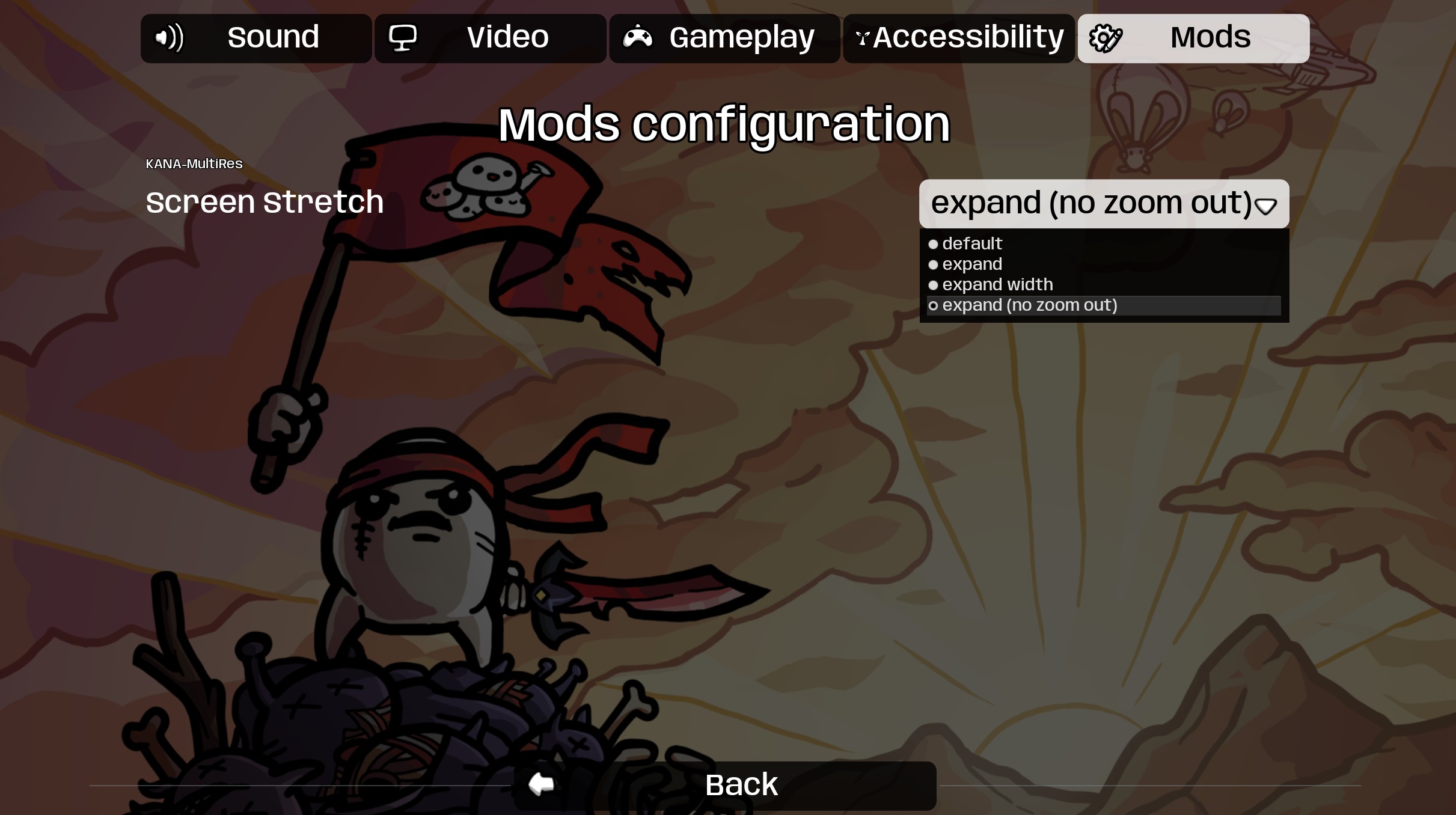
Accessible directly from the “General” settings tab within Brotato, this mod offers four distinct screen configurations. These options are designed to cater to a variety of resolutions and aspect ratios, ensuring a more immersive and comfortable gameplay session.
Understanding the Resolution Modes
The mod provides several key modes to adjust your display:
- Default: Reverts to the standard 1080p, 16:9 resolution, maintaining the game’s original aspect ratio.
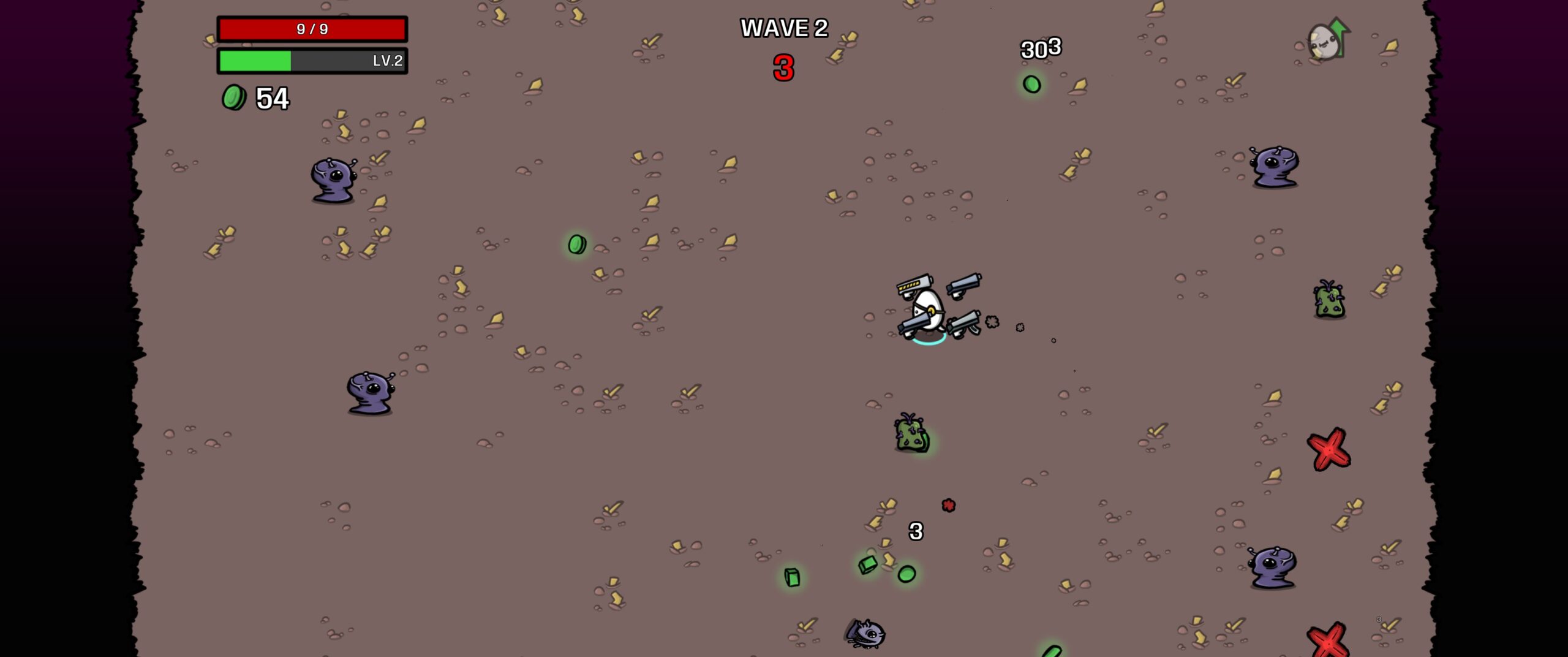
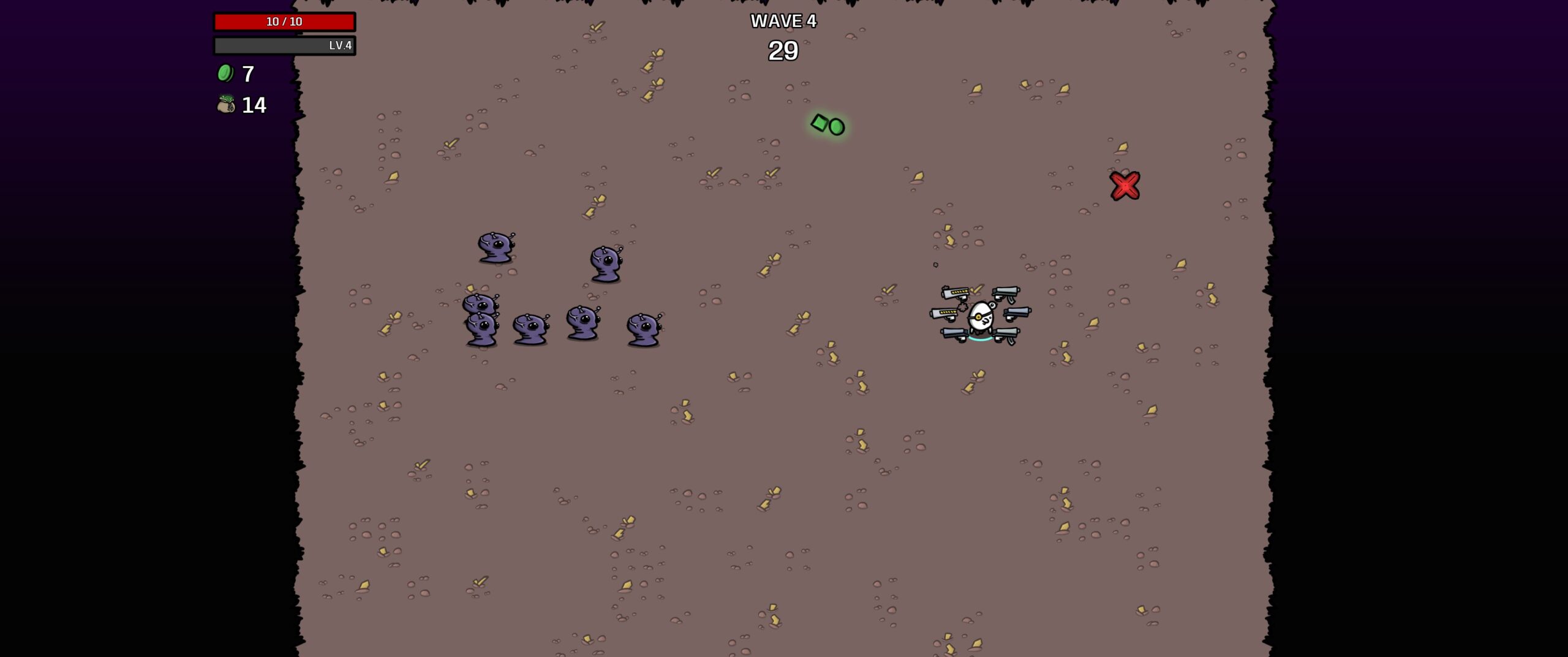
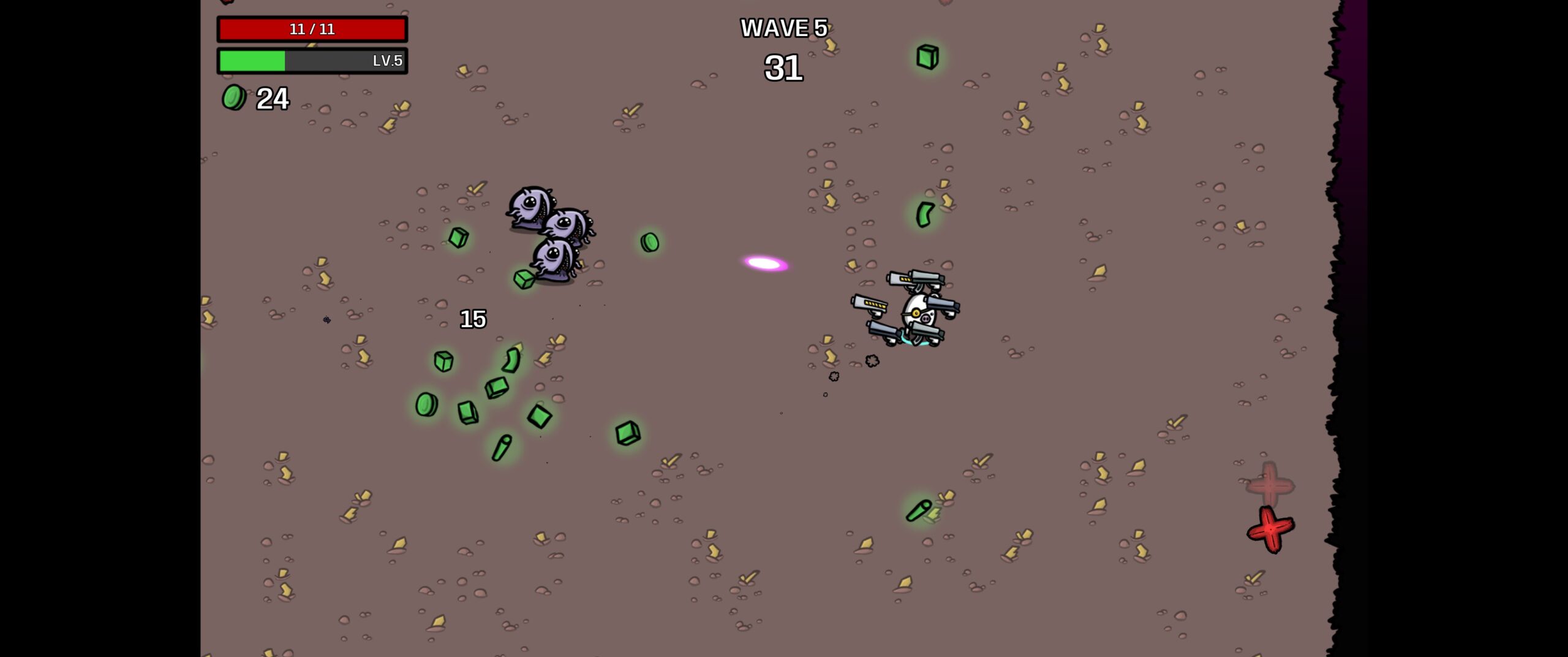
- Expand: This mode scales both the width and height of the game’s viewport to fill your screen. The result is a significantly expanded field of view, allowing you to see more of the action in every direction.
- Expand Width: Designed to increase your horizontal vision, this option scales only the width of the game display. It retains a similar zoomed-in feel to the default game while providing a broader view of the sides. Be aware that depending on your resolution’s width, this mode might introduce black bars if there isn’t sufficient screen real estate. For instance, resolutions like 3440×1440 generally avoid black bars, while others like 2560×1440 might display them.
- Expand (No Zoom Out): This setting is specifically for non-16:9 resolutions. Similar to the “Expand” mode, it scales the width and height. However, it crucially preserves the zoomed-in aesthetic and feel of the vanilla Brotato experience, preventing the overall image from appearing further zoomed out than intended.
By implementing these varied resolution settings, the Multi-Resolution mod ensures that more players can enjoy Brotato with a display that perfectly matches their hardware, eliminating visual compromises and maximizing the on-screen action.