
More UI 2
Enhance Your Brotato Experience with More UI 2
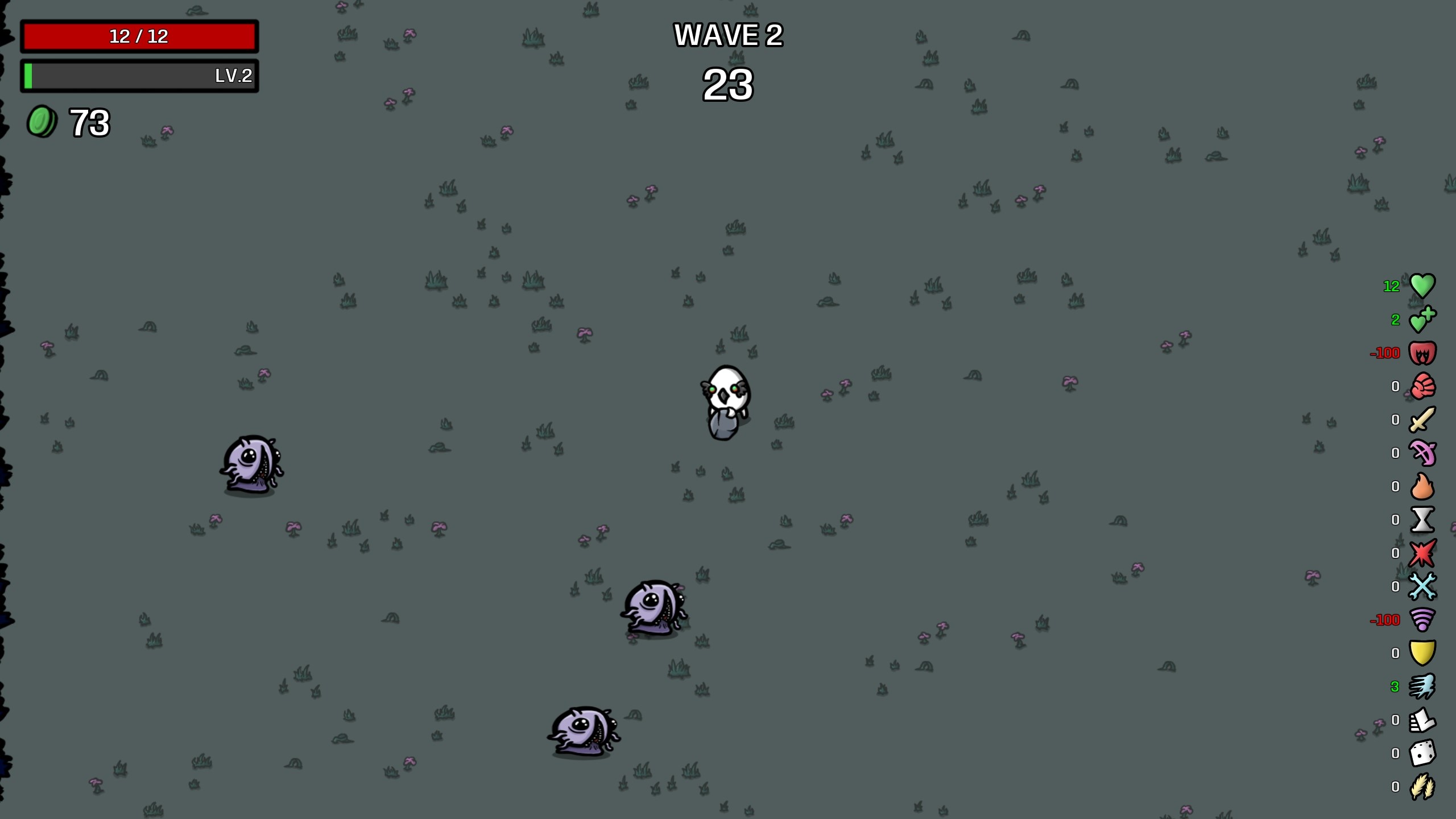
Dive deeper into the tactical chaos of Brotato with the More UI 2 mod, a powerful enhancement designed to give you a clearer, more detailed view of your in-game performance. This mod breathes new life into the original More UI concept, offering a suite of features that empower players to make more informed decisions during every wave.
In-Wave Stat Tracking at Your Fingertips
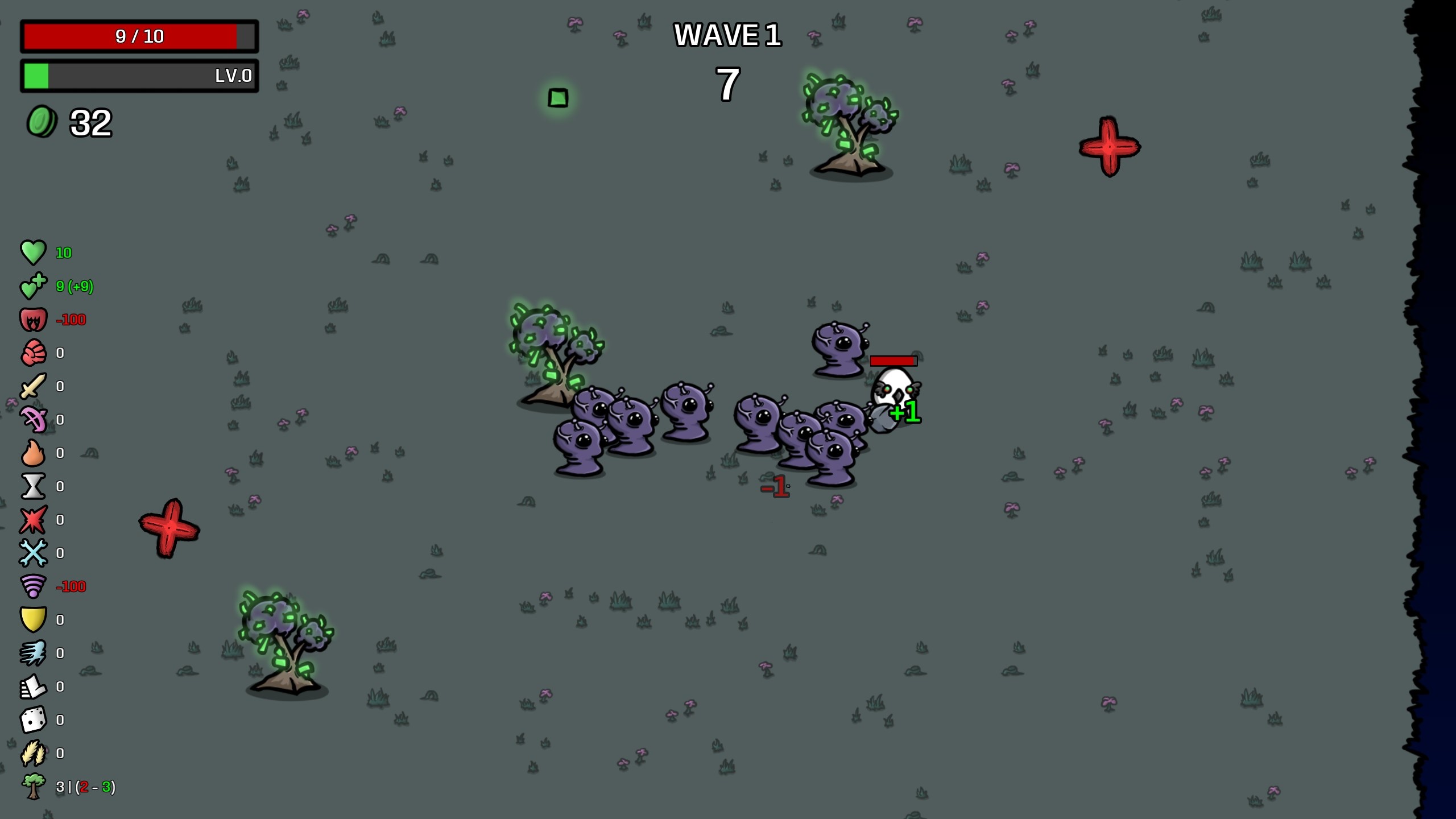
More UI 2 introduces a dynamic, in-wave user interface that provides real-time updates on your primary stats. Gone are the days of uncertainty about your current power levels. This UI refreshes every half-second, ensuring you always have the most current information available. Understand your strengths and weaknesses on the fly, allowing for immediate strategic adjustments.
Customizable Interface Options
Take control of your display with a new options interface integrated directly into the game. More UI 2 offers several customization settings to tailor the experience to your preferences:
- What’s New Mode: Focus only on the stats that have changed during the current wave, highlighting key developments.
- Stat Difference from Wave-Start: Visualize the evolution of your stats throughout a wave, showcasing your progression and the impact of your upgrades.
- Align UI Right: Move the information panel to the right side of your screen, potentially improving compatibility with other UI mods like otDan’s WaveTimer.
- Living Trees Display: Keep track of active Trees on the map, along with the minimum and maximum potential spawns, adding another layer of environmental awareness.
While the in-game interface for settings is temporarily disabled due to compatibility issues with recent game updates, you can still easily modify the configuration. Simply edit the ‘mod_more_ui2.json’ file, typically found in your Brotato AppData folder. This allows for persistent customization even while a run is active.
Community and Compatibility
More UI 2 is actively developed with community input in mind. You can contribute to its future by submitting issues or pull requests on GitHub, or by sharing your suggestions in the comments. Furthermore, this mod now boasts compatibility with Monos’ Revamped Icons. To enable this, subscribe to Monos’ mod and activate the icon option within More UI 2’s settings. This collaboration brings a fresh visual flair to your enhanced UI.