
ModLoader Patcher ( fix load time )
Brotato ModLoader Patcher: Supercharge Your Game
Are you tired of those agonizingly long load times in Brotato, especially when you’ve curated an impressive collection of mods? The ModLoader Patcher is here to breathe new life into your gaming sessions by significantly reducing those frustrating waits. This essential tool ensures your ModLoader is up-to-date, unlocking a smoother, faster Brotato experience.
Unlock Faster Load Times
As your mod library grows, so does the strain on your game’s loading process. This patch addresses that directly. By updating the underlying ModLoader, you’ll notice a dramatic improvement in how quickly your game fires up, allowing you to jump straight into the action without delay. Forget about staring at the loading screen; embrace more playtime.
Why This Mod is Crucial
Beyond just speeding up your game, an updated ModLoader is sometimes a requirement for certain cutting-edge mods. Developers often rely on the latest ModLoader features to bring you innovative new content. This patch ensures compatibility and access to the full spectrum of modding possibilities for Brotato.
- Drastically improves game load times, especially with extensive mod collections.
- Ensures compatibility with newer mods that may require an updated ModLoader version.
- Streamlines your Brotato modding experience.
Getting Started is Simple
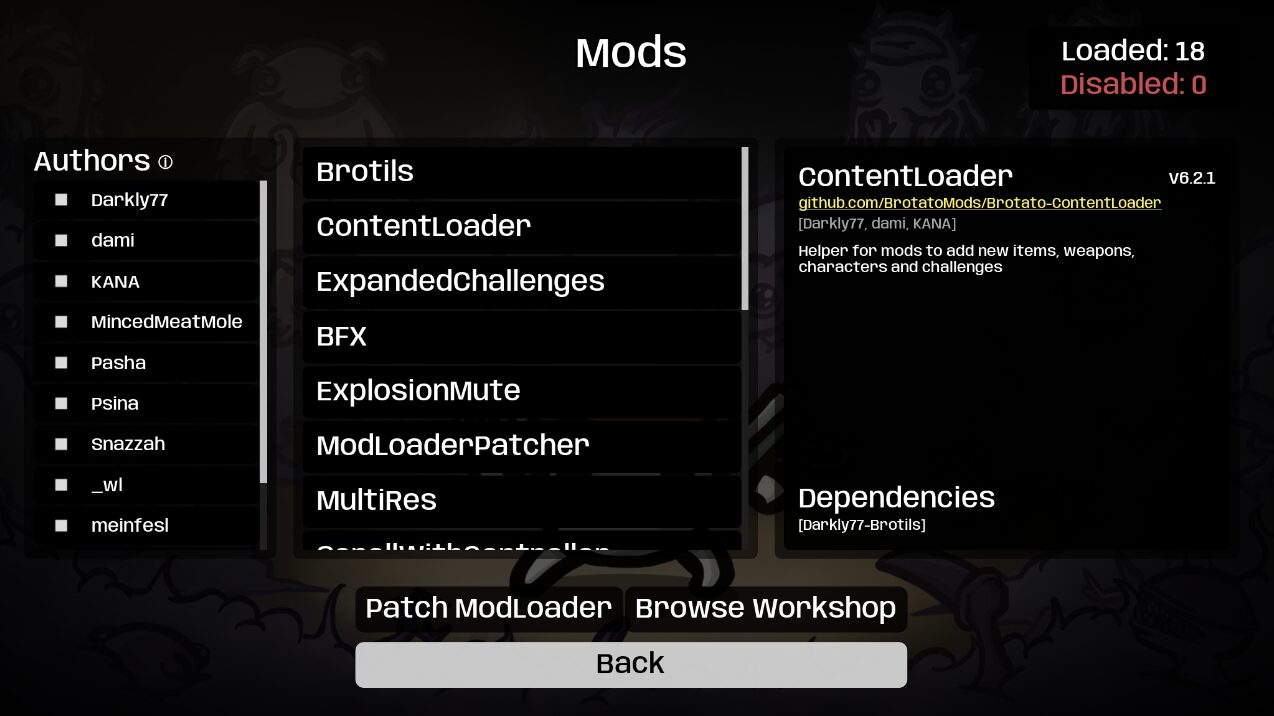
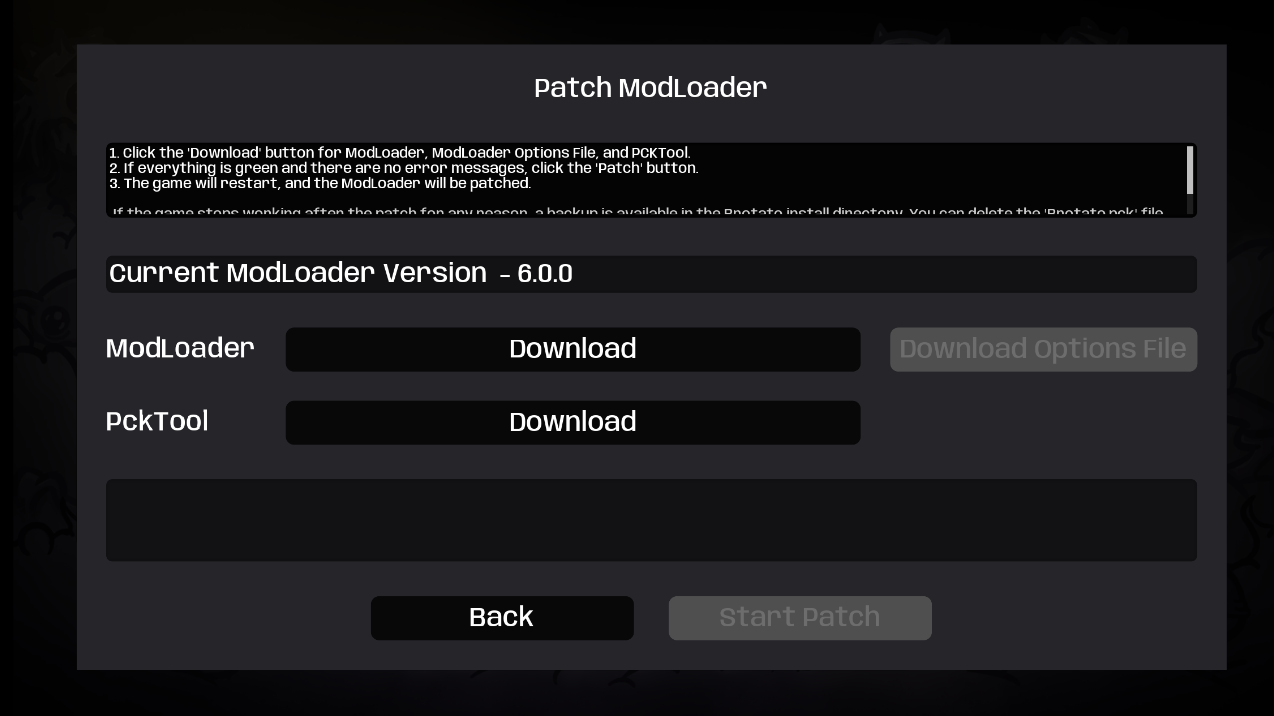
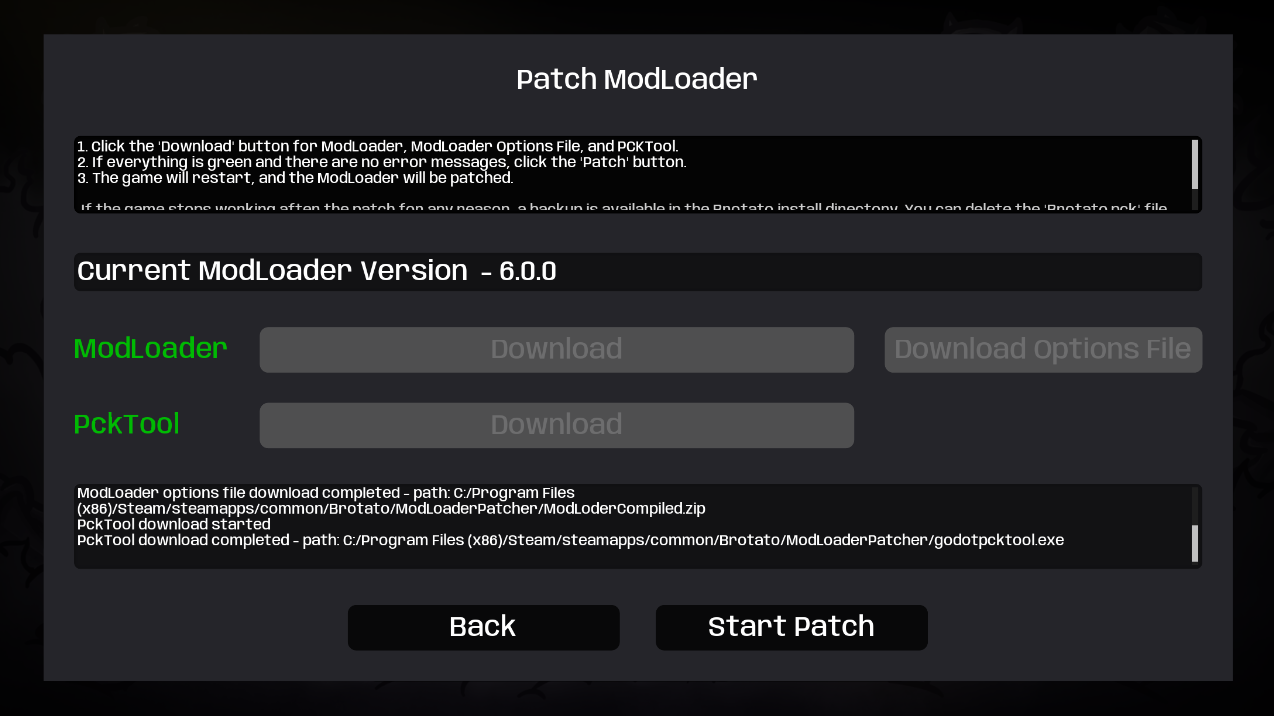
The process to patch your ModLoader is designed to be straightforward. After subscribing to the mod and potentially a required companion mod for better management, you’ll initiate the patch directly from Brotato’s in-game menus. A single restart is all it takes to apply the changes. Once complete, the “Patch” button will elegantly disappear, signaling a successful update. All your existing mods will continue to work seamlessly with the newly patched ModLoader.
What’s New in Recent Updates
The ModLoader Patcher continues to evolve, with recent updates introducing a more polished user interface. You’ll now find a dedicated patch UI panel that guides you through each step with clear instructions. Enhanced messaging provides feedback on the download and patching process, making troubleshooting simpler if any issues arise. The goal is a seamless and user-friendly patching experience for all Brotato players on Windows.