
Fight on Desktop
Fight on Desktop: Enhance Your Brotato Experience
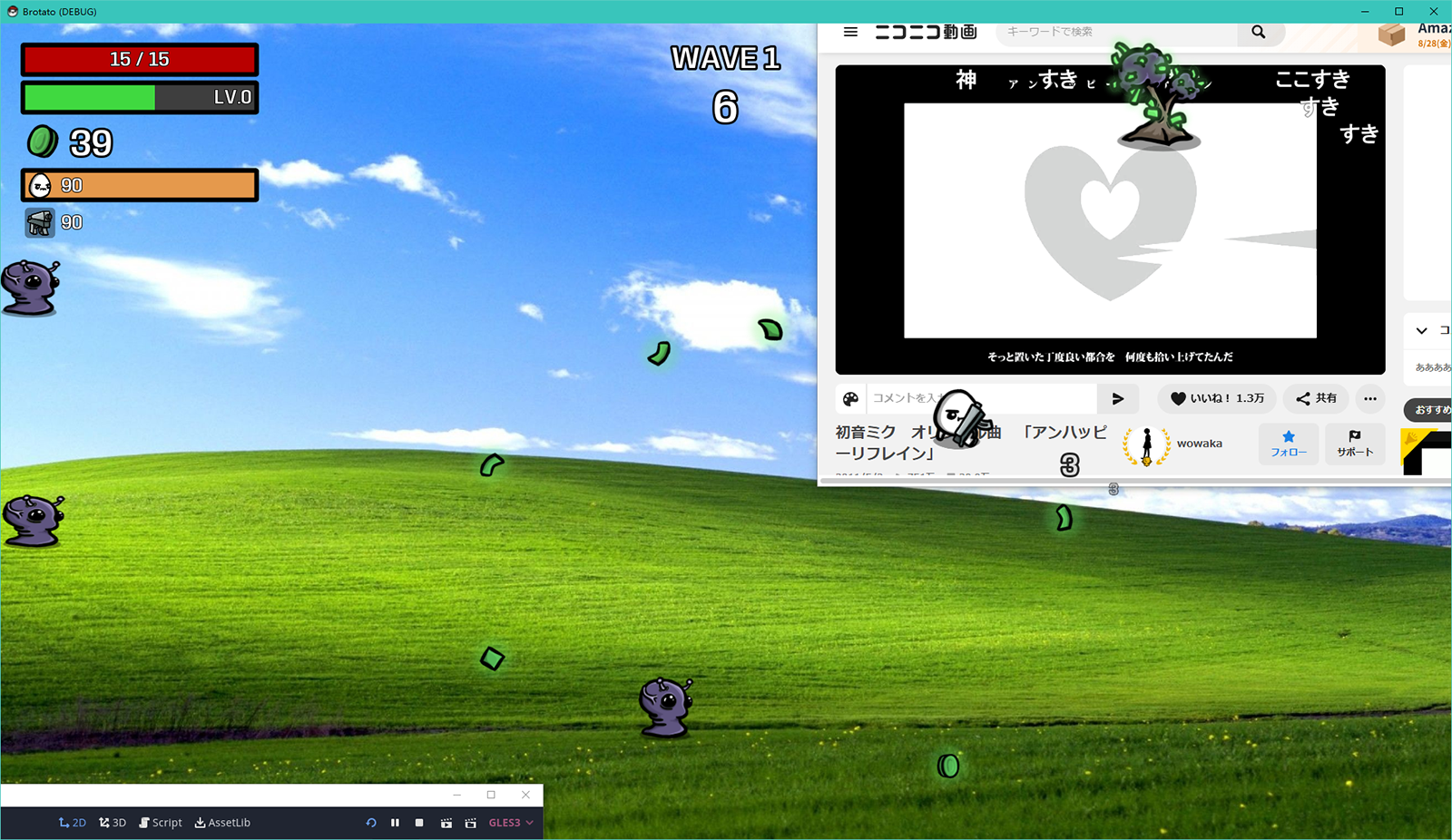
Are you looking to add a unique visual flair to your Brotato sessions? The “Fight on Desktop” mod offers a subtle yet impactful way to customize how you play. This modification introduces transparency options, allowing you to integrate your Brotato gameplay more seamlessly with your desktop environment.
Unveiling the Transparency
The core of the “Fight on Desktop” mod lies in its ability to make the Brotato game window transparent. This isn’t just a cosmetic change; it can help reduce eye strain during long gaming sessions and offers a novel way to interact with your game. Imagine the familiar chaos of Brotato unfolding in a way that feels less intrusive on your screen.
Key Features at a Glance
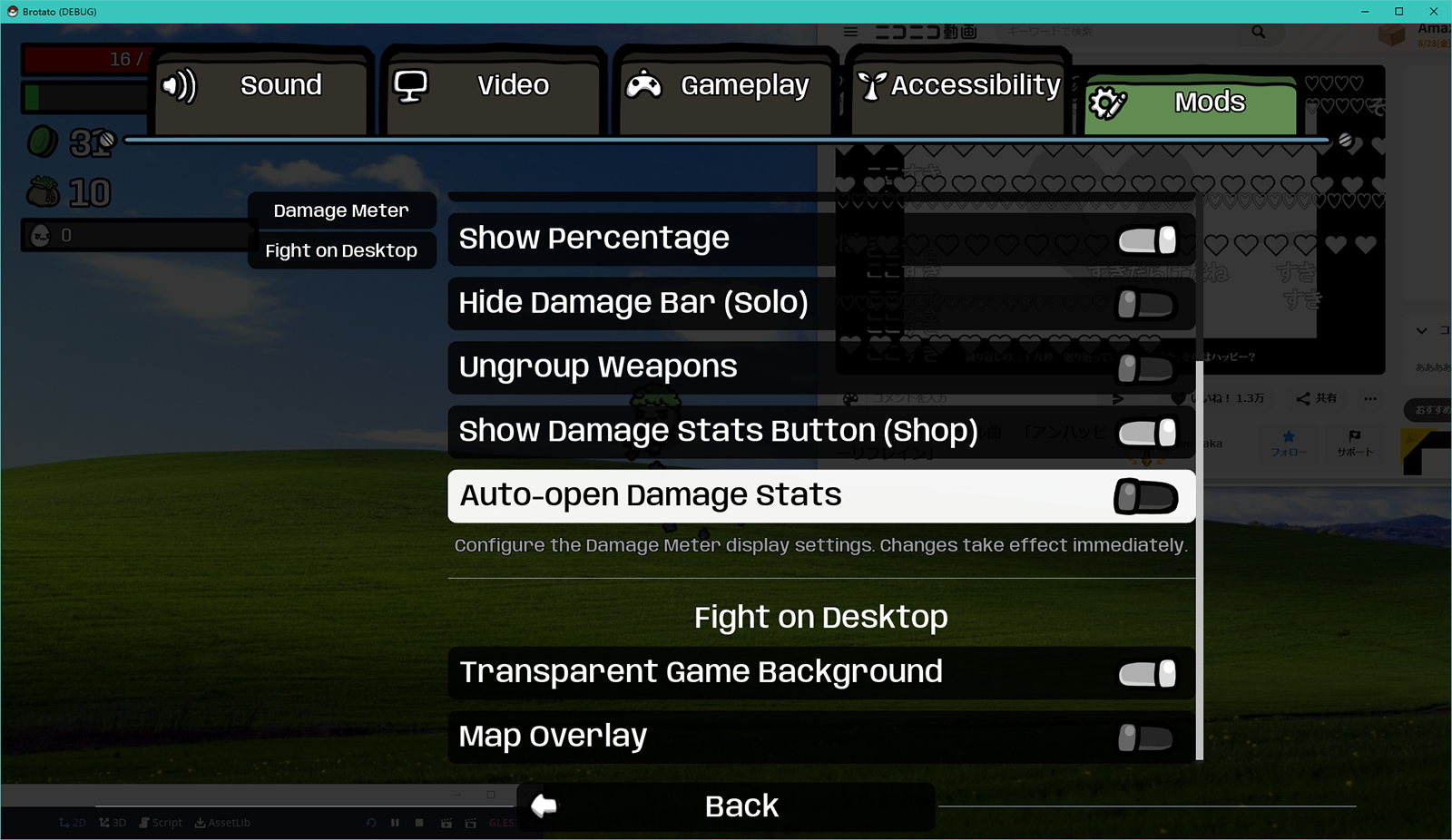
While the base mod enables transparency, its true potential is unlocked with the addition of the Oudstand-ModOptions. This companion mod allows for granular control over the visual effects. Key features include:
- Transparent Game Background: Control the opacity of the main game window, allowing your desktop wallpaper or other applications to subtly show through.
- Semi-Transparent Map Overlay: Adjust the visibility of the in-game map, ensuring you can still track your surroundings without it dominating the screen.
Getting Started with Fight on Desktop
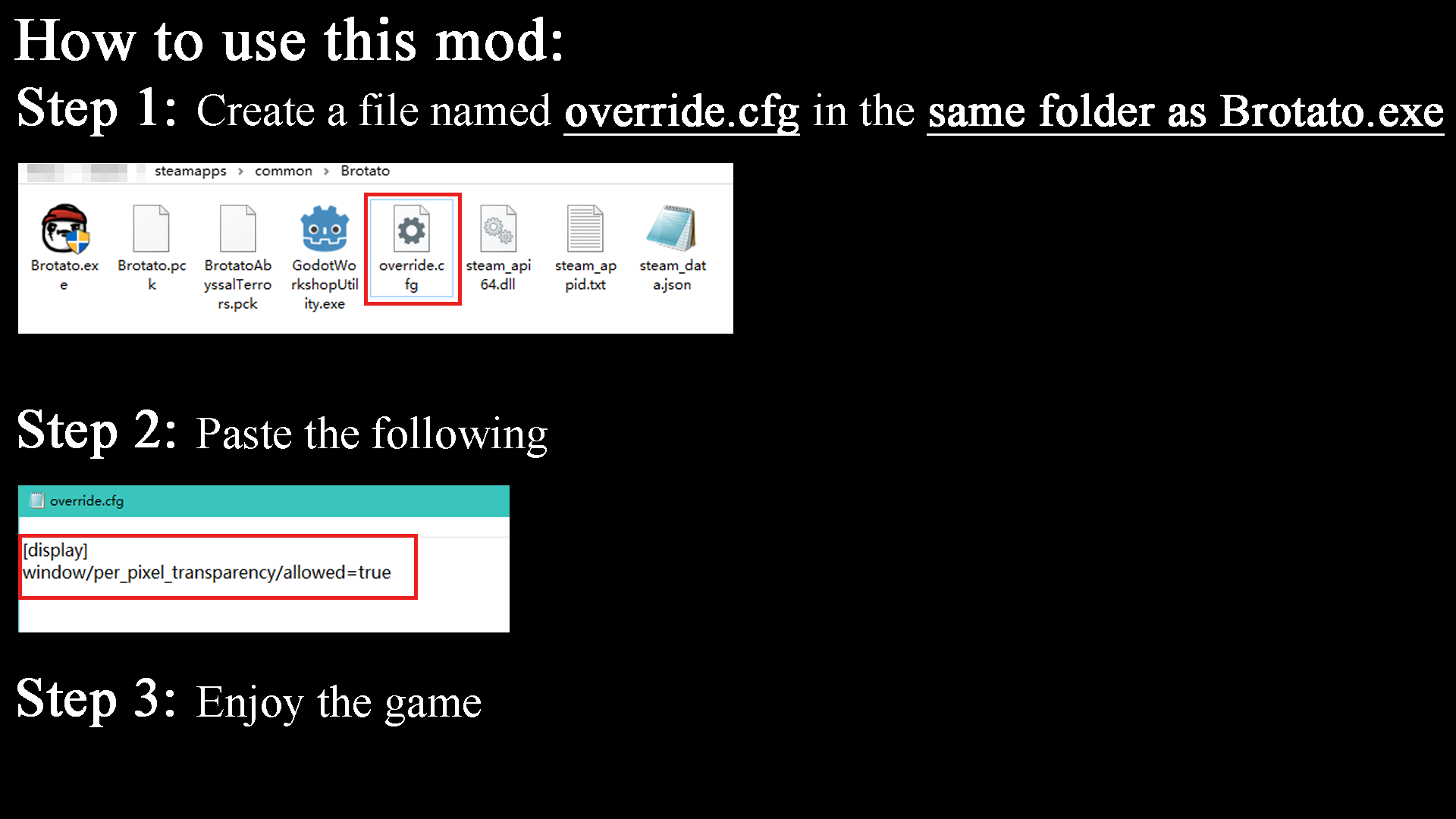
Implementing the “Fight on Desktop” mod is a straightforward process. By creating a simple configuration file named `override.cfg` in your Brotato installation directory and adding a specific line of code, you enable the underlying functionality. Once this is in place, you can then leverage the Oudstand-ModOptions to fine-tune the transparency levels to your exact preferences. This mod provides a fresh perspective on your Brotato adventures, blending your tactical survival with a personalized desktop aesthetic.