
BrotatoTranslationsTHAI
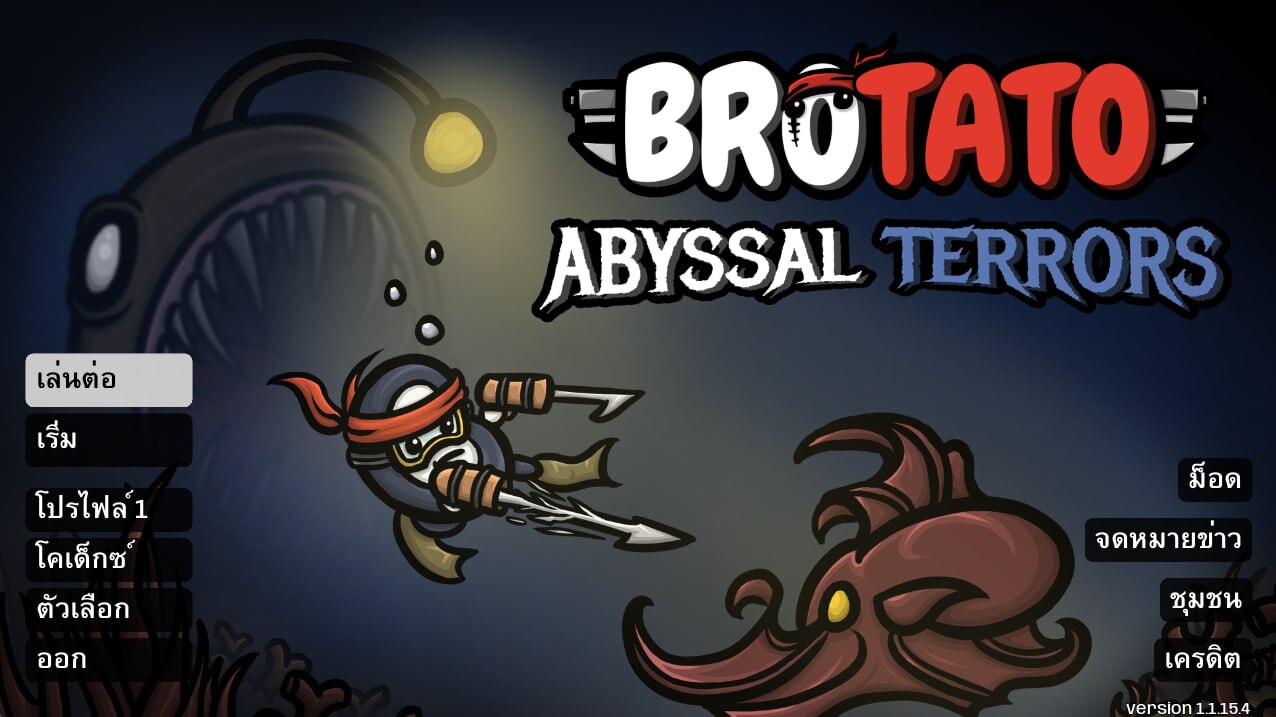
Experience Brotato in Thai with the BrotatoTranslationsTHAI Mod
Dive into the thrilling survival action of Brotato with a brand-new, fully localized experience! The BrotatoTranslationsTHAI mod brings the entire game into the Thai language, ensuring you can understand every weapon, every enemy, and every upgrade without missing a beat. This comprehensive translation is designed for seamless integration, allowing you to enjoy the chaotic fun of Brotato with exceptional clarity.
Key Features of the Thai Translation Mod
- Full Game and DLC Support: This mod provides a complete Thai translation for both the base Brotato game and its Abyssal Terrors DLC. Every character, item, weapon, and new game mechanic introduced in the DLC is faithfully translated.
- Native Steam Workshop Integration: Forget complicated installations. This mod is 100% native to the Steam Workshop. Simply subscribe, and the game will automatically handle the rest, ensuring you have the latest version without any external downloads or setup.
- Crystal-Clear Thai Font: Featuring a sharp PUA-encoded Thai font, this mod ensures that all characters, vowels, and tone marks are displayed correctly and distinctly. Say goodbye to overlapping or misplaced text – your Thai characters will be perfectly aligned for optimal readability.
- Automatic Updates: Stay up-to-date with ease. The mod automatically updates through the Steam Workshop, meaning you’ll always be playing with the most current translation as the game evolves.
How to Activate the Thai Language
Getting started with the Thai language in Brotato is incredibly simple:
- Click the green Subscribe button on the mod’s page.
- Launch Brotato.
- Navigate to the Options menu.
- Select Language and choose “ภาษาไทย” (Thai).
- You’re ready to play! Your Brotato adventure will now unfold in Thai.
Troubleshooting Tips
If the Thai language doesn’t appear immediately after launching the game, a quick check within the game’s Modifications menu on the main screen should resolve the issue. Ensure that the BrotatoTranslationsTHAI mod is enabled and active.