
小叶子卡面
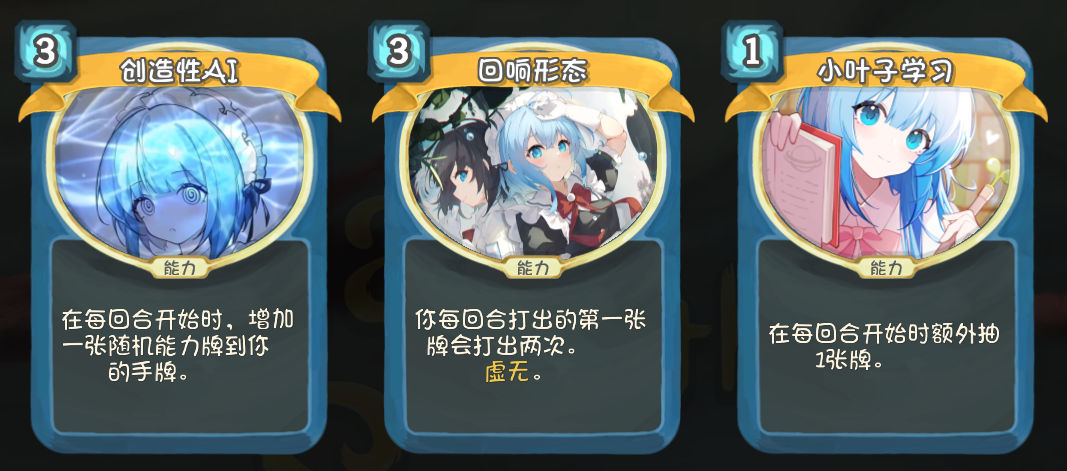
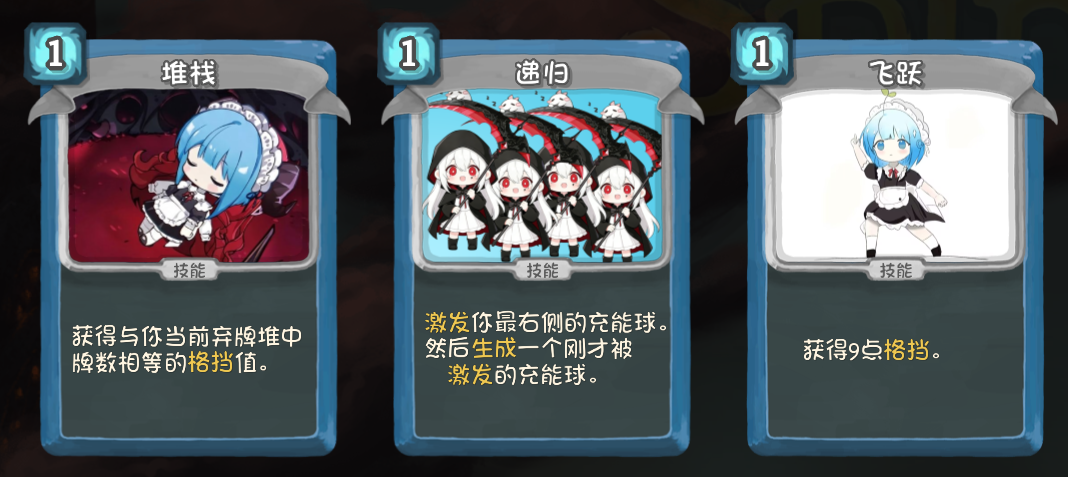
Enhance Your Slay the Spire Runs with the Little Leaf Card Art Mod
Breathe new life into your Slay the Spire adventures with the Little Leaf Card Art mod! This meticulously crafted modification introduces a fresh visual aesthetic to the game, focusing on replacing existing card art and other graphical elements to create a unique and engaging experience. If you’re looking to refresh your gameplay with a distinct visual style, this mod is a must-have.
A Visual Overhaul for Your Deck
The Little Leaf Card Art mod brings a substantial collection of new artwork to your Slay the Spire sessions. The mod currently features a total of 37 brand-new card illustrations, designed to replace the default visuals and offer a novel perspective on your deck’s capabilities. Beyond the cards themselves, the mod also includes a new character selection background image, two distinct campfire illustrations, and a unique graphic for when your character is downed.
Optional Model Replacements
In addition to the card art, this mod offers optional model replacements. By default, these are not enabled. However, players can choose to enable the model replacement feature by navigating to specific folders within the game’s image directory. This allows for further visual customization, potentially offering unique character models that complement the new card art for an even more immersive experience.
Key Features of the Little Leaf Card Art Mod:
- 37 meticulously designed new card illustrations.
- A fresh character selection screen background.
- Two new distinct campfire images.
- A unique downed character graphic.
- Optional model replacement features for enhanced customization.
- A visually distinct aesthetic to refresh your Slay the Spire runs.
Installation and Configuration
Getting the Little Leaf Card Art mod up and running is a straightforward process. Ensure you have subscribed to the mod and any necessary prerequisite mods. Crucially, you’ll need to enable the TextureReplacer mod in your Slay the Spire mod manager. Once TextureReplacer is active, access the game’s main menu, navigate to the Mods option, select Texture Replacer, click on Config, and then check the box for “Little Leaf Card Art” in the configuration window. Remember that when using multiple texture mods, those listed higher in the priority list will take precedence.
The developers have utilized a combination of AI assistance, official game assets, community-sourced emoticons, and fan art to create this unique visual package. If you have any brilliant ideas or suggestions, the creators are eager to hear them and can be contacted via Steam or email.