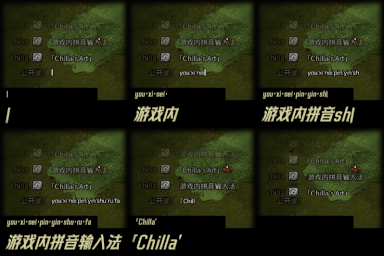
游戏内拼音输入法
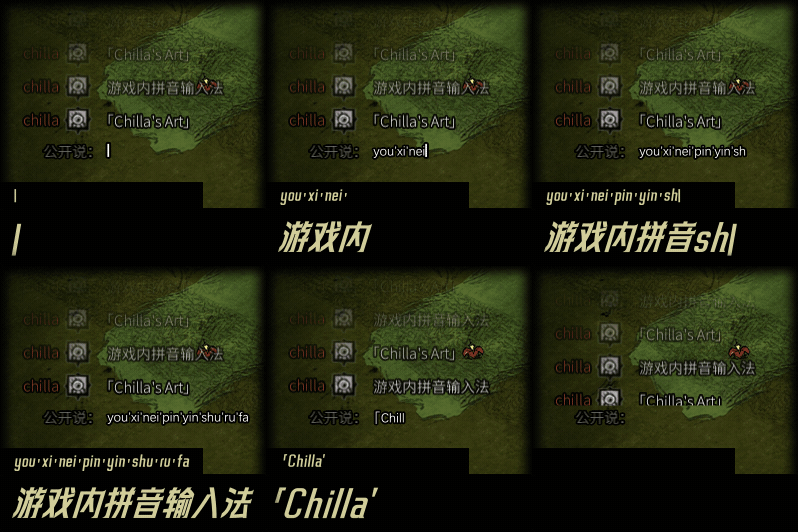
Seamless Chinese Input for Don’t Starve Together
For players of Don’t Starve Together who communicate in Chinese, managing input methods can be a hassle. This mod offers a comprehensive in-game Pinyin input solution, designed to streamline your chat experience without the need to switch to your system’s input method. Whether you’re playing in full-screen or windowed mode, this mod ensures smooth Chinese character input directly within the game.
Key Features for Effortless Chatting
This robust Pinyin input mod comes packed with features to make typing in Chinese as easy as possible:
- Flexible Pinyin Input: Supports both full Pinyin (e.g., “nihao” for 你好) and abbreviated Pinyin (e.g., “nh” for 你好).
- Intuitive Word Selection: Use number keys 1-9 to select from candidate words, or simply press the spacebar to input the first option.
- Phrase Adjustment: Easily adjust word segmentation using the left and right arrow keys. For instance, “dabaobei” can be corrected to “打包呗” with a single key press.
- Page Navigation: Turn through candidate word pages using the minus, equals, PageUp, or PageDown keys.
- One-Click Language Switching: Effortlessly toggle between Chinese and English input with a simple Alt-click, customizable in the settings.
- Temporary English Mode: Type ‘v’ to temporarily switch to English input; it automatically reverts to Chinese after you finish typing.
- Automatic Punctuation Conversion: Common Chinese punctuation like commas, periods, question marks, and quotation marks are automatically recognized and converted.
- Intelligent Input Memory: Frequently used words are prioritized, and input history is shared between full and abbreviated Pinyin.
- Date and Time Candidates: Type “sj rq xq” to quickly access options for time, date, and day of the week.
- Customizable Dictionary: Add, edit, or remove custom phrases directly within the game’s interface, such as mapping “dst” to “饥荒联机版”.
- Special Symbol Handling: Input special symbols like “^_^” directly without interference.
- Optional Traditional Output and Fuzzy Tone: Enable these features in the mod’s settings for a more personalized experience.
Convenient Keybinds
Mastering the mod is quick with these essential keybinds: Alt-click for language switching, number keys and spacebar for word selection, and arrow keys for phrase adjustment. The candidate word UI is also draggable for personalized placement.
Accessing Settings
To customize your Pinyin input experience, simply open your character’s status panel. You’ll find a “Pinyin Input Settings” button in the lower-left corner, allowing you to adjust keybinds, candidate display, and initial modes.